Deze vertaling is door een computer gegenereerd en is nog niet door iemand nagekeken. Spreek je deze taal? Bekijk het hier.
Inleiding
Vervang je antennes om de draadloze verbinding te herstellen.
Wat je nodig hebt
-
-
-
Schakel je Mac mini uit, ontkoppel alle kabels en draai hem om.
-
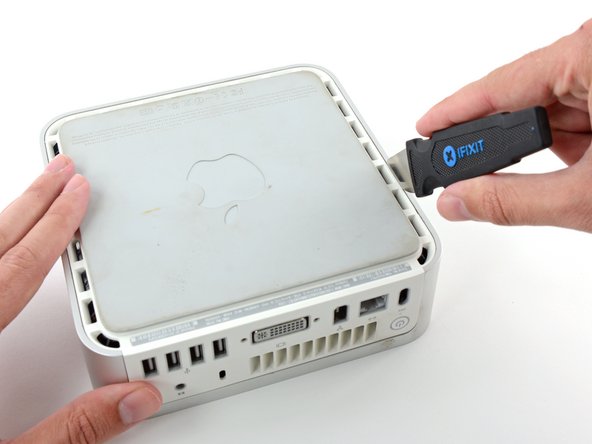
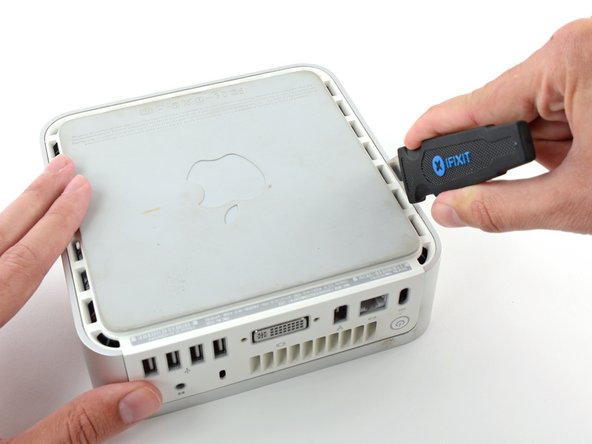
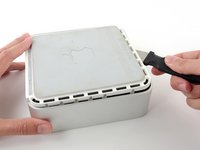
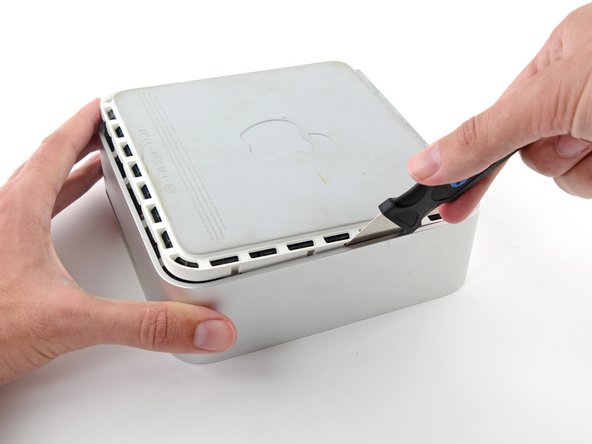
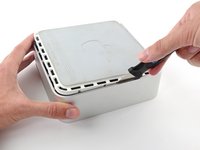
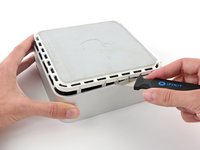
Steek de Jimmy in de opening tussen de aluminium bovenbehuizing en de onderste kunststof behuizing.
-
De Jimmy zou na ongeveer 1 cm weerstand moeten voelen.
 Vraag FixBot
-
-
-
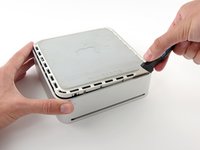
Buig de Jimmy voorzichtig naar buiten om de opening iets verder open te wrikken en til de onderste behuizing een klein beetje op.
-
-
-
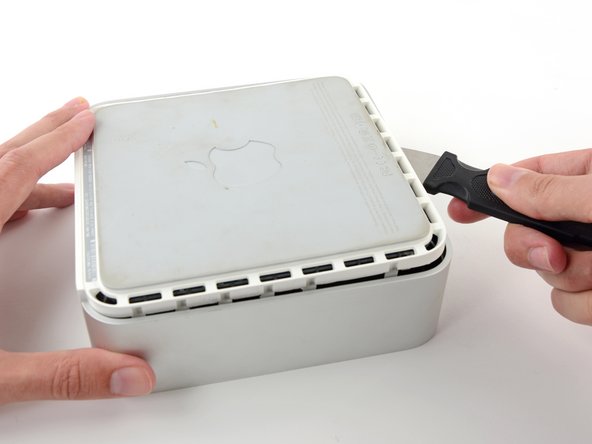
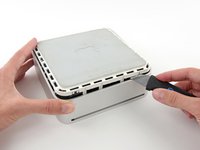
Zodra je de eerste kant hebt losgemaakt, draai je de Mac mini om en begin je de voorkant omhoog te wrikken.
-
Gebruik dezelfde wrikbeweging om zowel de clips naar binnen te buigen als de onderste behuizing uit de bovenste behuizing te tillen.
-
-
-
Mogelijk moet je de Jimmy langs de rand bewegen om alle clips los te wrikken. Wees geduldig en doe het stap voor stap.
-
-
-
Werk verder langs de rand om de clips aan de laatste zijde los te maken.
-
-
-
-
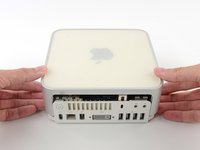
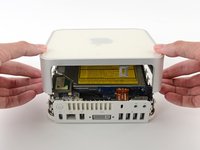
Draai de Mac mini weer om en til de bovenbehuizing van de onderbehuizing af.
-
-
-
-
-
We verwijderen eerst de AirPort-antenne, die zich in de linkerbenedenhoek van deze foto bevindt.
-
-
-
Knijp de twee borgarmen lichtjes naar elkaar toe en til de AirPort-antenne van de bevestigingspen af.
-
-
-
Pak de Bluetooth-antenne die zich het dichtst bij de poortzijde van de computer bevindt bij de randen van het board vast en trek deze recht omhoog van de interne omlijsting.
-
-
-
Verwijder de antennekaart aan de voorzijde van de mini door deze recht omhoog van de interne omlijsting te trekken.
-
Verwijder indien nodig het stukje tape dat de antennedraden aan de interne omlijsting bevestigt.
-
-
-
Gebruik de platte kant van een spudger om de aansluiting van de lintkabel van de audio van de audio-connectorplaat los te wrikken.
-
-
-
Verwijder de volgende vier schroeven die de interne omlijsting aan de onderste behuizing bevestigen:
-
Drie 6,7 mm Phillips-schroeven (maat #00)
-
Eén 9,5 mm Phillips-schroef (maat #00)
-
-
-
Til de interne omlijsting van de onderste behuizing, beginnend bij de achterrand, totdat u voelt dat de verborgen kabelaansluiting op het moederbord loskoppelt. Til deze vervolgens recht omhoog, waarbij u rekening houdt met de bluetooth- en 802.11-antennekabels.
-
-
-
-
-
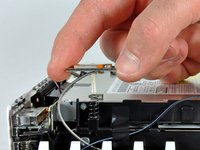
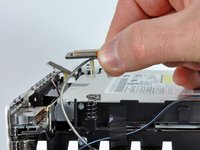
Gebruik de platte kant van een spudger om alle drie de (kabel)aansluitingen los te wippen van de combo-kaart.
-
-











Volg deze instructies in omgekeerde volgorde om je apparaat weer in elkaar te zetten.
Annuleren: ik heb deze handleiding niet afgemaakt.
18 andere personen hebben deze handleiding voltooid.

4Gids Commentaar
Hello Mate. Unfortunately the guide I followed to replace the HDD on my Core2 Duo mini didn’t day anything about the antennas getting totally disconnected from the combo board. I tried using your photos of the connectors but I am still unclear as to which connects where. In your photo will you please reference which one goes to the right side connector, which goes to the top lef, and which goes to the bottom left?
Thank you
the bluetooth antenna can only go one way. the wifi goes to the one that has two next to each other, closest one to the back of computer. then you have a BT antenna that goes NEXT to it, and it mounts closest to back of computer. The BT that mounts closer to the side, it mounts on the front of the computer. both BT mount on the same side the wifi on the other by itself. Its not the end of the world if you get these wrong, you just won’t get perfect coverage, but you’ll connect. Ive used these antennas on MacBook pros with the screens taken off (because the antennas for them are IN the screen)
what function for 3 antenna on there, 1. wifi 2. Bluetooth 3. what fungction no. 3??
and my mac mini just only hear big FAN, when plug power? can I fix..
