Deze vertaling is door een computer gegenereerd en is nog niet door iemand nagekeken. Spreek je deze taal? Bekijk het hier.
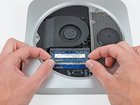
Mac mini Late 2012 RAM vervangen

Andrew Optimus Goldheart en 6 andere bijdragers
Voor het laatst geüpdatet op 18 aug 2026
Bekeken: 152K
Statistieken weergeven:
- Afgelopen 24 uur:
- 10
- Afgelopen 7 dagen:
- 66
- Afgelopen 30 dagen:
- 282
- Altijd:
- 152.270
Commentaar: 28
21 comments on steps, 7 guide comments.
Go to guide commentsVoltooid: 186 187
186 mensen hebben deze handleiding als "voltooid" gemarkeerd. Ben jij de volgende?
187 personen hebben deze handleiding als "voltooid" gemarkeerd. Een daarvan ben jij—lekker bezig!
Favorieten: 75 76
75 mensen hebben deze handleiding als favoriet gemarkeerd en volgen deze. Ben jij de volgende?
76 personen hebben deze handleiding als favoriet gemarkeerd (en blijven daarmee op de hoogte van meldingen)—een daarvan ben jij!
Uitgelichte handleiding
De iFixit-werknemers vonden deze handleiding uitzonderlijk cool.
Inleiding
Ga naar stap 1 ↓Het verwijderen van het RAM is een eenvoudige taak waarvoor geen gereedschap nodig is.
Wat je nodig hebt
Reparatieset
Deze set bevat alle onderdelen en tools om deze handleiding te voltooien.

Onderdelen
-
PC3-12800 2 GB RAM Chip$25.99
-
-


-
-
-
Plaats je duimen in de inkepingen in de onderkap.
-
Draai de onderkap tegen de klok in totdat de witte stip op de onderkap is uitgelijnd met de ring op de buitenkant van de behuizing.
 Vraag FixBot
-
-
-
-
Kantel de mini voldoende om de onderklep los te laten komen van de behuizing.
-
Verwijder de onderklep en leg deze opzij.
-
-
-
-
-
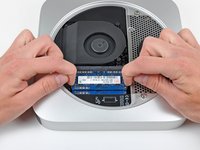
Maak de vergrendellipjes aan weerszijden van de RAM chip los door beide lipjes tegelijkertijd van de chip af te duwen.
-
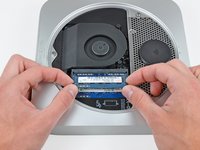
Nadat de RAM chip omhoog is gekomen, trekt u deze recht uit het stopcontact.
-
-


Volg deze instructies in omgekeerde volgorde om uw apparaat weer in elkaar te zetten.
Annuleren: ik heb deze handleiding niet afgemaakt.
186 andere personen hebben deze handleiding voltooid.


7Gids Commentaar
Dear everyone,
Does this mac mini accept :
KINGSTON DDR3 PC3-12800 - 2 x 4 Go (8 Go) 1600 MHZ - CAS 10 - HyperX Fury Black Series
Thank you.
I always consult Crucial's memory configuration tool. For a late-2012 Mac mini, see http://www.crucial.com/usa/en/compatible....
According to them, this Mac can go up to 16GB (2 SO-DIMMs of 8GB each). The SO-DIMMs should be DDRL3L-1600 (DDR3L PC3L-12800, CL=11, unbuffered, non-ECC, DDR3L-1600, 1.35v)
The SO-DIMMs you mentioned seem like they should be compatible (CL=10 should work fine in a computer that can accept CL=11). But I would only buy from a vendor that has a compatibility guarantee. If there's a problem, I would want to be able to return them for a refund.
The SODIMMs don't need to be low voltage DDR3L (i.e. 1.35 volt). In fact Apple recommends (https://support.apple.com/en-gb/HT202593) regular 1.5 volt DDR3 and most late 2012 Mac Minis were shipped with it. So is Crucial wrong? The truth is that either will work.
