Ga door naar hoofdinhoud
Word lid van de reparatiegemeenschap - Account aanmaken

Logitech Webcam Pro 9000 Microphone Replacement

Wat je nodig hebt

  1. Logitech Webcam Pro 9000 Microphone Replacement, Front and Back Cover: stap 1, afbeelding 1 van 2 Logitech Webcam Pro 9000 Microphone Replacement, Front and Back Cover: stap 1, afbeelding 2 van 2
    • Remove the two 8 mm Phillips #0 screws on the back cover.

    • The motherboard connects the two covers together. DO NOT separate the two yet.

    • There is a button that loosens as the Phillips screws are removed. Don't be alarmed if it falls out.

    Vraag FixBot

    Voeg opmerking toe

  2. Logitech Webcam Pro 9000 Microphone Replacement: stap 2, afbeelding 1 van 2 Logitech Webcam Pro 9000 Microphone Replacement: stap 2, afbeelding 2 van 2
    • Remove the four 6mm Phillips #0 screws connecting the motherboard and front cover.

    • DO NOT detach the wire connecting the motherboard to the front cover.

    Vraag FixBot

    Voeg opmerking toe

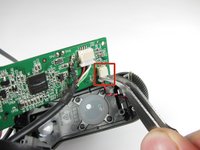
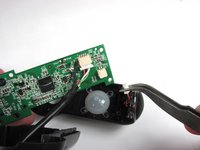
  3. Logitech Webcam Pro 9000 Microphone Replacement, Microphone Connection: stap 3, afbeelding 1 van 2 Logitech Webcam Pro 9000 Microphone Replacement, Microphone Connection: stap 3, afbeelding 2 van 2
    • Grasp the white wire connector between the tabs and the socket.

    • Wiggle the connector back and forth to remove the front cover from the motherboard.

    Vraag FixBot

    Voeg opmerking toe

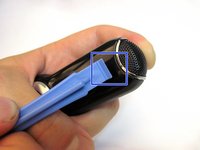
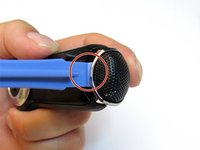
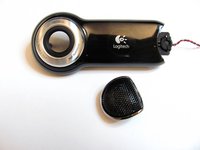
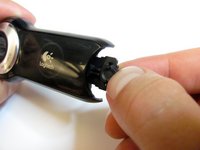
  4. Logitech Webcam Pro 9000 Microphone Replacement, Microphone: stap 4, afbeelding 1 van 3 Logitech Webcam Pro 9000 Microphone Replacement, Microphone: stap 4, afbeelding 2 van 3 Logitech Webcam Pro 9000 Microphone Replacement, Microphone: stap 4, afbeelding 3 van 3
    • Wedge the plastic opening tool into the crack between the plastic cover and microphone guard.

    • Use the wedge to separate the two pieces.

    • It might take more force than expected.

    Vraag FixBot

    Voeg opmerking toe

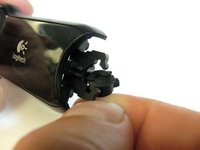
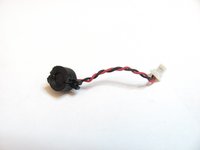
  5. Logitech Webcam Pro 9000 Microphone Replacement: stap 5, afbeelding 1 van 3 Logitech Webcam Pro 9000 Microphone Replacement: stap 5, afbeelding 2 van 3 Logitech Webcam Pro 9000 Microphone Replacement: stap 5, afbeelding 3 van 3
    • Twist the rubber casing and remove it from the plastic cover.

    Vraag FixBot

    Voeg opmerking toe

Conclusie

To reassemble your device, follow these instructions in reverse order.

Annuleren: ik heb deze handleiding niet afgemaakt.

2 andere personen hebben deze handleiding voltooid.

nieko

Lid sinds: 04/18/13

63 Reputatie

2 handleidingen geschreven

Team

Cal Poly, Team 12-34, Amido Spring 2013 Lid van Cal Poly, Team 12-34, Amido Spring 2013

CPSU-AMIDO-S13S12G34

4 Leden

16 handleidingen geschreven

0Gids Commentaar

Voeg opmerking toe

Weergavestatistieken:

Afgelopen 24 uren: 3

Afgelopen 7 dagen: 10

Afgelopen 30 dagen: 30

Altijd: 2,445