Ga door naar hoofdinhoud
Word lid van de reparatiegemeenschap - Account aanmaken

Logitech Signature M650 L Scroll Wheel Assembly Replacement

Wat je nodig hebt

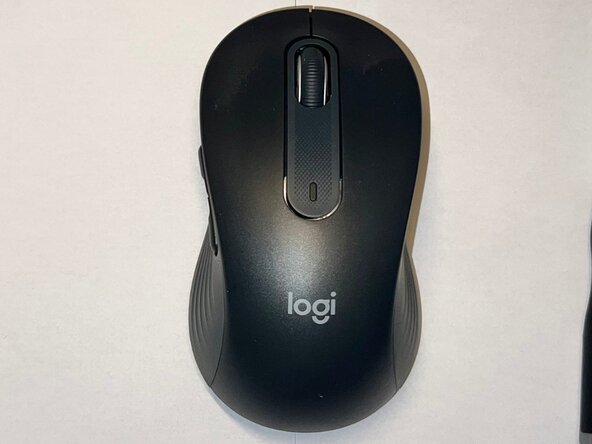
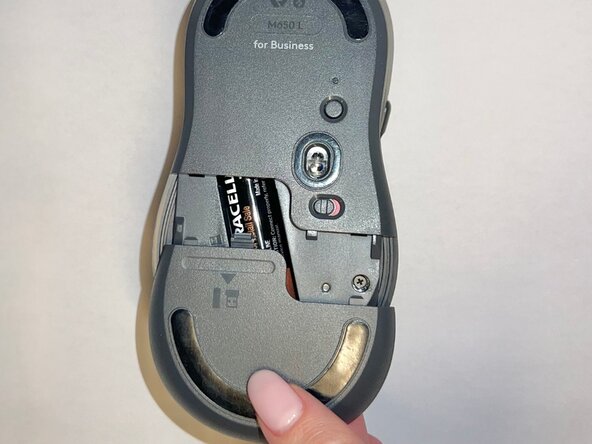
  1. Logitech Signature M650 L Scroll Wheel Assembly Replacement, Scroll Wheel Assembly: stap 1, afbeelding 1 van 3 Logitech Signature M650 L Scroll Wheel Assembly Replacement, Scroll Wheel Assembly: stap 1, afbeelding 2 van 3 Logitech Signature M650 L Scroll Wheel Assembly Replacement, Scroll Wheel Assembly: stap 1, afbeelding 3 van 3
    • Slide the battery compartment cover downward and lift it away from the mouse.

  2. Logitech Signature M650 L Scroll Wheel Assembly Replacement: stap 2, afbeelding 1 van 1
    • Remove the AA battery from the battery compartment.

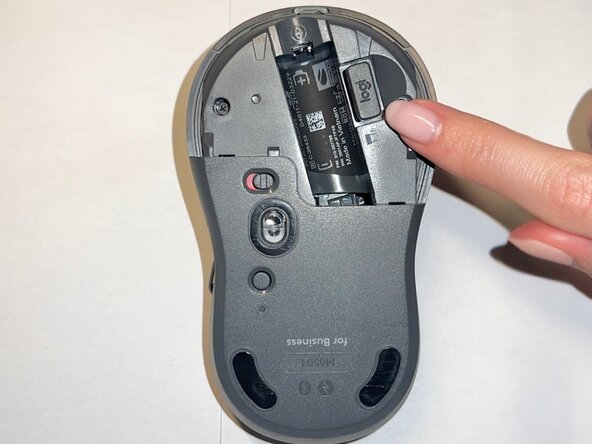
  3. Logitech Signature M650 L Scroll Wheel Assembly Replacement: stap 3, afbeelding 1 van 2 Logitech Signature M650 L Scroll Wheel Assembly Replacement: stap 3, afbeelding 2 van 2
    • Remove the USB receiver from its storage slot inside the battery compartment.

  4. Logitech Signature M650 L Scroll Wheel Assembly Replacement: stap 4, afbeelding 1 van 1
    • Use a Phillips #000 screwdriver to remove the two screws securing the internal frame.

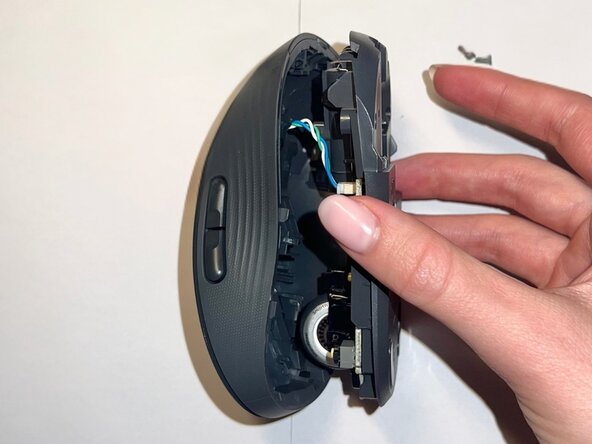
  5. Logitech Signature M650 L Scroll Wheel Assembly Replacement: stap 5, afbeelding 1 van 2 Logitech Signature M650 L Scroll Wheel Assembly Replacement: stap 5, afbeelding 2 van 2
    • Gently lift the top shell away from the mouse body.

    • Do not remove it completely, as it is still connected to the base by a cable.

  6. Logitech Signature M650 L Scroll Wheel Assembly Replacement: stap 6, afbeelding 1 van 1
    • Use a Phillips #000 screwdriver to remove the two screws securing the scroll wheel assembly.

  7. Logitech Signature M650 L Scroll Wheel Assembly Replacement: stap 7, afbeelding 1 van 2 Logitech Signature M650 L Scroll Wheel Assembly Replacement: stap 7, afbeelding 2 van 2
    • Lift the scroll wheel assembly out of the mouse and install the replacement assembly in the same position.

  8. Logitech Signature M650 L Scroll Wheel Assembly Replacement: stap 8, afbeelding 1 van 1
    • Replace the two Phillips #000 screws to secure the scroll wheel assembly.

  9. Logitech Signature M650 L Scroll Wheel Assembly Replacement: stap 9, afbeelding 1 van 1
    • Align the top shell with the base and press down along the edges until it snaps into place.

  10. Logitech Signature M650 L Scroll Wheel Assembly Replacement: stap 10, afbeelding 1 van 1
    • Use a Phillips #000 screwdriver to reinstall the two internal screws.

  11. Logitech Signature M650 L Scroll Wheel Assembly Replacement: stap 11, afbeelding 1 van 3 Logitech Signature M650 L Scroll Wheel Assembly Replacement: stap 11, afbeelding 2 van 3 Logitech Signature M650 L Scroll Wheel Assembly Replacement: stap 11, afbeelding 3 van 3
    • Insert the AA battery, reinstall the USB receiver, and slide the battery compartment cover back into place.

  12. Logitech Signature M650 L Scroll Wheel Assembly Replacement: stap 12, afbeelding 1 van 1
    • Your mouse is now fully reassembled.

Conclusie

To reassemble your device, follow these instructions in reverse order. Take your e-waste to an R2 or e-Stewards certified recycler.

Één andere persoon heeft deze handleiding voltooid.

0Gids Commentaar

Voeg opmerking toe

Weergavestatistieken:

Afgelopen 24 uren: 3

Afgelopen 7 dagen: 32

Afgelopen 30 dagen: 40

Altijd: 76