Inleiding
It is recommended to have the iFixit ProTech toolkit and have already taken the case apart.
Wat je nodig hebt
-
-
-
Remove the battery cover by applying pressure to the indented area and pushing the cover toward the rear of the device.
 Vraag FixBot
-
-
-
Using a J000 Philips head screwdriver remove the four 5mm screws around the rim of the battery chamber.
-
-
Gereedschap gebruikt in deze stap:Flathead 3/32" or 2.5 mm Screwdriver$5.49
-
Remove the small plastic cover beneath the plastic LED housing by using a 3.0 flathead screwdriver and a spudger to pry it off. It is glued to the case. If you are having trouble removing it try applying some heat to loosen the glue.
-
-
-
-
Remove the two 5mm screws located underneath the cover using a J000 Philips screwdriver bit.
-
-
-
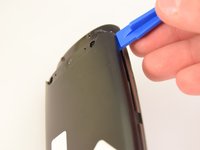
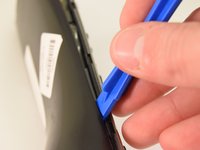
Using a plastic opening tool, pry the case off starting from the top of the device (nearest the transmitter). There are 3 tabs along the side of the case and one at the back.
-
The top led protector plastic cover will also be freed once back is removed.
-
-
-
-
-
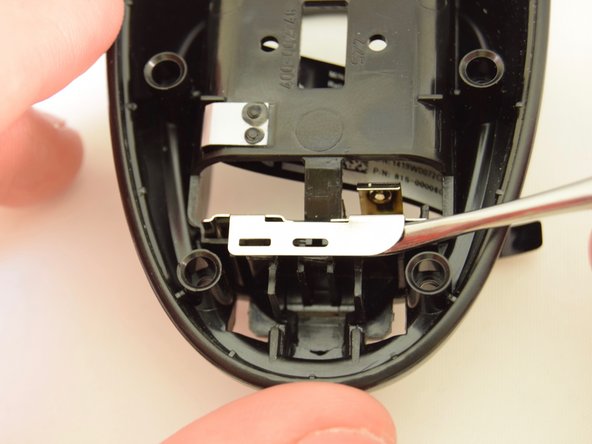
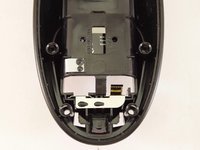
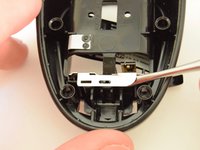
Using the small end of a spudger, pry out the terminal from the interior of the case.
-
-
-
Start from one side and work your way to the other side using the spudger.
-
-








To reassemble your device, follow these instructions in reverse order.
Annuleren: ik heb deze handleiding niet afgemaakt.
2 andere personen hebben deze handleiding voltooid.

Team

Eastern Washington University, Team 1-2, Rowley Winter 2016 Lid van Eastern Washington University, Team 1-2, Rowley Winter 2016
EWU-ROWLEY-W16S1G2
4 Leden
10 handleidingen geschreven
