Deze vertaling is door een computer gegenereerd en is nog niet door iemand nagekeken. Spreek je deze taal? Bekijk het hier.
Inleiding
In deze handleiding leer je hoe je de bumpers van de Logitech Gamepad F310 vervangt. De bumpers zijn de eerste set knoppen aan de bovenkant van de controller. Ze zijn klein en rechthoekig.
De bumpers hebben een speciale functie voor de controller. Ze zijn noodzakelijk voor de controller om functies te gebruiken voor gamingdoeleinden, zoals inzoomen, mikken, enzovoort.
Er zijn geen speciale gereedschappen of vaardigheden vereist.
Wat je nodig hebt
-
-
-
Gebruik een kruiskopschroevendraaier (Phillips #1) om alle zeven 3 mm schroeven te verwijderen die de achterbehuizing vastzetten.
 Vraag FixBot
-
-
-
Druk langs de naden van de controller en trek de voor- en achterkant van de behuizing voorzichtig uit elkaar.
-
-
-
-
-
-
Pak de bumper vast en trek deze recht omhoog om hem te verwijderen.
-
-


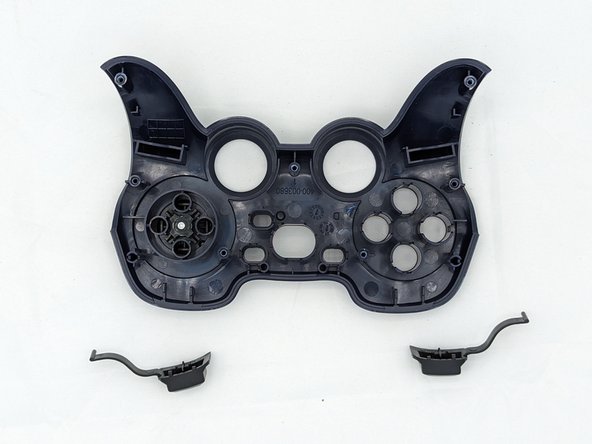
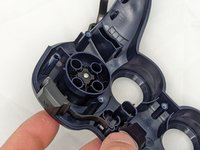
Je bent klaar! Volg deze instructies in omgekeerde volgorde om je apparaat weer in elkaar te zetten.
Annuleren: ik heb deze handleiding niet afgemaakt.
Één andere persoon heeft deze handleiding voltooid.

Team

University of North Texas, Team 2-6, Kilpatrick Spring 2024 Lid van University of North Texas, Team 2-6, Kilpatrick Spring 2024
UNT-KILPATRICK-S24S2G6
4 Leden
72 handleidingen geschreven
