Ga door naar hoofdinhoud
Word lid van de reparatiegemeenschap - Account aanmaken

LG VX8700 Ear Piece Replacement

Wat je nodig hebt

  1. LG VX8700 Ear Piece Replacement, Battery: stap 1, afbeelding 1 van 2 LG VX8700 Ear Piece Replacement, Battery: stap 1, afbeelding 2 van 2
    • Power the phone off.

    • Slide the back cover off using the release latch with your fingers to expose the battery.

    Vraag FixBot

    Voeg opmerking toe

  2. LG VX8700 Ear Piece Replacement: stap 2, afbeelding 1 van 2 LG VX8700 Ear Piece Replacement: stap 2, afbeelding 2 van 2
    • Lift one side of the battery using a plastic opening tool or your fingers.

    • Carefully remove the battery and set it aside.

    • When installing the new battery, align the metal pins with those of the phone.

    Vraag FixBot

    Voeg opmerking toe

  3. LG VX8700 Ear Piece Replacement, Front Bezel: stap 3, afbeelding 1 van 1
    • Turn your phone around and open the flip phone. The screen is now facing you.

    • Locate the two grey rubber plugs on the bottom corners of the screen. These plugs cover up two screws.

    • Remove the two grey screw-covers.

    Vraag FixBot

    Voeg opmerking toe

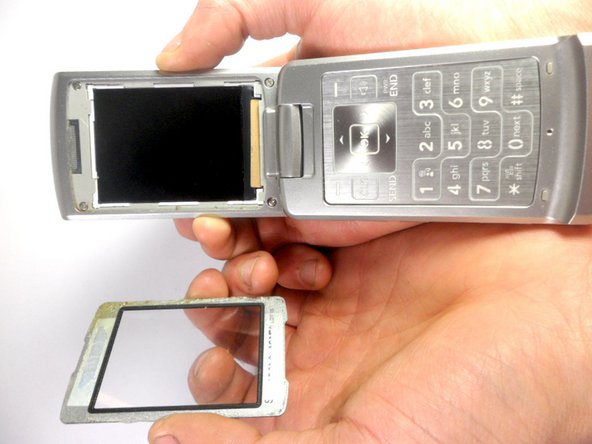
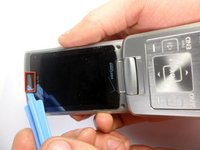
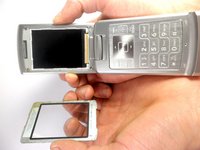
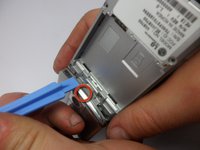
  4. LG VX8700 Ear Piece Replacement: stap 4, afbeelding 1 van 2 LG VX8700 Ear Piece Replacement: stap 4, afbeelding 2 van 2
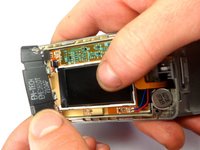
    • Use the ejection tab at the top to remove the screen.

    • There is a gap between the case and the screen near the ear piece.

    • Insert the plastic opening tool in the gap and pry up the screen.

    • The plastic screen cover is glued onto the phone. It may be difficult to pry off.

    Vraag FixBot

    Voeg opmerking toe

  5. LG VX8700 Ear Piece Replacement: stap 5, afbeelding 1 van 1
    • Unscrew the four corners of the screen using 3.21mm screws to separate the top cover of the phone.

    Vraag FixBot

    Voeg opmerking toe

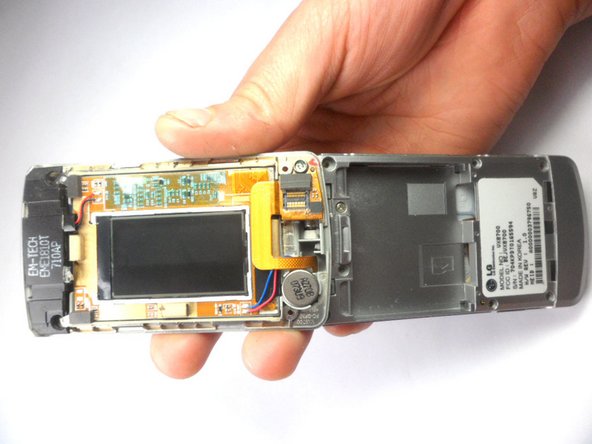
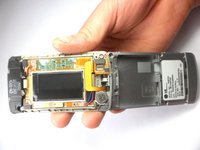
  6. LG VX8700 Ear Piece Replacement: stap 6, afbeelding 1 van 2 LG VX8700 Ear Piece Replacement: stap 6, afbeelding 2 van 2
    • Turn your phone around. The battery side will be facing you.

    • Insert the plastic opening tool into the groove to remove the top cover of the phone.

    • Carefully open the cover.

    Vraag FixBot

    Voeg opmerking toe

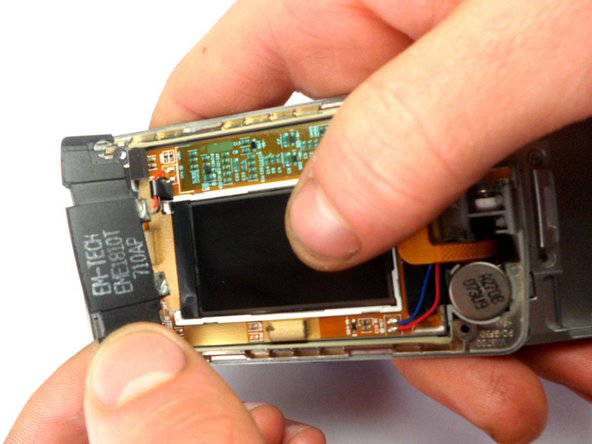
  7. LG VX8700 Ear Piece Replacement, Ear Piece: stap 7, afbeelding 1 van 1
    • Locate the earpiece, which is the black component at the top with black and red wires.

    • Remove the component. Using a soldering iron, desolder the top ear piece.

    Vraag FixBot

    Voeg opmerking toe

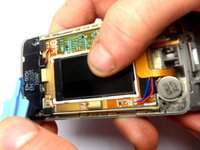
  8. LG VX8700 Ear Piece Replacement: stap 8, afbeelding 1 van 2 LG VX8700 Ear Piece Replacement: stap 8, afbeelding 2 van 2
    • Using the plastic opening tool, lift the earpiece to remove it from the phone.

    Vraag FixBot

    Voeg opmerking toe

Conclusie

To reassemble your device, follow these instructions in reverse order.

Annuleren: ik heb deze handleiding niet afgemaakt.

Stanley Thomas

Lid sinds: 01/20/12

41 Reputatie

4 handleidingen geschreven

Team

Cal Poly, Team 8-16, Maness Winter 2012 Lid van Cal Poly, Team 8-16, Maness Winter 2012

CPSU-MANESS-W12S8G16

4 Leden

21 handleidingen geschreven

0Gids Commentaar

Voeg opmerking toe

Weergavestatistieken:

Afgelopen 24 uren: 1

Afgelopen 7 dagen: 3

Afgelopen 30 dagen: 27

Altijd: 1,355