Ga door naar hoofdinhoud
Word lid van de reparatiegemeenschap - Account aanmaken

LG VX5400 Logic Board Replacement

Wat je nodig hebt

    1. LG VX5400 Logic Board Replacement, Battery: stap 1, afbeelding 1 van 1
      • Turn off the cell phone and turn it over on its back side

      Vraag FixBot

      Voeg opmerking toe

    2. LG VX5400 Logic Board Replacement: stap 2, afbeelding 1 van 1
      • Hold the phone case in your palm and slide the back cover towards yourself using your thumb

      Vraag FixBot

      Voeg opmerking toe

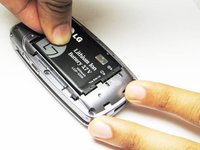
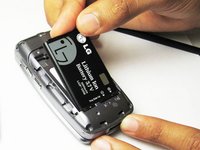
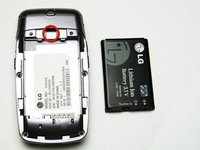
    3. LG VX5400 Logic Board Replacement: stap 3, afbeelding 1 van 3 LG VX5400 Logic Board Replacement: stap 3, afbeelding 2 van 3 LG VX5400 Logic Board Replacement: stap 3, afbeelding 3 van 3
      • Slide a tool or finger into the notch at the top of the battery to carefully remove it.

      Vraag FixBot

      Voeg opmerking toe

    1. LG VX5400 Logic Board Replacement, Outer Casing: stap 4, afbeelding 1 van 1
      • Take the Philips screwdriver and unscrew the four visible screws on the backside of the phone indicated by the four red circles.

      Vraag FixBot

      Voeg opmerking toe

    2. LG VX5400 Logic Board Replacement: stap 5, afbeelding 1 van 1
      • Then, take the pointed end of a spudger and pry out the rubber stopper to reveal the last screw at the top indicated with the blue circle.

      Vraag FixBot

      Voeg opmerking toe

    1. LG VX5400 Logic Board Replacement, Logic Board: stap 6, afbeelding 1 van 2 LG VX5400 Logic Board Replacement, Logic Board: stap 6, afbeelding 2 van 2
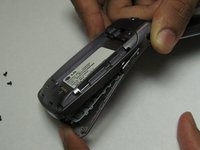
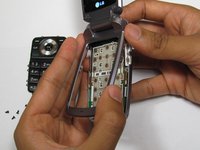
      • While the phone is open and faced up, carefully insert a tool into the middle to seperate the bottom half of the phone.

      Vraag FixBot

      Voeg opmerking toe

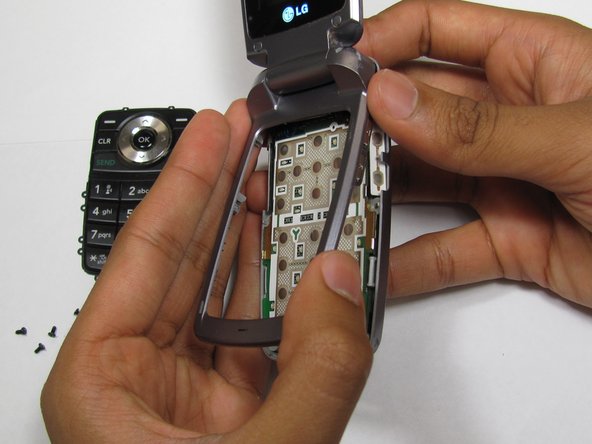
    2. LG VX5400 Logic Board Replacement: stap 7, afbeelding 1 van 2 LG VX5400 Logic Board Replacement: stap 7, afbeelding 2 van 2
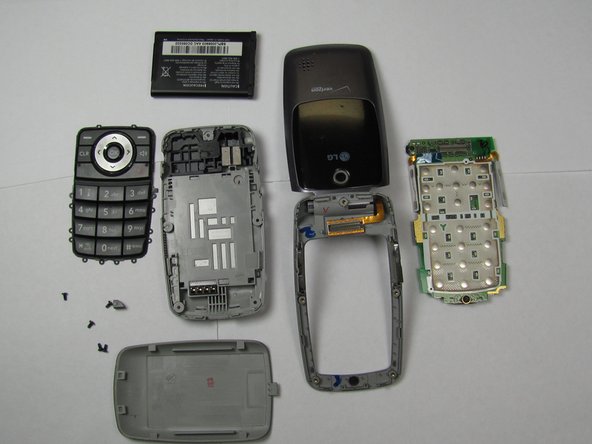
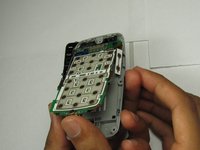
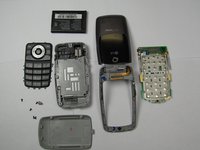
      • Carefully slide out the keypad and remove the logic board. Then insert new the logic board.

      Vraag FixBot

      Voeg opmerking toe

Conclusie

To reassemble your device, follow these instructions in reverse order.

Annuleren: ik heb deze handleiding niet afgemaakt.

2 andere personen hebben deze handleiding voltooid.

Sourabh

Lid sinds: 04/15/10

132 Reputatie

3 handleidingen geschreven

Team

Cal Poly, Team 26-26, Regan Spring 2010 Lid van Cal Poly, Team 26-26, Regan Spring 2010

CPSU-REGAN-S10S26G26

4 Leden

35 handleidingen geschreven

0Gids Commentaar

Voeg opmerking toe

Weergavestatistieken:

Afgelopen 24 uren: 0

Afgelopen 7 dagen: 5

Afgelopen 30 dagen: 23

Altijd: 2,843