Ga door naar hoofdinhoud
Word lid van de reparatiegemeenschap - Account aanmaken

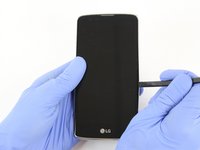
LG Phoenix 2 Speaker Replacement

Wat je nodig hebt

  1. LG Phoenix 2 Speaker Replacement, Battery: stap 1, afbeelding 1 van 3 LG Phoenix 2 Speaker Replacement, Battery: stap 1, afbeelding 2 van 3 LG Phoenix 2 Speaker Replacement, Battery: stap 1, afbeelding 3 van 3
    • Place a fingernail in the notch at the bottom edge of the phone.

    • Pull on the back cover with one hand while keeping the rest of the phone steady, and run your fingernail along the edge.

    Vraag FixBot

    Voeg opmerking toe

  2. LG Phoenix 2 Speaker Replacement: stap 2, afbeelding 1 van 3 LG Phoenix 2 Speaker Replacement: stap 2, afbeelding 2 van 3 LG Phoenix 2 Speaker Replacement: stap 2, afbeelding 3 van 3
    • Place a fingernail in the notch at the bottom edge of the battery.

    • Pull the battery out.

    Vraag FixBot

    Voeg opmerking toe

  3. LG Phoenix 2 Speaker Replacement, Speaker: stap 3, afbeelding 1 van 2 LG Phoenix 2 Speaker Replacement, Speaker: stap 3, afbeelding 2 van 2
    • Locate the SIM card in the top right corner on the back of the phone.

    • Remove the SIM card by pushing it with your thumb from left to right.

    Vraag FixBot

    Voeg opmerking toe

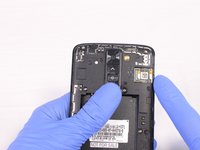
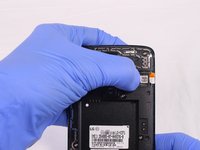
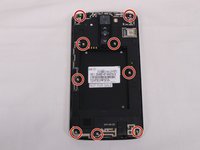
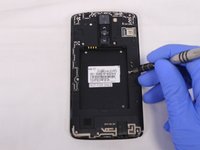
  4. LG Phoenix 2 Speaker Replacement: stap 4, afbeelding 1 van 3 LG Phoenix 2 Speaker Replacement: stap 4, afbeelding 2 van 3 LG Phoenix 2 Speaker Replacement: stap 4, afbeelding 3 van 3
    • Remove all 9 screws on the back by using a Phillips head #J00 screwdriver.

    • To remove the screws rotate them counterclockwise.

    Vraag FixBot

    Voeg opmerking toe

  5. LG Phoenix 2 Speaker Replacement: stap 5, afbeelding 1 van 3 LG Phoenix 2 Speaker Replacement: stap 5, afbeelding 2 van 3 LG Phoenix 2 Speaker Replacement: stap 5, afbeelding 3 van 3
    • Insert a plastic opening tool in the split at the bottom of the phone (between the bottom shield and the rest of the phone).

    • Pry the bottom shield to separate it from the phone.

    • Once it is loose you should be able to remove it with your hand.

    Vraag FixBot

    Voeg opmerking toe

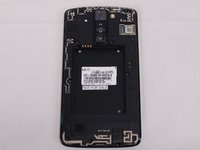
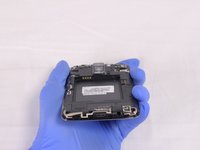
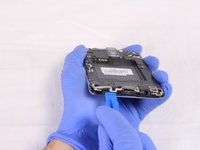
  6. LG Phoenix 2 Speaker Replacement: stap 6, afbeelding 1 van 3 LG Phoenix 2 Speaker Replacement: stap 6, afbeelding 2 van 3 LG Phoenix 2 Speaker Replacement: stap 6, afbeelding 3 van 3
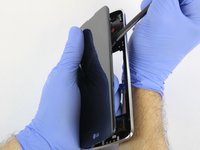
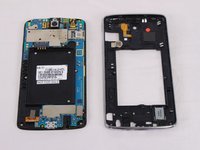
    • Insert the flat end of the Spudger between the screen and the chromed frame.

    • Once inserted, run the Spudger along the frame to separate the front part of the phone from the back shield.

    Vraag FixBot

    Voeg opmerking toe

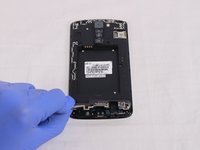
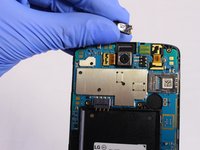
  7. LG Phoenix 2 Speaker Replacement: stap 7, afbeelding 1 van 3 LG Phoenix 2 Speaker Replacement: stap 7, afbeelding 2 van 3 LG Phoenix 2 Speaker Replacement: stap 7, afbeelding 3 van 3
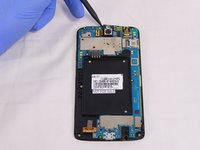
    • Remove the speaker by using the Spudger.

    Vraag FixBot

    Voeg opmerking toe

Conclusie

To reassemble your device, follow these instructions in reverse order.

Annuleren: ik heb deze handleiding niet afgemaakt.

Één andere persoon heeft deze handleiding voltooid.

Esteban Ruibal

Lid sinds: 02/14/18

705 Reputatie

5 handleidingen geschreven

Team

USF Tampa, Team S2-G2, Eyestone Spring 2018 Lid van USF Tampa, Team S2-G2, Eyestone Spring 2018

USFT-EYESTONE-S18S2G2

4 Leden

20 handleidingen geschreven

0Gids Commentaar

Voeg opmerking toe

Weergavestatistieken:

Afgelopen 24 uren: 4

Afgelopen 7 dagen: 11

Afgelopen 30 dagen: 38

Altijd: 791