Ga door naar hoofdinhoud
Word lid van de reparatiegemeenschap - Account aanmaken

LG Phoenix 2 Screen Replacement

Wat je nodig hebt

  1. LG Phoenix 2 Screen Replacement, Battery: stap 1, afbeelding 1 van 3 LG Phoenix 2 Screen Replacement, Battery: stap 1, afbeelding 2 van 3 LG Phoenix 2 Screen Replacement, Battery: stap 1, afbeelding 3 van 3
    • Place a fingernail in the notch at the bottom edge of the phone.

    • Pull on the back cover with one hand while keeping the rest of the phone steady, and run your fingernail along the edge.

    Vraag FixBot

    Voeg opmerking toe

  2. LG Phoenix 2 Screen Replacement: stap 2, afbeelding 1 van 3 LG Phoenix 2 Screen Replacement: stap 2, afbeelding 2 van 3 LG Phoenix 2 Screen Replacement: stap 2, afbeelding 3 van 3
    • Place a fingernail in the notch at the bottom edge of the battery.

    • Pull the battery out.

    Vraag FixBot

    Voeg opmerking toe

  3. LG Phoenix 2 Screen Replacement, Rear Camera: stap 3, afbeelding 1 van 2 LG Phoenix 2 Screen Replacement, Rear Camera: stap 3, afbeelding 2 van 2
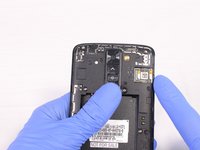
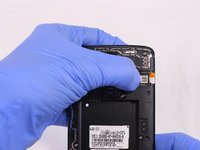
    • Locate the SIM card in the top right corner on the back of the phone.

    • Remove the SIM card by pushing it with your thumb from left to right.

    Vraag FixBot

    Voeg opmerking toe

  4. LG Phoenix 2 Screen Replacement: stap 4, afbeelding 1 van 3 LG Phoenix 2 Screen Replacement: stap 4, afbeelding 2 van 3 LG Phoenix 2 Screen Replacement: stap 4, afbeelding 3 van 3
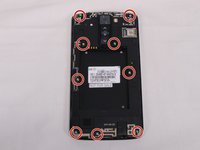
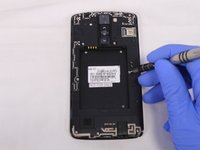
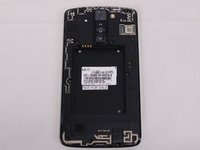
    • Remove all 9 screws on the back by using a Phillips head #00 screwdriver.

    • To remove the screws rotate them counterclockwise.

    Vraag FixBot

    Voeg opmerking toe

  5. LG Phoenix 2 Screen Replacement: stap 5, afbeelding 1 van 3 LG Phoenix 2 Screen Replacement: stap 5, afbeelding 2 van 3 LG Phoenix 2 Screen Replacement: stap 5, afbeelding 3 van 3
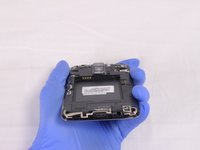
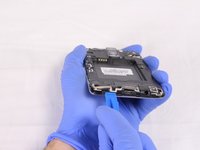
    • Insert a plastic opening tool in the split at the bottom of the phone (between the bottom shield and the rest of the phone).

    • Pry the bottom shield to separate it from the phone.

    • Once it is loose you should be able to remove it with your hand.

    Vraag FixBot

    Voeg opmerking toe

  6. LG Phoenix 2 Screen Replacement: stap 6, afbeelding 1 van 3 LG Phoenix 2 Screen Replacement: stap 6, afbeelding 2 van 3 LG Phoenix 2 Screen Replacement: stap 6, afbeelding 3 van 3
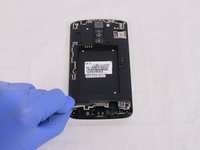
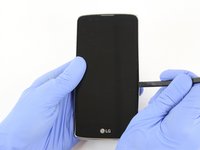
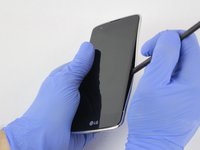
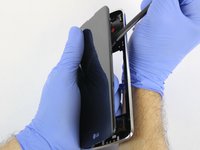
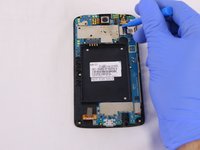
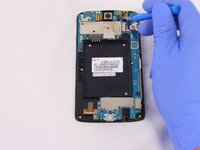
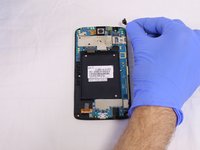
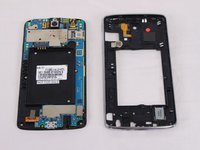
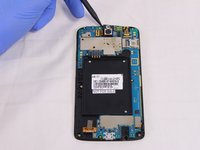
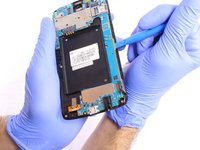
    • Insert the flat end of the Spudger between the screen and the chromed frame.

    • Once inserted, run the Spudger along the frame to separate the front part of the phone from the back shield.

    Vraag FixBot

    Voeg opmerking toe

  7. LG Phoenix 2 Screen Replacement: stap 7, afbeelding 1 van 3 LG Phoenix 2 Screen Replacement: stap 7, afbeelding 2 van 3 LG Phoenix 2 Screen Replacement: stap 7, afbeelding 3 van 3
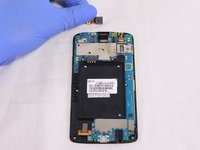
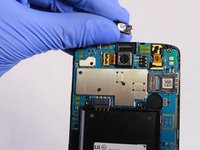
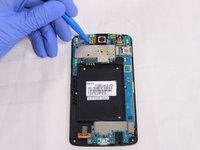
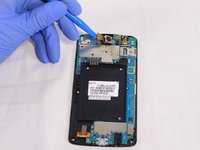
    • Insert the flat end of the Spudger or the plastic opening tool underneath the camera connector.

    • Gently lever the camera connector free.

    • Once disconnected, take the camera out.

    Vraag FixBot

    Voeg opmerking toe

  8. LG Phoenix 2 Screen Replacement: stap 8, afbeelding 1 van 3 LG Phoenix 2 Screen Replacement: stap 8, afbeelding 2 van 3 LG Phoenix 2 Screen Replacement: stap 8, afbeelding 3 van 3
    • The front camera can be removed in a similar way as the rear camera. See previous step.

    Vraag FixBot

    Voeg opmerking toe

  9. LG Phoenix 2 Screen Replacement, Screen: stap 9, afbeelding 1 van 3 LG Phoenix 2 Screen Replacement, Screen: stap 9, afbeelding 2 van 3 LG Phoenix 2 Screen Replacement, Screen: stap 9, afbeelding 3 van 3
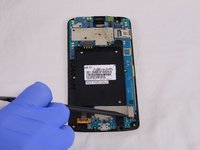
    • Remove the speaker using the Spudger.

    Vraag FixBot

    Voeg opmerking toe

  10. LG Phoenix 2 Screen Replacement: stap 10, afbeelding 1 van 3 LG Phoenix 2 Screen Replacement: stap 10, afbeelding 2 van 3 LG Phoenix 2 Screen Replacement: stap 10, afbeelding 3 van 3
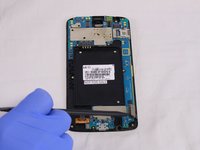
    • Remove the screen connector using the Spudger.

    Vraag FixBot

    Voeg opmerking toe

  11. LG Phoenix 2 Screen Replacement: stap 11, afbeelding 1 van 2 LG Phoenix 2 Screen Replacement: stap 11, afbeelding 2 van 2
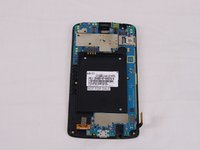
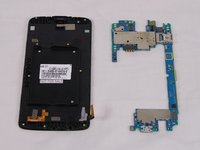
    • Using a Spudger, separate the motherboard from the back frame.

    Vraag FixBot

    Voeg opmerking toe

  12. LG Phoenix 2 Screen Replacement: stap 12, afbeelding 1 van 2 LG Phoenix 2 Screen Replacement: stap 12, afbeelding 2 van 2
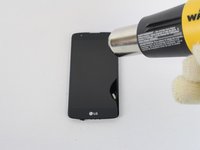
    • Heat the screen up using a heat gun (or the IOpener) to loosen up the screen. The heat gun needs to be moved around the edges of the phone in order to equally heat the edges.

    Vraag FixBot

    Voeg opmerking toe

  13. LG Phoenix 2 Screen Replacement: stap 13, afbeelding 1 van 3 LG Phoenix 2 Screen Replacement: stap 13, afbeelding 2 van 3 LG Phoenix 2 Screen Replacement: stap 13, afbeelding 3 van 3
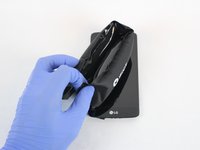
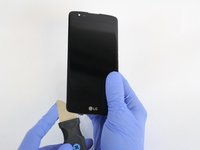
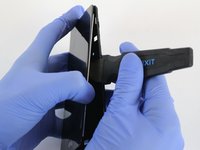
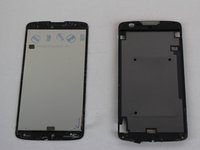
    • Pick the Jimmy and slide it's blade around the edge of the screen.

    • Separate the screen from the frame.

    Vraag FixBot

    Voeg opmerking toe

Conclusie

To reassemble your device, follow these instructions in reverse order.

Annuleren: ik heb deze handleiding niet afgemaakt.

6 andere personen hebben deze handleiding voltooid.

Esteban Ruibal

Lid sinds: 02/14/18

705 Reputatie

5 handleidingen geschreven

Team

USF Tampa, Team S2-G2, Eyestone Spring 2018 Lid van USF Tampa, Team S2-G2, Eyestone Spring 2018

USFT-EYESTONE-S18S2G2

4 Leden

10 handleidingen geschreven

2Gids Commentaar

Works for the Phoenix 3 as well but I wouldn’t try taking out the rear facing camera. You shouldn’t have to either way.

dtcarani - Antwoord Deel
“Works for the Phoenix 3 as well but I wouldn’t try taking out the rear facing camera. You shouldn’t have to either way” -dtcarani

Thank you dtcarani it absolutely does work for the Phoenix 3.

And, I did not need to remove the rear facing camera.

John Faires - Antwoord Deel
Voeg opmerking toe

Weergavestatistieken:

Afgelopen 24 uren: 0

Afgelopen 7 dagen: 8

Afgelopen 30 dagen: 42

Altijd: 5,483