Deze vertaling is door een computer gegenereerd en is nog niet door iemand nagekeken. Spreek je deze taal? Bekijk het hier.
Inleiding
Deze handleiding leidt je door het proces van het vervangen van een camera in een LG Phoenix 2. Gebruik deze handleiding als de telefoon geen foto's maakt. Gebruik deze handleiding ook als de camera alleen wazige foto's maakt, ongeacht de positie van de camera of het gefotografeerde object.
Wat je nodig hebt
-
-
-
Plaats een vingernagel in de inkeping aan de onderrand van de telefoon.
-
Trek met één hand aan de achterbehuizing terwijl u de rest van de telefoon stilhoudt, en beweeg uw vingernagel langs de rand.
 Vraag FixBot
-
-
-
Plaats een vingernagel in de inkeping aan de onderrand van de accu.
-
Trek de accu eruit.
-
-
-
-
-
Zoek de simkaart in de rechterbovenhoek op de achterkant van de telefoon.
-
Verwijder de simkaart door deze met uw duim van links naar rechts te duwen.
-
-
-
-
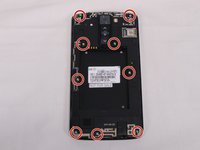
Verwijder alle 9 schroeven aan de achterkant met een #00 kruiskopschroevendraaier.
-
Draai de schroeven tegen de klok in om ze te verwijderen.
-
-
-
Steek een plastic Openingsgereedschap in de spleet aan de onderkant van de telefoon (tussen het onderste schild en de rest van de telefoon).
-
Wrik het onderste schild los om het van de telefoon te scheiden.
-
Zodra het los zit, zou je het met de hand moeten kunnen verwijderen.
-
-
-
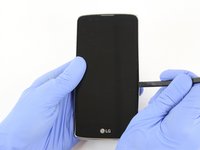
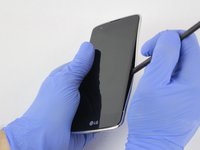
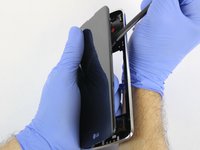
Steek het platte uiteinde van de spudger tussen het scherm en de verchroomde omlijsting.
-
Zodra deze is geplaatst, beweegt u de spudger langs de omlijsting om het voorste deel van de telefoon van de achterste behuizing te scheiden.
-
-
-
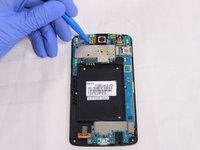
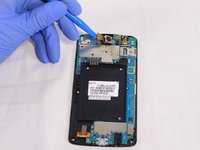
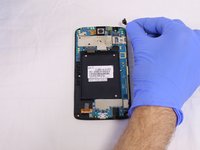
Steek het platte uiteinde van de spudger of het openingsgereedschap onder de kabelaansluiting van de camera.
-
Wrik de kabelaansluiting van de camera voorzichtig los.
-
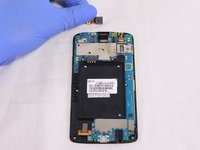
Zodra deze is losgekoppeld, haal je de camera eruit.
-
-
-
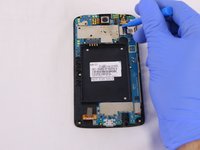
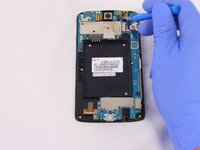
De camera vooraan kan op dezelfde manier worden verwijderd als de camera achteraan. Zie de vorige stap.
-
-


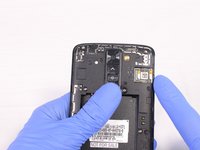
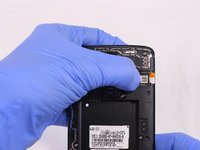


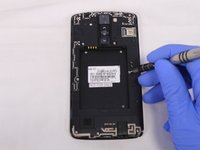
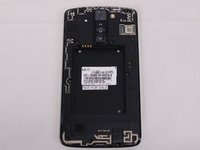


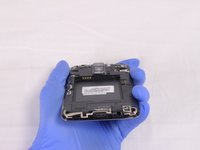
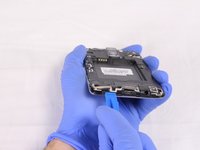
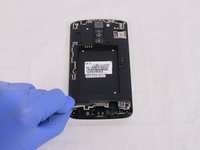






Volg deze instructies in omgekeerde volgorde om je apparaat weer in elkaar te zetten.

Team

USF Tampa, Team S2-G2, Eyestone Spring 2018 Lid van USF Tampa, Team S2-G2, Eyestone Spring 2018
USFT-EYESTONE-S18S2G2
4 Leden
45 handleidingen geschreven
