Deze vertaling is door een computer gegenereerd en is nog niet door iemand nagekeken. Spreek je deze taal? Bekijk het hier.
Wat je nodig hebt
-
-
-
Houd de ontgrendelingsknop van de batterij ingedrukt en trek de onderkant van de telefoon uit de behuizing.
 Vraag FixBot
-
-
-
Steek de simkaart-uitwerptool (0,8 mm kop voor het uitwerpen van de simkaart) in de kleine opening op de simkaart-lade.
-
Druk met enige kracht naar binnen om de lade uit te werpen.
-
Trek de simkaart-lade uit de telefoon.
-
-
-
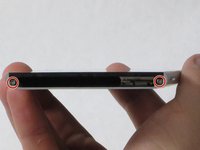
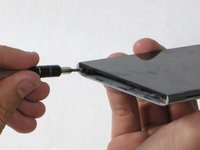
Verwijder de twee 5,5 mm kruiskopschroeven van de onderkant van de telefoon.
-
-
-
-
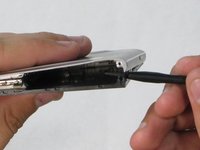
Steek het plastic Openingsgereedschap in de naad tussen het glazen scherm en de metalen behuizing.
-
Wrik het glas slechts een klein beetje los van de behuizing.
-
-
-
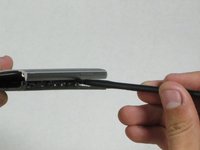
Steek de spudger in de inmiddels open ruimte tussen de behuizing en het scherm.
-
Duw naar binnen om het scherm nog verder los te maken.
-
Schuif de nylon spudger langzaam langs de rand van de telefoon totdat het scherm uit de behuizing klikt.
-
-
-
Trek het scherm weg van de behuizing. De twee onderdelen horen volledig van elkaar gescheiden te zijn.
-
-
-
-
-
Zoek de aux-poort aan de rechterbovenkant van de telefoon.
-
Haal de poort voorzichtig met een vinger naar buiten.
-
-






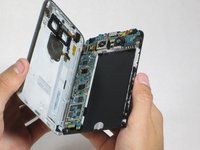
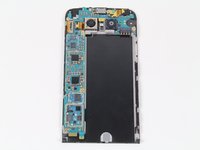

Volg deze instructies in omgekeerde volgorde om uw apparaat weer in elkaar te zetten.
Annuleren: ik heb deze handleiding niet afgemaakt.
8 andere personen hebben deze handleiding voltooid.

Team

Cal Poly, Team 18-2, Forte Fall 2016 Lid van Cal Poly, Team 18-2, Forte Fall 2016
CPSU-FORTE-F16S18G2
4 Leden
72 handleidingen geschreven
3Gids Commentaar
I saw a video where someone used a guitar pick as the plastic opening tool, seems safer to me. And that person also had a great idea to shove a pencil in the battery bay to apply a separating force, so that as you work the seam with a guitar pick, the the two halves will naturally want to separate.
Hi, I have two LG G5 phone. Let's call them
A & B.
So , B overheats and the battery last less than an hour. So I took the battery from A and I put it in B and I put the B battery in the A. Results: B still overheats and not the A ??? I also left the connector blocks on the batteries when I did the switching. So what could be the cause of this?
weak signal problem
