Ga door naar hoofdinhoud
Word lid van de reparatiegemeenschap - Account aanmaken

LG Cosmos 2 QWERTY Keyboard Replacement

Wat je nodig hebt

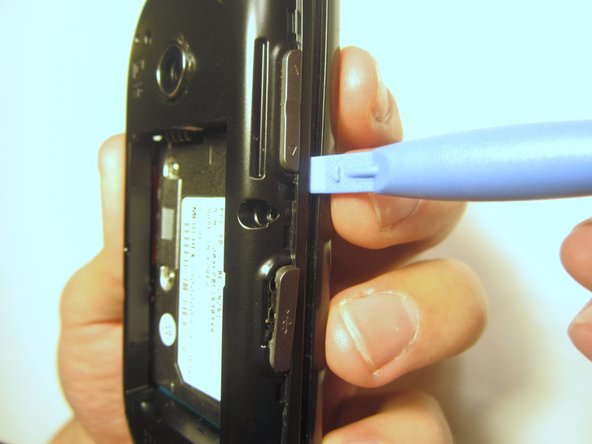
  1. LG Cosmos 2 QWERTY Keyboard Replacement, Battery: stap 1, afbeelding 1 van 3 LG Cosmos 2 QWERTY Keyboard Replacement, Battery: stap 1, afbeelding 2 van 3 LG Cosmos 2 QWERTY Keyboard Replacement, Battery: stap 1, afbeelding 3 van 3
    • Insert the plastic opener into the slot at the top of the device.

    • Apply gentle pressure with the plastic tool to pop the back case off.

    Vraag FixBot

    Voeg opmerking toe

  2. LG Cosmos 2 QWERTY Keyboard Replacement: stap 2, afbeelding 1 van 3 LG Cosmos 2 QWERTY Keyboard Replacement: stap 2, afbeelding 2 van 3 LG Cosmos 2 QWERTY Keyboard Replacement: stap 2, afbeelding 3 van 3
    • Use the plastic opener to lift, and remove, the device battery.

    Vraag FixBot

    Voeg opmerking toe

  3. LG Cosmos 2 QWERTY Keyboard Replacement, Rear Case: stap 3, afbeelding 1 van 1
    • Use a screwdriver and corresponding bit to remove the six 2mm screws that are located along the edge of the rear case. Set the screws aside.

    Vraag FixBot

    Voeg opmerking toe

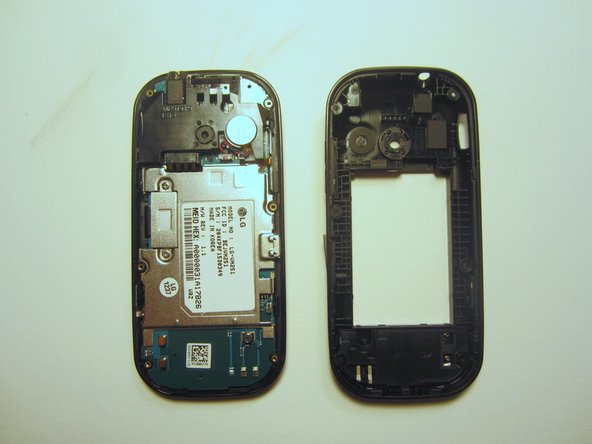
  4. LG Cosmos 2 QWERTY Keyboard Replacement: stap 4, afbeelding 1 van 3 LG Cosmos 2 QWERTY Keyboard Replacement: stap 4, afbeelding 2 van 3 LG Cosmos 2 QWERTY Keyboard Replacement: stap 4, afbeelding 3 van 3
    • Use the plastic opener to pry the rear case loose.

    • This can be difficult. You will need to pry around the entire edge of the rear case, not just in one place.

    Vraag FixBot

    Voeg opmerking toe

  5. LG Cosmos 2 QWERTY Keyboard Replacement, Motherboard: stap 5, afbeelding 1 van 1
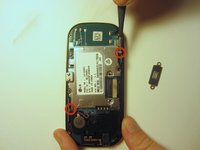
    • Use a screwdriver and corresponding bit to remove the two 3mm screws that attach the motherboard to the front case. Set the screws aside

    Vraag FixBot

    Voeg opmerking toe

  6. LG Cosmos 2 QWERTY Keyboard Replacement: stap 6, afbeelding 1 van 1
    • Rotate the phone 180 degrees and use the plastic opener to lift the metal piece that covers the ribbon cable.

    Vraag FixBot

    Voeg opmerking toe

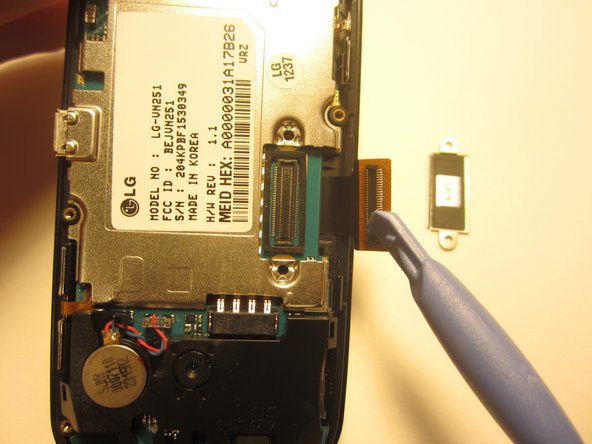
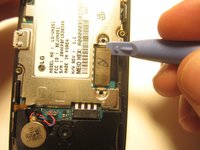
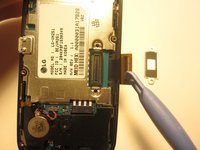
  7. LG Cosmos 2 QWERTY Keyboard Replacement: stap 7, afbeelding 1 van 2 LG Cosmos 2 QWERTY Keyboard Replacement: stap 7, afbeelding 2 van 2
    • Use the plastic opener to disconnect the ribbon cable.

    Vraag FixBot

    Voeg opmerking toe

  8. LG Cosmos 2 QWERTY Keyboard Replacement: stap 8, afbeelding 1 van 2 LG Cosmos 2 QWERTY Keyboard Replacement: stap 8, afbeelding 2 van 2
    Gereedschap gebruikt in deze stap:
    Tweezers
    $4.99
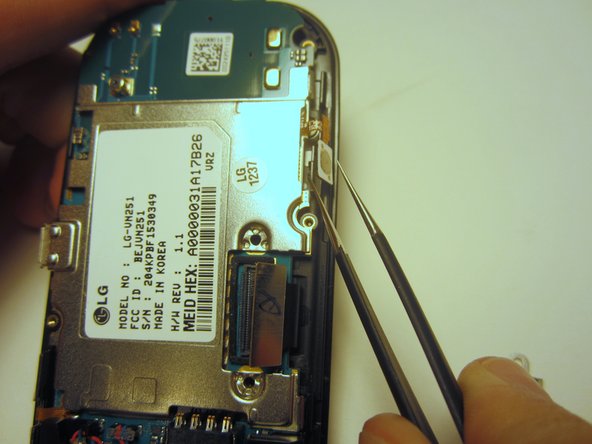
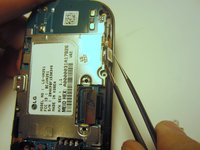
    • Use tweezers to disconnect the two cables that attach the motherboard to the case.

    • Note: Pull on the cables gently to prevent damage for future use.

    Vraag FixBot

    Voeg opmerking toe

  9. LG Cosmos 2 QWERTY Keyboard Replacement: stap 9, afbeelding 1 van 1
    • Remove the motherboard from the front case.

    Vraag FixBot

    Voeg opmerking toe

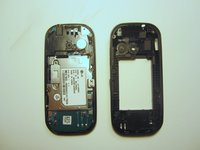
  10. LG Cosmos 2 QWERTY Keyboard Replacement, QWERTY Keyboard: stap 10, afbeelding 1 van 1
    • Flip the front case over. If the keyboard doesn't fall out, push it through the front case.

    Vraag FixBot

    Voeg opmerking toe

Conclusie

To reassemble your device, follow these instructions in reverse order.

Annuleren: ik heb deze handleiding niet afgemaakt.

Één andere persoon heeft deze handleiding voltooid.

Nick White

Lid sinds: 10/18/13

866 Reputatie

8 handleidingen geschreven

Team

Clemson, Team 13-1, Benson Fall 2013 Lid van Clemson, Team 13-1, Benson Fall 2013

CLEM-BENSON-F13S13G1

3 Leden

18 handleidingen geschreven

0Gids Commentaar

Voeg opmerking toe

Weergavestatistieken:

Afgelopen 24 uren: 2

Afgelopen 7 dagen: 8

Afgelopen 30 dagen: 44

Altijd: 808