Ga door naar hoofdinhoud
Word lid van de reparatiegemeenschap - Account aanmaken

LG Cosmos 2 Motherboard Replacement

Wat je nodig hebt

    1. LG Cosmos 2 Motherboard Replacement, Battery: stap 1, afbeelding 1 van 3 LG Cosmos 2 Motherboard Replacement, Battery: stap 1, afbeelding 2 van 3 LG Cosmos 2 Motherboard Replacement, Battery: stap 1, afbeelding 3 van 3
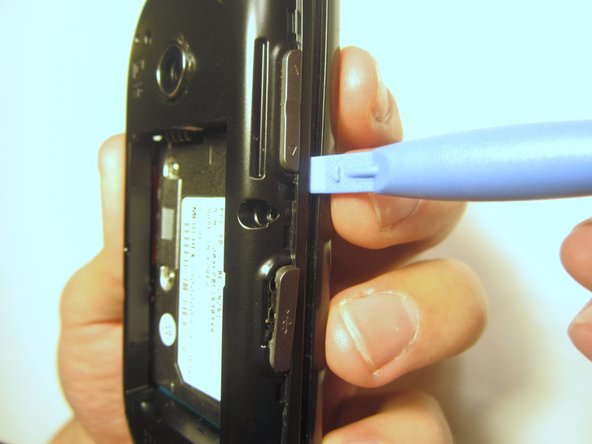
      • Insert the plastic opener into the slot at the top of the device.

      • Apply gentle pressure with the plastic tool to pop the back case off.

      Vraag FixBot

      Voeg opmerking toe

    2. LG Cosmos 2 Motherboard Replacement: stap 2, afbeelding 1 van 3 LG Cosmos 2 Motherboard Replacement: stap 2, afbeelding 2 van 3 LG Cosmos 2 Motherboard Replacement: stap 2, afbeelding 3 van 3
      • Use the plastic opener to lift, and remove, the device battery.

      Vraag FixBot

      Voeg opmerking toe

    1. LG Cosmos 2 Motherboard Replacement, Rear Case: stap 3, afbeelding 1 van 1
      • Use a screwdriver and corresponding bit to remove the six 2mm screws that are located along the edge of the rear case. Set the screws aside.

      Vraag FixBot

      Voeg opmerking toe

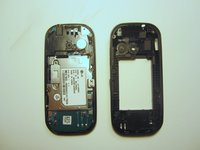
    2. LG Cosmos 2 Motherboard Replacement: stap 4, afbeelding 1 van 3 LG Cosmos 2 Motherboard Replacement: stap 4, afbeelding 2 van 3 LG Cosmos 2 Motherboard Replacement: stap 4, afbeelding 3 van 3
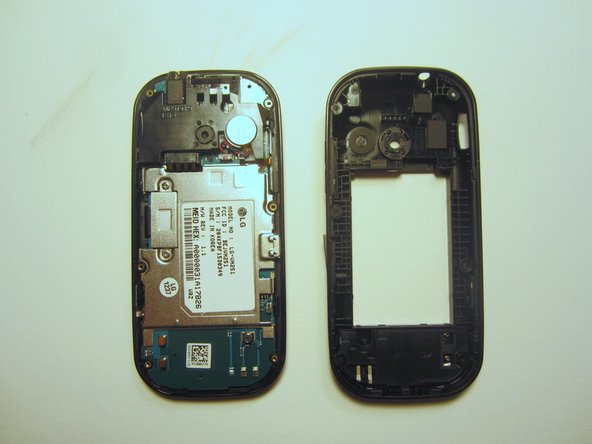
      • Use the plastic opener to pry the rear case loose.

      • This can be difficult. You will need to pry around the entire edge of the rear case, not just in one place.

      Vraag FixBot

      Voeg opmerking toe

    1. LG Cosmos 2 Motherboard Replacement, Motherboard: stap 5, afbeelding 1 van 1
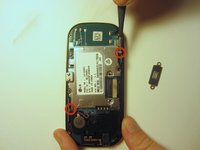
      • Use a screwdriver and corresponding bit to remove the two 3mm screws that attach the motherboard to the front case. Set the screws aside

      Vraag FixBot

      Voeg opmerking toe

    2. LG Cosmos 2 Motherboard Replacement: stap 6, afbeelding 1 van 1
      • Rotate the phone 180 degrees and use the plastic opener to lift the metal piece that covers the ribbon cable.

      Vraag FixBot

      Voeg opmerking toe

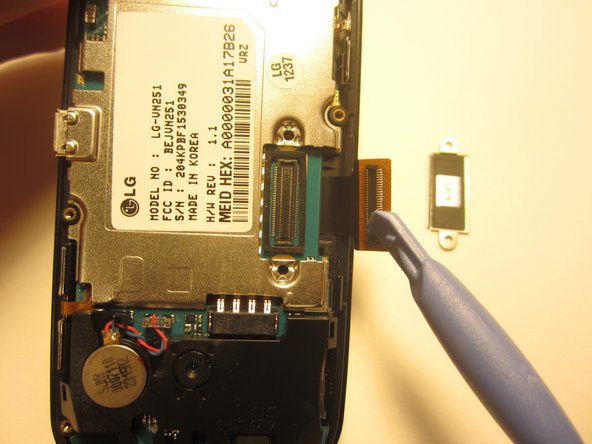
    3. LG Cosmos 2 Motherboard Replacement: stap 7, afbeelding 1 van 2 LG Cosmos 2 Motherboard Replacement: stap 7, afbeelding 2 van 2
      • Use the plastic opener to disconnect the ribbon cable.

      Vraag FixBot

      Voeg opmerking toe

    4. LG Cosmos 2 Motherboard Replacement: stap 8, afbeelding 1 van 2 LG Cosmos 2 Motherboard Replacement: stap 8, afbeelding 2 van 2
      Gereedschap gebruikt in deze stap:
      Tweezers
      $4.99
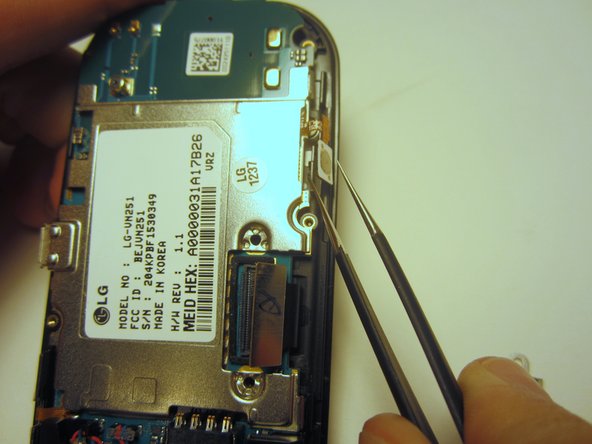
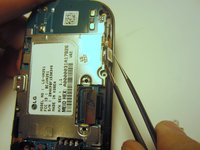
      • Use tweezers to disconnect the two cables that attach the motherboard to the case.

      • Note: Pull on the cables gently to prevent damage for future use.

      Vraag FixBot

      Voeg opmerking toe

    5. LG Cosmos 2 Motherboard Replacement: stap 9, afbeelding 1 van 1
      • Remove the motherboard from the front case.

      Vraag FixBot

      Voeg opmerking toe

Conclusie

To reassemble your device, follow these instructions in reverse order.

Annuleren: ik heb deze handleiding niet afgemaakt.

Nick White

Lid sinds: 10/18/13

866 Reputatie

8 handleidingen geschreven

Team

Clemson, Team 13-1, Benson Fall 2013 Lid van Clemson, Team 13-1, Benson Fall 2013

CLEM-BENSON-F13S13G1

3 Leden

56 handleidingen geschreven

0Gids Commentaar

Voeg opmerking toe

Weergavestatistieken:

Afgelopen 24 uren: 2

Afgelopen 7 dagen: 12

Afgelopen 30 dagen: 44

Altijd: 1,606