Ga door naar hoofdinhoud
Word lid van de reparatiegemeenschap - Account aanmaken

LG Chocolate Touch Buttons Replacement

Wat je nodig hebt

  1. LG Chocolate Touch Buttons Replacement, Battery: stap 1, afbeelding 1 van 2 LG Chocolate Touch Buttons Replacement, Battery: stap 1, afbeelding 2 van 2
    • Find a sliding button on the lower back side of the device and with your finger, slide it to the left firmly.

    • The battery should pop out fairly easily. If not, slide the button further or grab and pull it while sliding the button.

    Vraag FixBot

    Voeg opmerking toe

  2. LG Chocolate Touch Buttons Replacement, Back Cover: stap 2, afbeelding 1 van 1
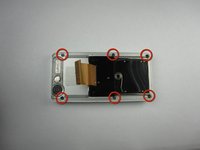
    • You will need to use a Phillips #00 screwdriver.

    • Remove the four screws located at the corners beneath the battery.

    • Detach the back case from the phone.

    Vraag FixBot

    Voeg opmerking toe

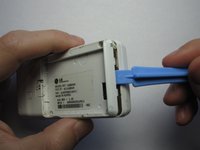
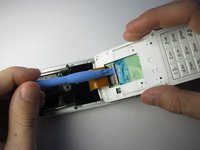
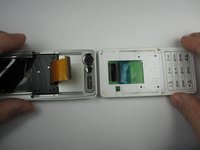
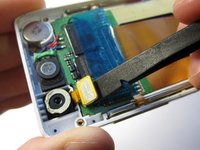
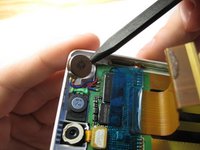
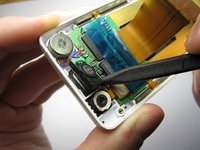
  3. LG Chocolate Touch Buttons Replacement: stap 3, afbeelding 1 van 3 LG Chocolate Touch Buttons Replacement: stap 3, afbeelding 2 van 3 LG Chocolate Touch Buttons Replacement: stap 3, afbeelding 3 van 3
    • Take the case off by using a plastic opening tool.

    • Continue using the plastic opening tool around the sides of the device.

    • Unhook the eight tabs securing the back cover to the rest of the phone as seen in the second photo.

    • The back speaker will be connected to the motherboard.

    • This must be disconnected in order to remove the case.

    Vraag FixBot

    Voeg opmerking toe

  4. LG Chocolate Touch Buttons Replacement, Sliding Front: stap 4, afbeelding 1 van 1
    • Unscrew the 4 Phillips 00 screws that connect the two halves of the phone together.

    Vraag FixBot

    Voeg opmerking toe

  5. LG Chocolate Touch Buttons Replacement: stap 5, afbeelding 1 van 2 LG Chocolate Touch Buttons Replacement: stap 5, afbeelding 2 van 2
    • Between the two halves is a ribbon. Use a plastic opening tool to flip up the lock and disconnect it.

    Vraag FixBot

    Voeg opmerking toe

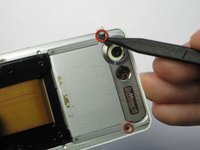
  6. LG Chocolate Touch Buttons Replacement: stap 6, afbeelding 1 van 2 LG Chocolate Touch Buttons Replacement: stap 6, afbeelding 2 van 2
    • Pry off the plastic tabs that cover two screws, as shown in the first picture.

    • Then, remove the 6 Phillips 00 screws from the back of the case, as shown in the second picture.

    Vraag FixBot

    Voeg opmerking toe

  7. LG Chocolate Touch Buttons Replacement: stap 7, afbeelding 1 van 1
    • Pry off the back cover from the front of the case using a plastic opening tool.

    Vraag FixBot

    Voeg opmerking toe

  8. LG Chocolate Touch Buttons Replacement, LCD Board: stap 8, afbeelding 1 van 3 LG Chocolate Touch Buttons Replacement, LCD Board: stap 8, afbeelding 2 van 3 LG Chocolate Touch Buttons Replacement, LCD Board: stap 8, afbeelding 3 van 3
    • Pry the front speaker and wireless receiver out of the front case using a spudger.

    • They may be taped into the case, so don't be afraid to pry hard.

    Vraag FixBot

    Voeg opmerking toe

  9. LG Chocolate Touch Buttons Replacement: stap 9, afbeelding 1 van 2 LG Chocolate Touch Buttons Replacement: stap 9, afbeelding 2 van 2
    • Starting with the side that has the speaker and receiver, carefully lift the LCD Board out of the case.

    Vraag FixBot

    Voeg opmerking toe

  10. LG Chocolate Touch Buttons Replacement: stap 10, afbeelding 1 van 1
    • Unhook the ribbon cable using that flat side of a spudger.

    Vraag FixBot

    Voeg opmerking toe

  11. LG Chocolate Touch Buttons Replacement: stap 11, afbeelding 1 van 1
    • Next, carefully remove the tape from the LCD board.

    Vraag FixBot

    Voeg opmerking toe

  12. LG Chocolate Touch Buttons Replacement: stap 12, afbeelding 1 van 2 LG Chocolate Touch Buttons Replacement: stap 12, afbeelding 2 van 2
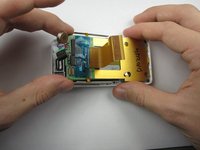
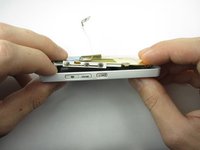
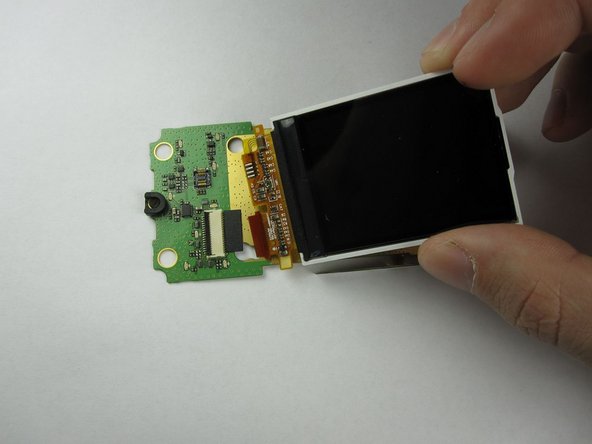
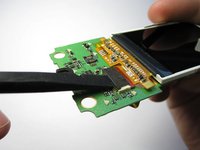
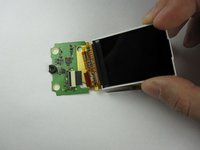
    • Finally, flip up the black switch to unhook the LCD screen from the LCD board using a spudger.

    • The LCD Board in now accessible.

    Vraag FixBot

    Voeg opmerking toe

  13. LG Chocolate Touch Buttons Replacement, Touch Buttons: stap 13, afbeelding 1 van 1
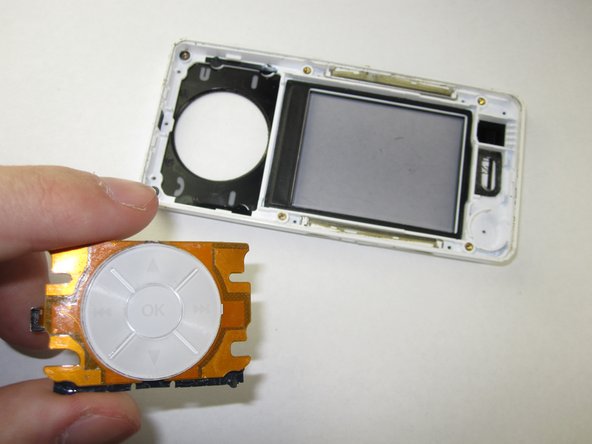
    • Using a flat head screwdriver, pry the plastic covering off of the back of the keypad

    Vraag FixBot

    Voeg opmerking toe

  14. LG Chocolate Touch Buttons Replacement: stap 14, afbeelding 1 van 2 LG Chocolate Touch Buttons Replacement: stap 14, afbeelding 2 van 2
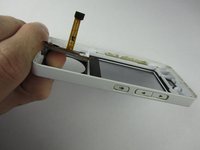
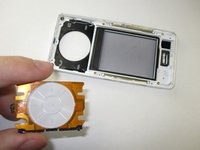
    • Push the keypad from behind to disconnect it from the case.

    Vraag FixBot

    Voeg opmerking toe

Conclusie

To reassemble your device, follow these instructions in reverse order.

Annuleren: ik heb deze handleiding niet afgemaakt.

2 andere personen hebben deze handleiding voltooid.

Thomas

Lid sinds: 01/18/13

91 Reputatie

4 handleidingen geschreven

Team

Cal Poly, Team 19-46, Regan Winter 2013 Lid van Cal Poly, Team 19-46, Regan Winter 2013

CPSU-REGAN-W13S19G46

4 Leden

22 handleidingen geschreven

0Gids Commentaar

Voeg opmerking toe

Weergavestatistieken:

Afgelopen 24 uren: 1

Afgelopen 7 dagen: 5

Afgelopen 30 dagen: 43

Altijd: 762