Ga door naar hoofdinhoud
Word lid van de reparatiegemeenschap - Account aanmaken

LG Chocolate Motherboard Replacement

Wat je nodig hebt

    1. LG Chocolate Motherboard Replacement, Battery: stap 1, afbeelding 1 van 2 LG Chocolate Motherboard Replacement, Battery: stap 1, afbeelding 2 van 2
      • Find a sliding button on the lower back side of the device and with your finger, slide it to the left firmly.

      • The battery should pop out fairly easily. If not, slide the button further or grab and pull it while sliding the button.

      Vraag FixBot

      Voeg opmerking toe

    1. LG Chocolate Motherboard Replacement, Back Cover: stap 2, afbeelding 1 van 1
      • You will need to use a Phillips #00 screwdriver.

      • Remove the four screws located at the corners beneath the battery.

      • Detach the back case from the phone.

      Vraag FixBot

      Voeg opmerking toe

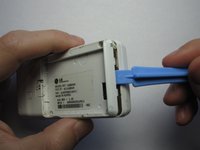
    2. LG Chocolate Motherboard Replacement: stap 3, afbeelding 1 van 3 LG Chocolate Motherboard Replacement: stap 3, afbeelding 2 van 3 LG Chocolate Motherboard Replacement: stap 3, afbeelding 3 van 3
      • Take the case off by using a plastic opening tool.

      • Continue using the plastic opening tool around the sides of the device.

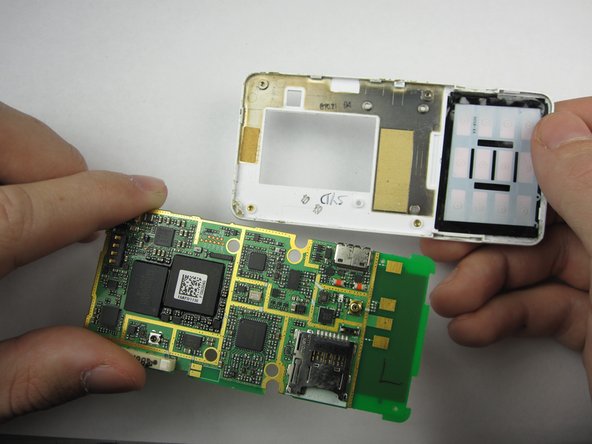
      • Unhook the eight tabs securing the back cover to the rest of the phone as seen in the second photo.

      • The back speaker will be connected to the motherboard.

      • This must be disconnected in order to remove the case.

      Vraag FixBot

      Voeg opmerking toe

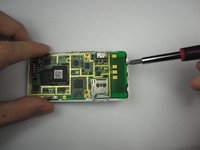
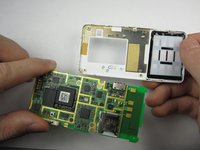
    1. LG Chocolate Motherboard Replacement, Motherboard: stap 4, afbeelding 1 van 2 LG Chocolate Motherboard Replacement, Motherboard: stap 4, afbeelding 2 van 2
      • Carefully pry the motherboard off of the back case

      Vraag FixBot

      Voeg opmerking toe

Conclusie

To reassemble your device, follow these instructions in reverse order.

Annuleren: ik heb deze handleiding niet afgemaakt.

Maci Miri

Lid sinds: 01/18/13

39 Reputatie

3 handleidingen geschreven

Team

Cal Poly, Team 19-46, Regan Winter 2013 Lid van Cal Poly, Team 19-46, Regan Winter 2013

CPSU-REGAN-W13S19G46

4 Leden

77 handleidingen geschreven

1Gids Commentaar

is there any way to get information off of a motherboard with a chargeport that is broken?

Robert Gietzen - Antwoord Deel

Voeg opmerking toe

Weergavestatistieken:

Afgelopen 24 uren: 1

Afgelopen 7 dagen: 9

Afgelopen 30 dagen: 24

Altijd: 1,209