Ga door naar hoofdinhoud
Word lid van de reparatiegemeenschap - Account aanmaken

LG CU400 Battery Replacement

  1. LG CU400 Battery Replacement, Battery: stap 1, afbeelding 1 van 2 LG CU400 Battery Replacement, Battery: stap 1, afbeelding 2 van 2
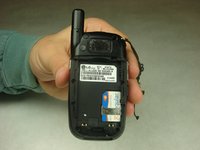
    • Push the button labeled 'PUSH' on the rear cover.

    Vraag FixBot

    Voeg opmerking toe

  2. LG CU400 Battery Replacement: stap 2, afbeelding 1 van 3 LG CU400 Battery Replacement: stap 2, afbeelding 2 van 3 LG CU400 Battery Replacement: stap 2, afbeelding 3 van 3
    • Slide the rear cover towards you.

    Vraag FixBot

    Voeg opmerking toe

  3. LG CU400 Battery Replacement: stap 3, afbeelding 1 van 2 LG CU400 Battery Replacement: stap 3, afbeelding 2 van 2
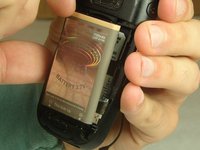
    • To remove the battery, grasp the top front edge of the battery and pull the battery away from the phone.

    • When installing the new battery, have the metal contacts of the phone match up with the metal contacts of the battery.

    Vraag FixBot

    Voeg opmerking toe

Conclusie

To reassemble your device, follow these instructions in reverse order.

Annuleren: ik heb deze handleiding niet afgemaakt.

2 andere personen hebben deze handleiding voltooid.

Helen Wilson

Lid sinds: 10/03/16

151 Reputatie

2 handleidingen geschreven

Team

IUPUI, Team 1-3, Harley Fall 2016 Lid van IUPUI, Team 1-3, Harley Fall 2016

IUPUI-HARLEY-F16S1G3

4 Leden

14 handleidingen geschreven

0Gids Commentaar

Voeg opmerking toe

Weergavestatistieken:

Afgelopen 24 uren: 0

Afgelopen 7 dagen: 2

Afgelopen 30 dagen: 26

Altijd: 409