Ga door naar hoofdinhoud
Word lid van de reparatiegemeenschap - Account aanmaken

JBL Tune 600btnc Battery Replacement

    1. JBL Tune 600btnc Battery Replacement, Remove left hand ear cup: stap 1, afbeelding 1 van 1
      • This can be done by prying at the base of the ear cup and moving around in a circle.

      Vraag FixBot

      Voeg opmerking toe

    2. JBL Tune 600btnc Battery Replacement, Remove the driver.: stap 2, afbeelding 1 van 3 JBL Tune 600btnc Battery Replacement, Remove the driver.: stap 2, afbeelding 2 van 3 JBL Tune 600btnc Battery Replacement, Remove the driver.: stap 2, afbeelding 3 van 3
      • once the screws are loosened. Pry at the base of the driver to release the plastic tabs.

      • Loosen the three screws. Note the position of the wire feeding the driver.

      Vraag FixBot

      Voeg opmerking toe

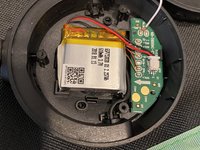
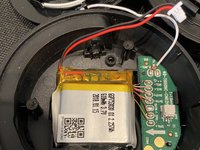
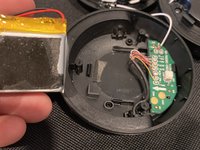
    3. JBL Tune 600btnc Battery Replacement, Remove the battery.: stap 3, afbeelding 1 van 3 JBL Tune 600btnc Battery Replacement, Remove the battery.: stap 3, afbeelding 2 van 3 JBL Tune 600btnc Battery Replacement, Remove the battery.: stap 3, afbeelding 3 van 3
      • There is a small amount of adhesive on the backside of the battery.

      Vraag FixBot

      Voeg opmerking toe

Conclusie

To reassemble your device, follow these instructions in reverse order.

Annuleren: ik heb deze handleiding niet afgemaakt.

2 andere personen hebben deze handleiding voltooid.

Nick Farfaglia

Lid sinds: 08/15/21

160 Reputatie

1 Handleiding geschreven

2Gids Commentaar

thanks! Where I can get the battery?

Simonas Bisikirskas - Antwoord Deel

Use any search engine of your choice.

sonickrnd - Antwoord Deel

Voeg opmerking toe

Weergavestatistieken:

Afgelopen 24 uren: 3

Afgelopen 7 dagen: 26

Afgelopen 30 dagen: 117

Altijd: 6,587