Deze vertaling is door een computer gegenereerd en is nog niet door iemand nagekeken. Spreek je deze taal? Bekijk het hier.
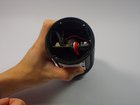
JBL Charge 2 Plus Batterijvervanging

John Reynolds en 3 andere bijdragers
Voor het laatst geüpdatet op 20 aug 2026
Bekeken: 142K
Statistieken weergeven:
- Afgelopen 24 uur:
- 7
- Afgelopen 7 dagen:
- 58
- Afgelopen 30 dagen:
- 311
- Altijd:
- 142.154
Commentaar: 67
27 comments on steps, 40 guide comments.
Go to guide commentsVoltooid: 80 81
80 mensen hebben deze handleiding als "voltooid" gemarkeerd. Ben jij de volgende?
81 personen hebben deze handleiding als "voltooid" gemarkeerd. Een daarvan ben jij—lekker bezig!
Favorieten: 8 9
8 mensen hebben deze handleiding als favoriet gemarkeerd en volgen deze. Ben jij de volgende?
9 personen hebben deze handleiding als favoriet gemarkeerd (en blijven daarmee op de hoogte van meldingen)—een daarvan ben jij!
Inleiding
Ga naar stap 1 ↓Deze handleiding beschrijft hoe je de batterij uit de JBL Charge 2+ verwijdert.
Wat je nodig hebt
Onderdelen

Gereedschap


-
-
-
Begin bij de linkeronderhoek aan de voorzijde en gebruik de nylon of metalen spudger om de grille vanuit elk van de vier hoeken omhoog te wippen.
-
Volg de vorige instructie om de achterste grille te verwijderen.
 Vraag FixBot
-
-
-
Draai de twee 0,5 mm schroeven los die de woofer op zijn plek houden.
-
Herhaal de vorige stap voor de twee schroeven aan de achterkant.
-
-
-
Verwijder de vier schroeven die de passieve radiator op zijn plek houden
-
-
-
-
-
-
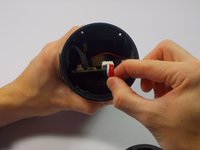
Verwijder de accubedrading van de printplaat door deze voorzichtig aan de kant die het dichtst bij het lcd-licht zit eruit te trekken.
-
-


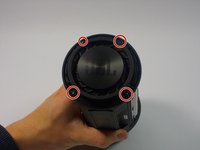
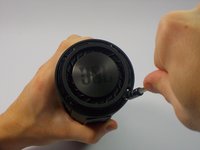



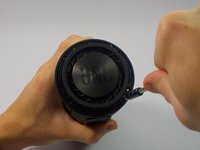
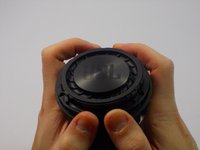


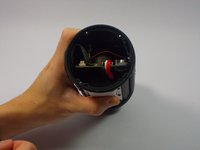


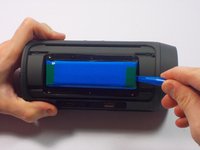
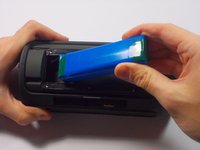
Volg deze instructies in omgekeerde volgorde om je apparaat weer in elkaar te zetten.
Annuleren: ik heb deze handleiding niet afgemaakt.
80 andere personen hebben deze handleiding voltooid.

Team

UMass Dartmouth, Team 4-1, Catania Fall 2015 Lid van UMass Dartmouth, Team 4-1, Catania Fall 2015
UMASSD-CATANIA-F15S4G1
4 Leden
60 handleidingen geschreven
40Gids Commentaar
Had my speaker for a month. It won't charge. Why did it only last a month and I have to get a new one? I'm not satisfied with the speaker for the price that I paid.
When I charge my jbl the light in tge power button turns on but when I press it the device does not respond. Please help me...
Try disconnecting the battery and plugging it in again.
I just had the same problem, the on/off led got stuck and couldn't get any sound or operation from any button. After different attempts a simultaneous pressing of the Phone together with the - and the + button brought my Charge2 to life again.
