Ga door naar hoofdinhoud
Word lid van de reparatiegemeenschap - Account aanmaken

InFocus IN3104 Cooling Fan Replacement

Wat je nodig hebt

    1. InFocus IN3104 Cooling Fan Replacement, Top Cover: stap 1, afbeelding 1 van 3 InFocus IN3104 Cooling Fan Replacement, Top Cover: stap 1, afbeelding 2 van 3 InFocus IN3104 Cooling Fan Replacement, Top Cover: stap 1, afbeelding 3 van 3
      • Turn the projector so that the lens is facing you.

      • On the left side of the projector, there is a screw and a knob inside of the small grate.

      • Use a Phillips #1 screwdriver to remove the 6 mm screw that secures top cover.

      • Remove the service cover.

      Vraag FixBot

      Voeg opmerking toe

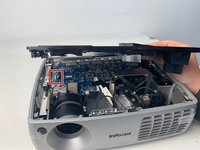
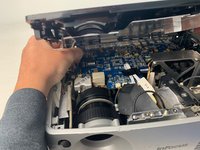
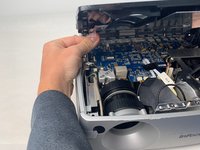
    2. InFocus IN3104 Cooling Fan Replacement: stap 2, afbeelding 1 van 3 InFocus IN3104 Cooling Fan Replacement: stap 2, afbeelding 2 van 3 InFocus IN3104 Cooling Fan Replacement: stap 2, afbeelding 3 van 3
      • Use a Phillips #1 screwdriver to remove the seven 6 mm screws.

      • Use a Phillips #1 screwdriver to remove the two 5 mm screws.

      • Remove the top cover.

      • Do not pull the cover too hard. It may damage the wire that is connected to the motherboard.

      Vraag FixBot

      Voeg opmerking toe

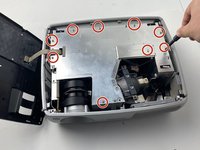
    1. InFocus IN3104 Cooling Fan Replacement, InFocus IN3104 Metal Cover Disassembly: stap 3, afbeelding 1 van 2 InFocus IN3104 Cooling Fan Replacement, InFocus IN3104 Metal Cover Disassembly: stap 3, afbeelding 2 van 2
      • Use a Phillips #1 screwdriver to remove the nine 6 mm screws.

      • Lift up the metal cover and set it aside to reveal the motherboard.

      Vraag FixBot

      Voeg opmerking toe

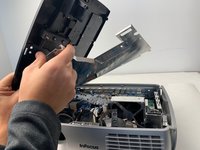
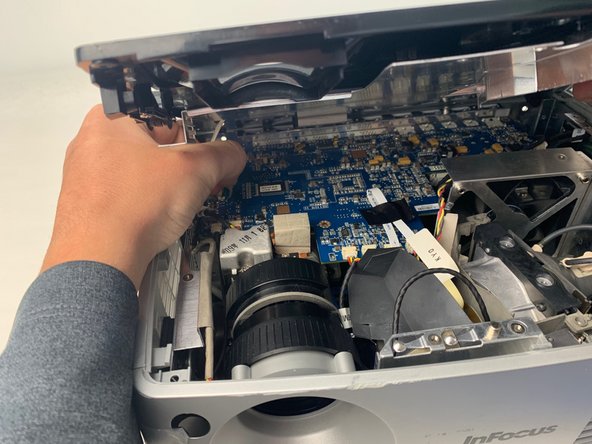
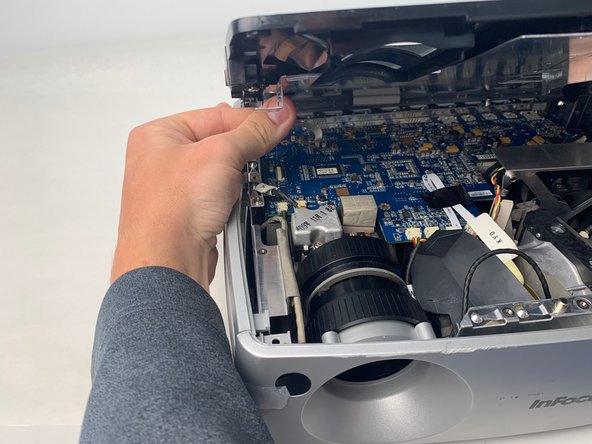
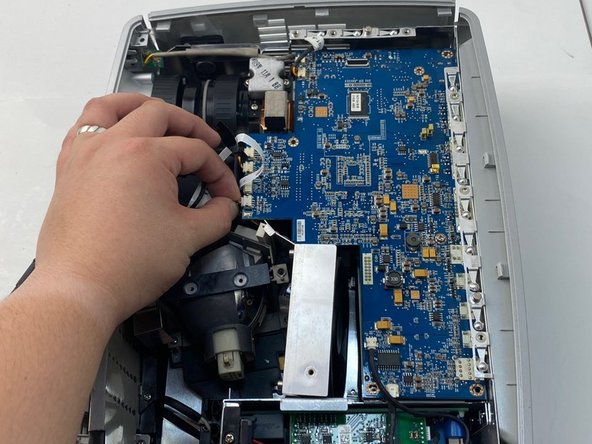
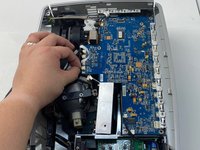
    2. InFocus IN3104 Cooling Fan Replacement: stap 4, afbeelding 1 van 3 InFocus IN3104 Cooling Fan Replacement: stap 4, afbeelding 2 van 3 InFocus IN3104 Cooling Fan Replacement: stap 4, afbeelding 3 van 3
      • Carefully pry up the black plastic locking bar of the ZIF connector on the motherboard with a plastic spudger.

      • Pull out the blue-tipped, white ribbon cable from the connector.

      • Remove the metal cover.

      Vraag FixBot

      Voeg opmerking toe

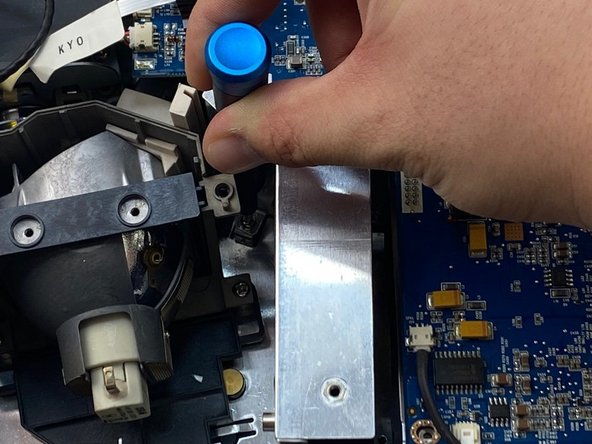
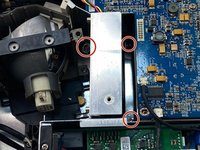
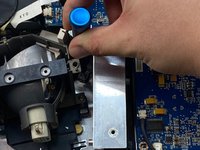
    1. InFocus IN3104 Cooling Fan Replacement, Cooling Fan: stap 5, afbeelding 1 van 2 InFocus IN3104 Cooling Fan Replacement, Cooling Fan: stap 5, afbeelding 2 van 2
      • Use a Phillips #1 screwdriver to remove the three 6 mm screws on the metal cover beside the lamp.

      • The screws are in a tight location, so you may need a thin screwdriver or an extension to remove them.

      Vraag FixBot

      Voeg opmerking toe

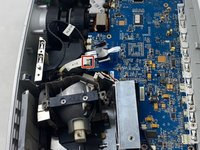
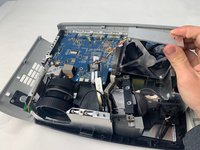
    2. InFocus IN3104 Cooling Fan Replacement: stap 6, afbeelding 1 van 3 InFocus IN3104 Cooling Fan Replacement: stap 6, afbeelding 2 van 3 InFocus IN3104 Cooling Fan Replacement: stap 6, afbeelding 3 van 3
      • Unplug the yellow, red, and black colored cable bundle from the motherboard.

      • Remove the cooling fan from the device by lifting it out.

      Vraag FixBot

      Voeg opmerking toe

Conclusie

To reassemble your device, follow these instructions in reverse order.

Annuleren: ik heb deze handleiding niet afgemaakt.

0Gids Commentaar

Voeg opmerking toe

Weergavestatistieken:

Afgelopen 24 uren: 0

Afgelopen 7 dagen: 5

Afgelopen 30 dagen: 29

Altijd: 869