Ga door naar hoofdinhoud
Word lid van de reparatiegemeenschap - Account aanmaken

IBM ThinkPad A30 RAM Replacement

Wat je nodig hebt

  1. IBM ThinkPad A30 RAM Replacement, Battery: stap 1, afbeelding 1 van 2 IBM ThinkPad A30 RAM Replacement, Battery: stap 1, afbeelding 2 van 2
    • Flip the ThinkPad over so that it is upside down.

    • Slide the highlighted tab to the left.

    • With your finger on the tab, remove the battery by lifting it upwards away from the laptop.

    Vraag FixBot

    Voeg opmerking toe

  2. IBM ThinkPad A30 RAM Replacement, RAM: stap 2, afbeelding 1 van 2 IBM ThinkPad A30 RAM Replacement, RAM: stap 2, afbeelding 2 van 2
    • Remove the two 5.3mm cover screws.

    • Gently lift the cover containing the RAM.

    Vraag FixBot

    Voeg opmerking toe

  3. IBM ThinkPad A30 RAM Replacement: stap 3, afbeelding 1 van 1
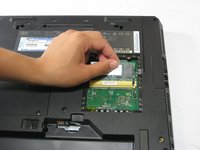
    • Remove RAM module by pressing the two metal pieces outward with your thumbs.

    Vraag FixBot

    Voeg opmerking toe

  4. IBM ThinkPad A30 RAM Replacement: stap 4, afbeelding 1 van 2 IBM ThinkPad A30 RAM Replacement: stap 4, afbeelding 2 van 2
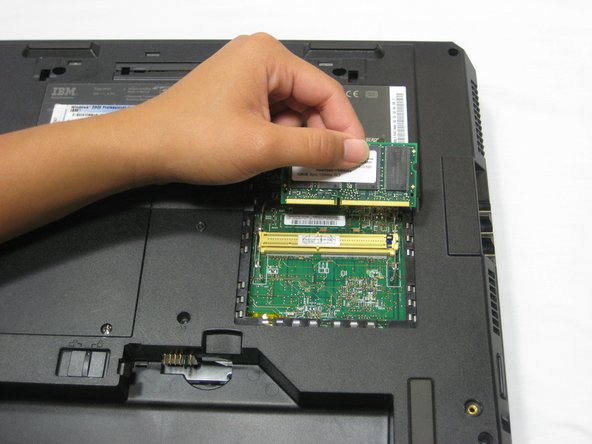
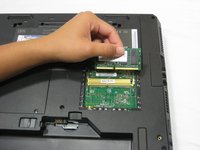
    • Lift the RAM module up and out, away from the yellow connector.

    • Place the RAM module away from any magnets or static electricity prone areas.

    Vraag FixBot

    Voeg opmerking toe

Conclusie

To reassemble your device, follow these instructions in reverse order.

Annuleren: ik heb deze handleiding niet afgemaakt.

Één andere persoon heeft deze handleiding voltooid.

Jessica

Lid sinds: 10/06/10

162 Reputatie

7 handleidingen geschreven

Team

Cal Poly, Team 4-44, Amido Fall 2010 Lid van Cal Poly, Team 4-44, Amido Fall 2010

CPSU-AMIDO-F10S4G44

4 Leden

26 handleidingen geschreven

0Gids Commentaar

Voeg opmerking toe

Weergavestatistieken:

Afgelopen 24 uren: 1

Afgelopen 7 dagen: 3

Afgelopen 30 dagen: 51

Altijd: 3,523