Ga door naar hoofdinhoud
Word lid van de reparatiegemeenschap - Account aanmaken

Hover-1 H1 Power Button Replacement

Wat je nodig hebt

  1. Hover-1 H1 Power Button  Replacement, Bottom Shell: stap 1, afbeelding 1 van 1
    • Remove the ten 9mm machine screws by using a long Phillips #2 screwdriver to rotate the screws counterclockwise.

    • Remove the twelve 9mm sheet metal screws by using a long Phillips #2 screwdriver to rotate the screws counterclockwise.

    Vraag FixBot

    Voeg opmerking toe

  2. Hover-1 H1 Power Button  Replacement: stap 2, afbeelding 1 van 1
    • Puncture the two black stickers by using the tip of a screwdriver.

    • Remove the two 9mm machine screws by using a long Phillips #2 screwdriver to rotate the screws counterclockwise.

    Vraag FixBot

    Voeg opmerking toe

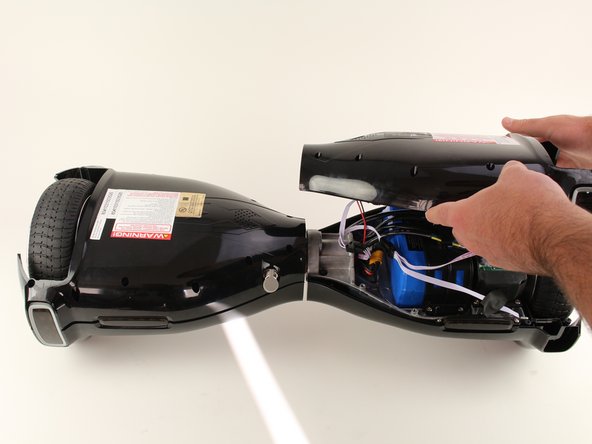
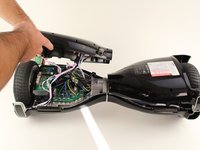
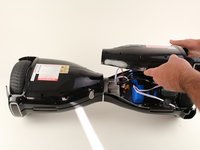
  3. Hover-1 H1 Power Button  Replacement: stap 3, afbeelding 1 van 2 Hover-1 H1 Power Button  Replacement: stap 3, afbeelding 2 van 2
    • Lift each side of the bottom shell by pulling up.

    • When lifting the shell, take care to not tear any cables from their connectors.

    Vraag FixBot

    Voeg opmerking toe

  4. Hover-1 H1 Power Button  Replacement: stap 4, afbeelding 1 van 1
    • Unplug the battery by pulling gently on both sides of the orange connector.

    Vraag FixBot

    Voeg opmerking toe

  5. Hover-1 H1 Power Button  Replacement, Power Button: stap 5, afbeelding 1 van 1
    • Unplug the power button connector by pinching the tab on the front and pulling directly upwards.

    • Pull the cable through the center section of the hoverboard.

    • For reassembly, you will have to feed the cable back through the center section. This can be done using a rigid wire or cable.

    Vraag FixBot

    Voeg opmerking toe

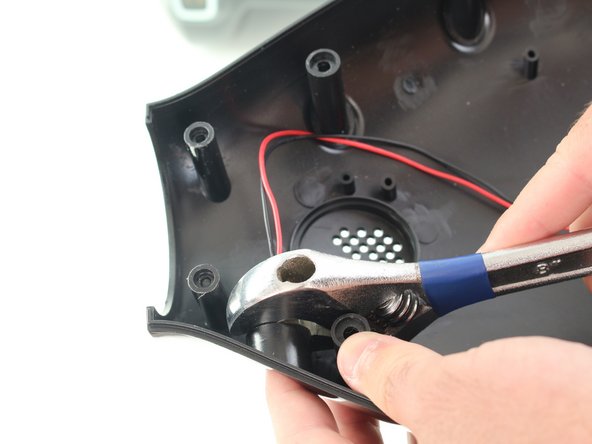
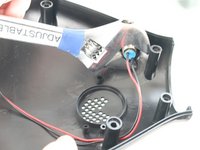
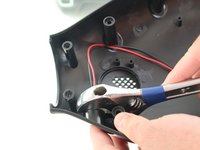
  6. Hover-1 H1 Power Button  Replacement: stap 6, afbeelding 1 van 2 Hover-1 H1 Power Button  Replacement: stap 6, afbeelding 2 van 2
    • Using an adjustable wrench, remove the nut on the back of the power button by rotating the nut counterclockwise.

    Vraag FixBot

    Voeg opmerking toe

  7. Hover-1 H1 Power Button  Replacement: stap 7, afbeelding 1 van 1
    • Pull the power button through the hole in the shell.

    Vraag FixBot

    Voeg opmerking toe

Conclusie

To reassemble your device, follow these instructions in reverse order.

Annuleren: ik heb deze handleiding niet afgemaakt.

Één andere persoon heeft deze handleiding voltooid.

Christopher Bruni

Lid sinds: 10/08/18

121 Reputatie

1 Handleiding geschreven

Team

Cal Poly, Team S17-G6, White Fall 2018 Lid van Cal Poly, Team S17-G6, White Fall 2018

CPSU-WHITE-F18S17G6

4 Leden

9 handleidingen geschreven

0Gids Commentaar

Voeg opmerking toe

Weergavestatistieken:

Afgelopen 24 uren: 1

Afgelopen 7 dagen: 12

Afgelopen 30 dagen: 43

Altijd: 4,021