Ga door naar hoofdinhoud
Word lid van de reparatiegemeenschap - Account aanmaken

HTC Rhyme Battery Replacement

Wat je nodig hebt

    1. HTC Rhyme Battery Replacement, Removing Back Cover: stap 1, afbeelding 1 van 2 HTC Rhyme Battery Replacement, Removing Back Cover: stap 1, afbeelding 2 van 2
      • Slide the bottom back cover off of the phone.

      Vraag FixBot

      Voeg opmerking toe

    2. HTC Rhyme Battery Replacement: stap 2, afbeelding 1 van 1
      • Locate the four screws on the plastic cover and unscrew them.

      Vraag FixBot

      Voeg opmerking toe

    3. HTC Rhyme Battery Replacement: stap 3, afbeelding 1 van 2 HTC Rhyme Battery Replacement: stap 3, afbeelding 2 van 2
      • Pry the sticker off from the sides.

      • You can use a metal spudger to do this.

      • Peel the sticker off with your hands.

      Vraag FixBot

      Voeg opmerking toe

    4. HTC Rhyme Battery Replacement, Remove the plastic cover: stap 4, afbeelding 1 van 1
      • Remove the plastic cover using your hands.

      Vraag FixBot

      Voeg opmerking toe

    5. HTC Rhyme Battery Replacement: stap 5, afbeelding 1 van 1
      • Remove the yellow ribbon.

      Vraag FixBot

      Voeg opmerking toe

    6. HTC Rhyme Battery Replacement: stap 6, afbeelding 1 van 3 HTC Rhyme Battery Replacement: stap 6, afbeelding 2 van 3 HTC Rhyme Battery Replacement: stap 6, afbeelding 3 van 3
      • Lift up the blue flaps underneath the battery.

      • Lift up the black flap at the top of the phone.

      • Lift up the black flap at the bottom of the phone.

      Vraag FixBot

      Voeg opmerking toe

    7. HTC Rhyme Battery Replacement, Remove the Motherboard: stap 7, afbeelding 1 van 2 HTC Rhyme Battery Replacement, Remove the Motherboard: stap 7, afbeelding 2 van 2
      • Remove all 4 screws.

      • Carefully remove the motherboard with your hands.

      Vraag FixBot

      Voeg opmerking toe

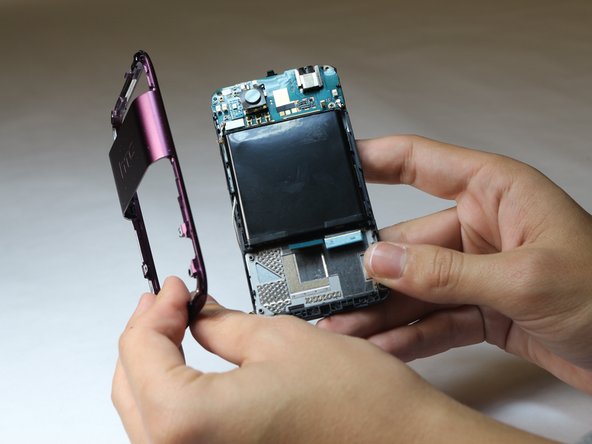
    8. HTC Rhyme Battery Replacement, Removing the Back Plastic Casing: stap 8, afbeelding 1 van 3 HTC Rhyme Battery Replacement, Removing the Back Plastic Casing: stap 8, afbeelding 2 van 3 HTC Rhyme Battery Replacement, Removing the Back Plastic Casing: stap 8, afbeelding 3 van 3
      • Pry the back plastic casing off with your hands.

      Vraag FixBot

      Voeg opmerking toe

    9. HTC Rhyme Battery Replacement, Removing the Battery: stap 9, afbeelding 1 van 3 HTC Rhyme Battery Replacement, Removing the Battery: stap 9, afbeelding 2 van 3 HTC Rhyme Battery Replacement, Removing the Battery: stap 9, afbeelding 3 van 3
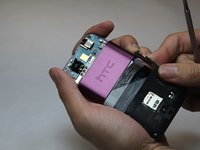
      • Remove the screws.

      • Use a metal spudger to remove the battery.

      Vraag FixBot

      Voeg opmerking toe

Conclusie

To reassemble your device, follow these instructions in reverse order.

Annuleren: ik heb deze handleiding niet afgemaakt.

2 andere personen hebben deze handleiding voltooid.

Elizabeth Steiner

Lid sinds: 10/08/14

435 Reputatie

3 handleidingen geschreven

Team

USF Tampa, Team 9-6, Leahy Fall 2014 Lid van USF Tampa, Team 9-6, Leahy Fall 2014

USFT-LEAHY-F14S9G6

3 Leden

25 handleidingen geschreven

0Gids Commentaar

Voeg opmerking toe

Weergavestatistieken:

Afgelopen 24 uren: 1

Afgelopen 7 dagen: 7

Afgelopen 30 dagen: 32

Altijd: 5,430