Deze vertaling is door een computer gegenereerd en is nog niet door iemand nagekeken. Spreek je deze taal? Bekijk het hier.
Inleiding
Als uw telefoon de lading niet lang vasthoudt of zelfs niet meer aangaat, is een defecte batterij wellicht het probleem. Met deze handleiding kunt u een reservebatterij plaatsen.
Wat je nodig hebt
-
-
-
Schakel het apparaat uit.
-
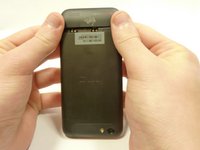
Verwijder de onderkant door deze eraf te schuiven.
 Vraag FixBot
-
-
-
Verwijder de simkaart.
-
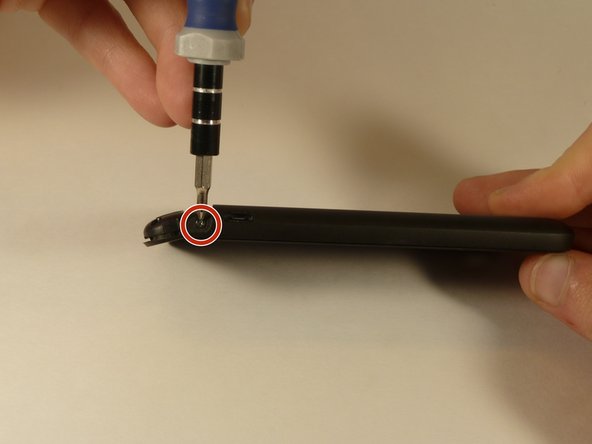
Verwijder de vier schroeven waarmee de onderste behuizing vastzit.
-
Twee 3,0 mm Phillips-kruiskopschroeven in de linker- en rechterbovenhoek.
-
Twee 2,0 mm Phillips-kruiskopschroeven in de linker- en rechterbenedenhoek.
-
-
-
-
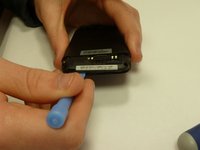
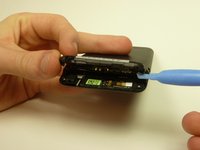
Gebruik een plastic Open openingsgereedschap om de onderkant van de behuizing open te wrikken.
-
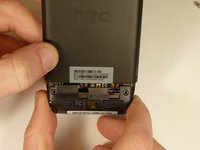
Verwijder de onderkant van de behuizing door deze naar u toe te trekken.
-
-
-
-
-
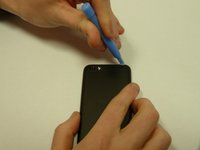
Gebruik het plastic openingsgereedschap om het paneel van de camera achteraan los te wrikken.
-
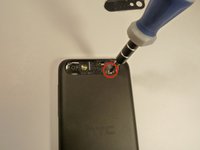
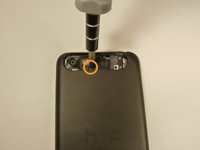
Verwijder beide schroeven waarmee de achterkant vastzit.
-
Eén 4,0 mm Phillips #0 schroef.
-
Eén 3,0 mm Phillips #0 schroef.
-
-
-
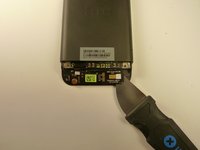
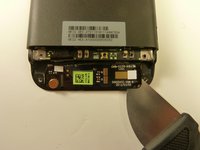
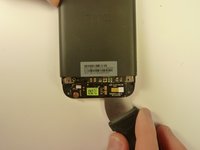
Gebruik een Jimmy om het contact van de OEM SIM- en SD-kaartlezer los te wrikken.
-
-
-
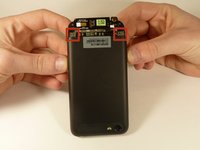
Gebruik beide duimen om voorzichtig op de twee onderste achterhoeken van het moederbord te duwen.
-
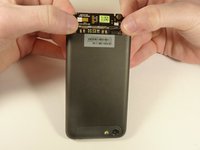
Trek het scherm voorzichtig en langzaam uit de voorkant van de telefoon, terwijl u het OEM-lezercontact door de opening voert.
-
-
-
-
-
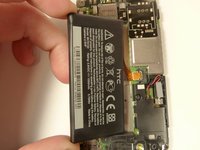
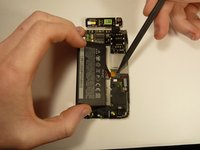
Til de accu voorzichtig uit de behuizing.
-
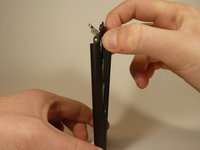
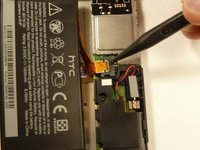
Gebruik de punt van de spudger om de aansluiting uit de behuizing te duwen.
-














Volg deze instructies in omgekeerde volgorde om uw apparaat weer in elkaar te zetten.
Annuleren: ik heb deze handleiding niet afgemaakt.
9 andere personen hebben deze handleiding voltooid.

Team

USF Tampa, Team 1-3, Blackwell Winter 2015 Lid van USF Tampa, Team 1-3, Blackwell Winter 2015
USFT-BLACKWELL-W15S1G3
4 Leden
96 handleidingen geschreven
5Gids Commentaar
Good guide! At step 6 it was easier for me to start pry from felt to right. I'm not sure, but it seems there is 2 ribbons not one, and it maybe I accidentally teared the one on the right. I really not sure, because my speaker still working. Take care! A closer image from the ribbon(s) would help!
Thank you, my phone is working again!
Step 6 was difficult because the card reader contact was stuck down with some kind of adhesive
In Step 4, a small rubber block fell out and it took a while to work out where it belongs. You can just make out where it should be in the bottom left of the second photo in Step 4.
Overall, great instructions, and thank you!
Very well -understood process! Excellent!
