Ga door naar hoofdinhoud
Word lid van de reparatiegemeenschap - Account aanmaken

HTC Hero Motherboard Replacement

Wat je nodig hebt

  1. HTC Hero Motherboard Replacement, Back Case: stap 1, afbeelding 1 van 1
    • Remove the back of the phone by pushing firmly with your thumbs up towards the camera.

    • Remove both the battery and the SD card (Press SD card in to release)

    • Locate and remove the four Torx screws highlighted in the photo, with the phone laying face down on your work space.

    Vraag FixBot
  2. HTC Hero Motherboard Replacement: stap 2, afbeelding 1 van 1
    • Carefully pry the inside back cover from the device using an appropriate size plastic opening tool or small flathead screwdriver.

    • Insert the flat end between the back and front enclosure, working your way around the rim.

    Vraag FixBot
  3. HTC Hero Motherboard Replacement: stap 3, afbeelding 1 van 1
    • Gently depress and release the small plastic tabs around the rim in the front enclosure, highlighted here.

    • It is best to start with the tab found on the top center of the phone, as it is easiest to locate.

    Vraag FixBot
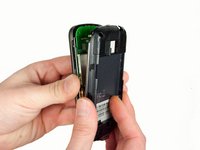
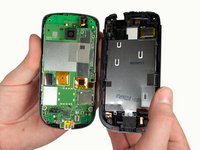
  4. HTC Hero Motherboard Replacement: stap 4, afbeelding 1 van 2 HTC Hero Motherboard Replacement: stap 4, afbeelding 2 van 2
    • Carefully separate the front and back enclosures once all of the clips have been disengaged.

    • Be sure to not separate too quickly or you risk breaking an attached tab.

    Vraag FixBot
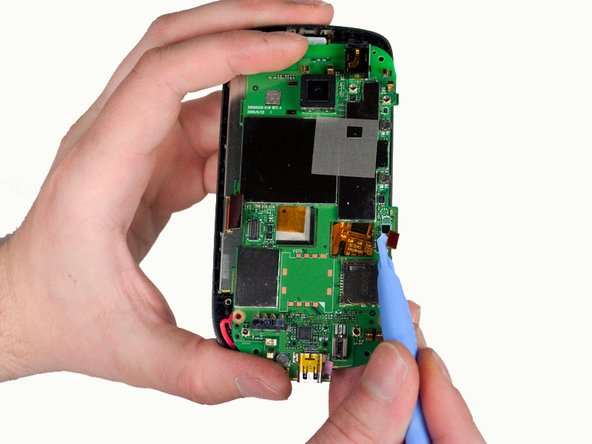
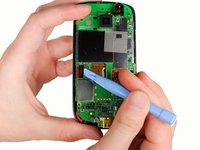
  5. HTC Hero Motherboard Replacement, Motherboard: stap 5, afbeelding 1 van 2 HTC Hero Motherboard Replacement, Motherboard: stap 5, afbeelding 2 van 2
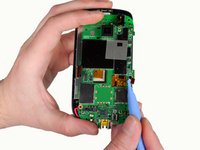
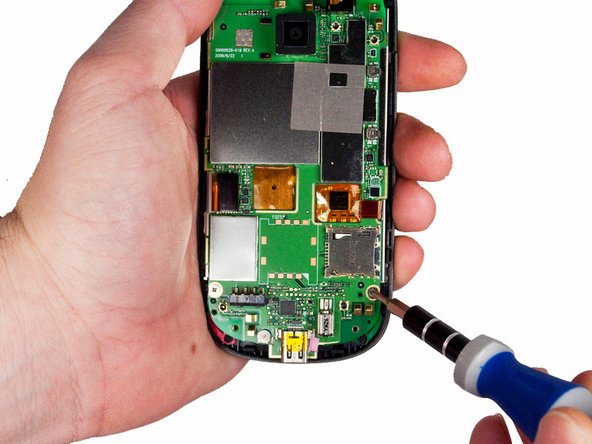
    • Release the two ribbon cables using a plastic opening tool.

    • Gently pry up the pop connectors used to attach the ribbon cables to the motherboard.

    Vraag FixBot
  6. HTC Hero Motherboard Replacement: stap 6, afbeelding 1 van 2 HTC Hero Motherboard Replacement: stap 6, afbeelding 2 van 2
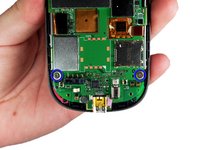
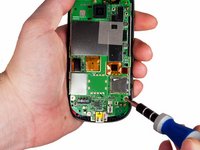
    • Remove the two screws located at the bottom left and right of the motherboard using a small Phillips screwdriver.

    Vraag FixBot
  7. HTC Hero Motherboard Replacement: stap 7, afbeelding 1 van 2 HTC Hero Motherboard Replacement: stap 7, afbeelding 2 van 2
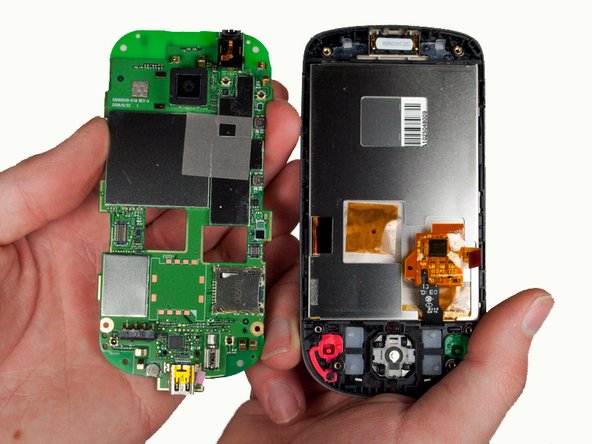
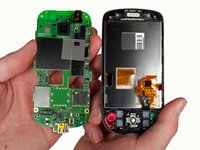
    • Gently lift the motherboard out of the front enclosure once the screws are removed.

    Vraag FixBot
Conclusie

To reassemble your device, follow these instructions in reverse order.

Rosalind Villalvazo

Lid sinds: 01/23/12

100 Reputatie

2 handleidingen geschreven

Team

Cal Poly, Team 3-26, Amido Winter 2012 Lid van Cal Poly, Team 3-26, Amido Winter 2012

CPSU-AMIDO-W12S3G26

5 Leden

12 handleidingen geschreven

0Gids Commentaar

Voeg opmerking toe

Weergavestatistieken:

Afgelopen 24 uren: 0

Afgelopen 7 dagen: 7

Afgelopen 30 dagen: 47

Altijd: 1,837