Ga door naar hoofdinhoud
Word lid van de reparatiegemeenschap - Account aanmaken

HP Slate 7 Plus 4200US Battery Replacement

Wat je nodig hebt

  1. HP Slate 7 Plus 4200US Battery Replacement, Tablet Cover: stap 1, afbeelding 1 van 1
    • Turn off the tablet and disconnect the power and all external devices from the tablet.

    • Position the tablet with the display panel down and the right side toward you.

    • Carefully insert a plastic opening tool between the tablet cover and display panel assembly, separating the two components. The first insertion point should be between the power button and the volume buttons.

    Vraag FixBot
  2. HP Slate 7 Plus 4200US Battery Replacement: stap 2, afbeelding 1 van 2 HP Slate 7 Plus 4200US Battery Replacement: stap 2, afbeelding 2 van 2
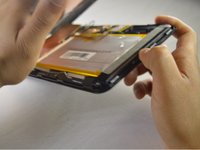
    • Slide the tool around the perimeter of the tablet until the edge of the cover is completely separated from the display panel assembly.

    Vraag FixBot
  3. HP Slate 7 Plus 4200US Battery Replacement: stap 3, afbeelding 1 van 3 HP Slate 7 Plus 4200US Battery Replacement: stap 3, afbeelding 2 van 3 HP Slate 7 Plus 4200US Battery Replacement: stap 3, afbeelding 3 van 3
    • Pry open the back cover to take it off.

    Vraag FixBot
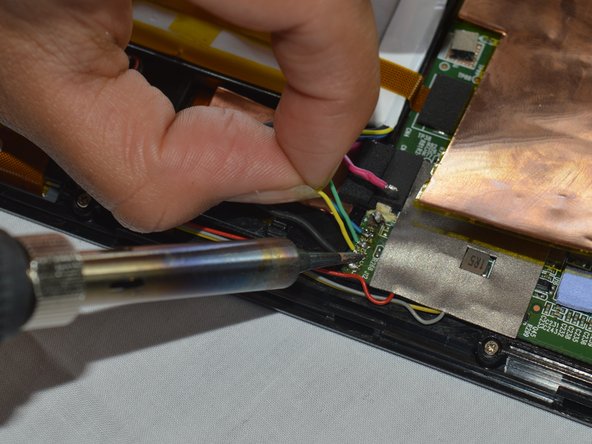
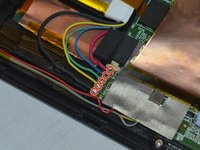
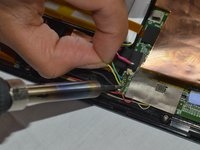
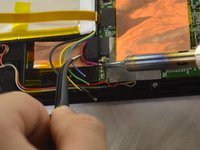
  4. HP Slate 7 Plus 4200US Battery Replacement, Battery: stap 4, afbeelding 1 van 3 HP Slate 7 Plus 4200US Battery Replacement, Battery: stap 4, afbeelding 2 van 3 HP Slate 7 Plus 4200US Battery Replacement, Battery: stap 4, afbeelding 3 van 3
    • Disconnect the battery cables from the system board by desoldering them. See iFixit guide on how to solder.

    • The battery cables are soldered to the system in the following sequence, top to bottom: red, blue, green, yellow, black.

    Vraag FixBot
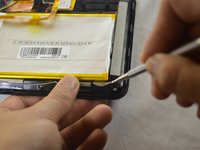
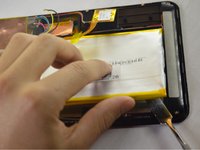
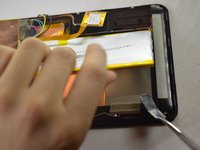
  5. HP Slate 7 Plus 4200US Battery Replacement: stap 5, afbeelding 1 van 3 HP Slate 7 Plus 4200US Battery Replacement: stap 5, afbeelding 2 van 3 HP Slate 7 Plus 4200US Battery Replacement: stap 5, afbeelding 3 van 3
    • Insert a nylon spudger between the battery and the display panel assembly. Carefully pry the battery up and remove it from its place.

    • The battery is attached to the display panel assembly with double-sided adhesive. Make sure to firmly pull the battery.

    • The regular black nylon spudger should be used whenever possible, especially around batteries.

    Vraag FixBot
Conclusie

To reassemble your device, follow these instructions in reverse order.

2 andere personen hebben deze handleiding voltooid.

Jessica Andrade

Lid sinds: 10/04/16

884 Reputatie

7 handleidingen geschreven

Team

USF Tampa, Team 3-1, Sullivan Fall 2016 Lid van USF Tampa, Team 3-1, Sullivan Fall 2016

USFT-SULLIVAN-F16S3G1

3 Leden

14 handleidingen geschreven

1Gids Commentaar

Bonjour, où peut on trouver une batterie svp ?

C'est pour une tablette HP Slate7 Plus.

Merci pour votre aide.

Cordialement. Stéphane

dingo346 - Antwoord Deel

Voeg opmerking toe

Weergavestatistieken:

Afgelopen 24 uren: 1

Afgelopen 7 dagen: 4

Afgelopen 30 dagen: 35

Altijd: 2,413