Ga door naar hoofdinhoud
Word lid van de reparatiegemeenschap - Account aanmaken

HP ProBook 4540s WLAN Module Replacement

Wat je nodig hebt

    1. HP ProBook 4540s WLAN Module Replacement, Battery: stap 1, afbeelding 1 van 1
      • Make sure the computer is shut off and the power cord is unplugged from the AC outlet.

      • Slide the two release latches on either side of the battery.

      • Gently tilt the battery upward and remove it from its socket.

      Vraag FixBot

      Voeg opmerking toe

    1. HP ProBook 4540s WLAN Module Replacement, Bottom Door: stap 2, afbeelding 1 van 1
      • Turn the computer so the bottom is facing towards you.

      • Remove the one 3.0 mm Phillips PM2.0x3.0 security screw.

      • The security screw is an optional feature and isn't required to hold the backing if there is not one screwed in place.

      • Slide the release latches then pull the door towards you. Lift the door away to completely remove it.

      Vraag FixBot

      Voeg opmerking toe

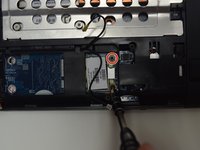
    1. HP ProBook 4540s WLAN Module Replacement, WLAN Module: stap 3, afbeelding 1 van 2 HP ProBook 4540s WLAN Module Replacement, WLAN Module: stap 3, afbeelding 2 van 2
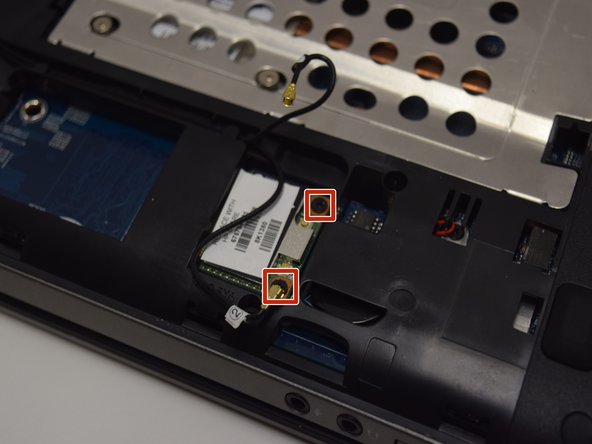
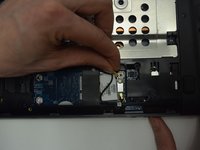
      • Disconnect the antenna cables from their terminals in the WLAN module.

      • One cable is attached to the Auxiliary ("Aux") terminal, represented with a blue wire. The other cable is connected to the Main terminal which is usually represented with a red wire. These wires can be seen in little windows beside the component.

      Vraag FixBot

      Voeg opmerking toe

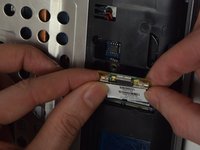
    2. HP ProBook 4540s WLAN Module Replacement: stap 4, afbeelding 1 van 2 HP ProBook 4540s WLAN Module Replacement: stap 4, afbeelding 2 van 2
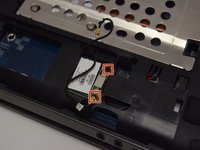
      • Unscrew two 3.0 mm Phillips PM2.0x3.0 screw securing the module to the computer.

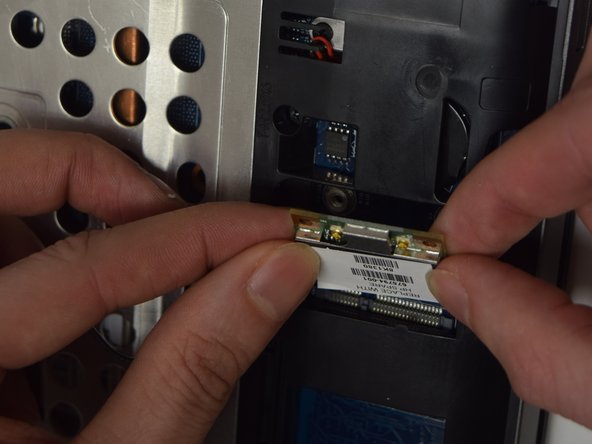
      • The edge of the module that is opposite of the slot is risen away from the computer.

      • Gently lift and remove the module.

      Vraag FixBot

      Voeg opmerking toe

Conclusie

To reassemble your device, follow these instructions in reverse order.

Annuleren: ik heb deze handleiding niet afgemaakt.

2 andere personen hebben deze handleiding voltooid.

Amber Schindler

Lid sinds: 10/26/16

1.087 Reputatie

6 handleidingen geschreven

Team

UW Tacoma, Team 1-5, Rose Fall 2016 Lid van UW Tacoma, Team 1-5, Rose Fall 2016

UWT-ROSE-F16S1G5

4 Leden

42 handleidingen geschreven

0Gids Commentaar

Voeg opmerking toe

Weergavestatistieken:

Afgelopen 24 uren: 0

Afgelopen 7 dagen: 4

Afgelopen 30 dagen: 37

Altijd: 2,500