Inleiding
If your HP Pavilion 15-e043cl is lacking memory capacity and is incapable of completing multiple tasks, the device may need replacement or extra RAM. Laptops will normally need ram to complete multiple tasks at a time, and the laptop is often limited by its amount of RAM to complete these tasks.
Should there not be enough RAM to complete a task, the laptop may run poorly while trying to run, or it will begin to overheat. Check on the task manager to see how much memory is being used as the laptop runs. If the number consistently reaches around 100 percent of RAM, the laptop most likely needs a RAM upgrade.
Replacing the RAM itself is not very challenging, and the HP Pavilion 15-e043cl is able to upgrade from 8 gigabytes to 16 gigabytes or RAM with a simple replacement. This guide will go over the replacement of the RAM in an HP Pavilion 15-e043cl.
Make sure the device is powered off, and that it is not connected to any power sources before beginning any work inside the device.
Wat je nodig hebt
-
-
-
Flip the device over.
-
Slide the battery switch on the right half of the laptop.
 Vraag FixBot
-
-
-
-
-
-
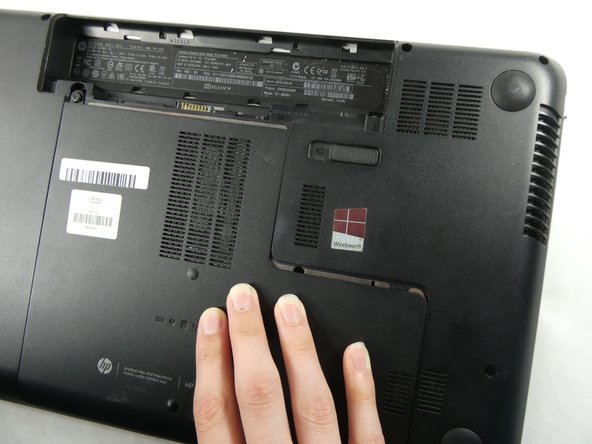
Unscrew the single Phillips #0 captive screw that was previously hidden by the battery.
-
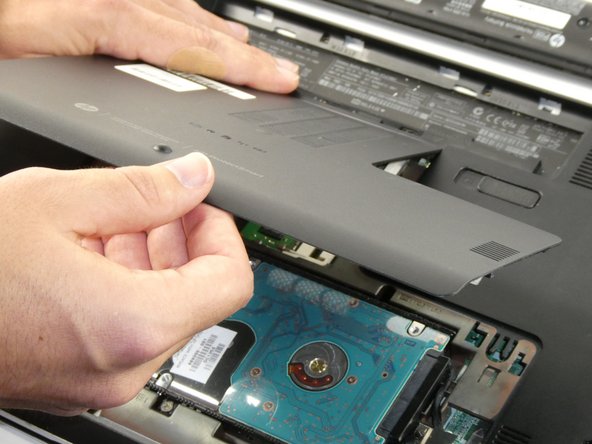
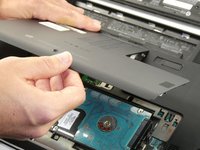
Slide the maintenance panel away from the battery compartment to release it.
-
-
-
-
-
Push the two silver arms away from the RAM card.
-
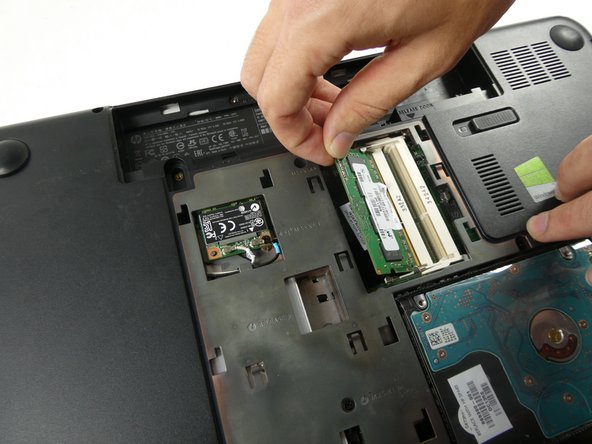
Pull the RAM card out of its slot.
-
-



To reassemble your device, follow these instructions in reverse order.

Team

UMass Dartmouth, Team 4-5, Sinclaire Fall 2022 Lid van UMass Dartmouth, Team 4-5, Sinclaire Fall 2022
UMASSD-SINCLAIRE-F22S4G5
5 Leden
47 handleidingen geschreven
