Ga door naar hoofdinhoud
Word lid van de reparatiegemeenschap - Account aanmaken

HP Mini 210-2070NR RAM Replacement

Wat je nodig hebt

  1. HP Mini 210-2070NR RAM Replacement, Battery and Service Access Cover: stap 1, afbeelding 1 van 1
    • Before beginning, make sure that your computer is turned off and all external power cords are disconnected.

    • Close the laptop and turn it over so that the underside is up and the silver battery bay is facing towards you.

    Vraag FixBot

    Voeg opmerking toe

  2. HP Mini 210-2070NR RAM Replacement: stap 2, afbeelding 1 van 3 HP Mini 210-2070NR RAM Replacement: stap 2, afbeelding 2 van 3 HP Mini 210-2070NR RAM Replacement: stap 2, afbeelding 3 van 3
    • The battery locking latch is on the bottom right corner; slide it inward to unlock the battery.

    • Slide the battery release latch inwards.

    • Pull the battery towards you to remove it.

    Vraag FixBot

    Voeg opmerking toe

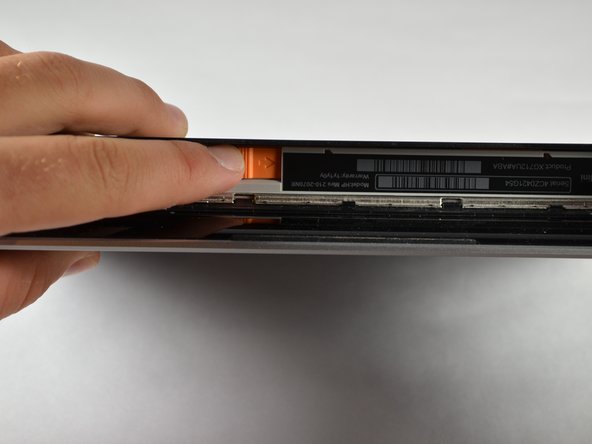
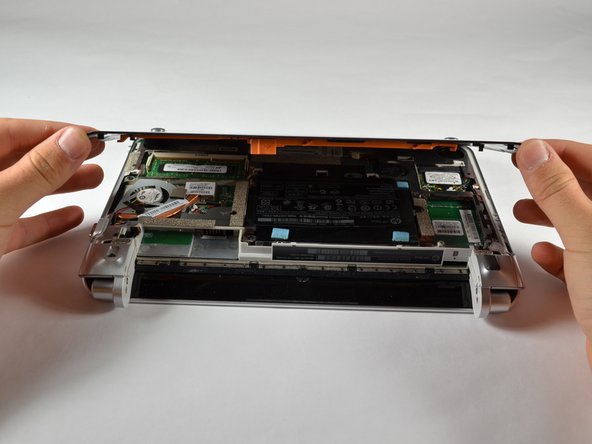
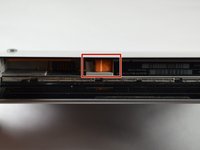
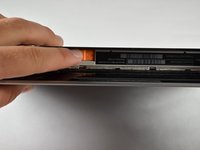
  3. HP Mini 210-2070NR RAM Replacement: stap 3, afbeelding 1 van 3 HP Mini 210-2070NR RAM Replacement: stap 3, afbeelding 2 van 3 HP Mini 210-2070NR RAM Replacement: stap 3, afbeelding 3 van 3
    • Slide the service access cover release lever to the right.

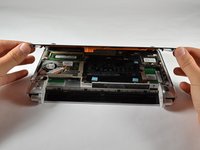
    • While holding the lever to the right, lift up the laptop's bottom cover gently and remove the cover.

    Vraag FixBot

    Voeg opmerking toe

  4. HP Mini 210-2070NR RAM Replacement: stap 4, afbeelding 1 van 1
    • Orient the computer as shown in the picture.

    Vraag FixBot

    Voeg opmerking toe

  5. HP Mini 210-2070NR RAM Replacement, RAM: stap 5, afbeelding 1 van 1
    • Using your fingers, pull the two white clips (tabs) on both sides of the RAM away from each other. Keep pulling the clips until the RAM pops up

    • Hold the RAM on the edges only. Touching the components on the RAM might damage it.

    Vraag FixBot

    Voeg opmerking toe

  6. HP Mini 210-2070NR RAM Replacement: stap 6, afbeelding 1 van 1
    • Grab the edges of the module and gently lift it from the slot.

    • RAM Cards are designed with a notch on the surface to prevent incorrect insertion into the memory module slot.

    Vraag FixBot

    Voeg opmerking toe

Conclusie

To reassemble your device, follow these instructions in reverse order.

Annuleren: ik heb deze handleiding niet afgemaakt.

2 andere personen hebben deze handleiding voltooid.

Sean Kuster

Lid sinds: 10/05/12

91 Reputatie

3 handleidingen geschreven

Team

Cal Poly, Team 3-23, Amido Fall 2012 Lid van Cal Poly, Team 3-23, Amido Fall 2012

CPSU-AMIDO-F12S3G23

4 Leden

6 handleidingen geschreven

0Gids Commentaar

Voeg opmerking toe

Weergavestatistieken:

Afgelopen 24 uren: 3

Afgelopen 7 dagen: 7

Afgelopen 30 dagen: 29

Altijd: 2,452