Deze vertaling is door een computer gegenereerd en is nog niet door iemand nagekeken. Spreek je deze taal? Bekijk het hier.
Inleiding
Als het toetsenbord defect of slecht werkend is, gebruik dan deze handleiding om het toetsenbord te vervangen of de (kabel)aansluitingen aan de binnenkant van de laptop te controleren.
Voor deze handleiding is een beetje wrikken nodig om het toetsenbord los te klikken van de laptopbehuizing. Wrik bij het volgen van de instructies voorzichtig en forceer niets om te voorkomen dat er onderdelen breken.
Het toetsenbord heeft twee (kabel)aansluitingen die verbonden zijn met het moederbord. Zorg ervoor dat u goed geaard bent voordat u de (kabel)aansluitingen aanraakt, om beschadiging van het moederbord zelf te voorkomen.
Om deze handleiding te voltooien heeft u een Phillips #0 schroevendraaier, een ESD-polsbandje en een dun, stevig plastic wrikgereedschap nodig.
Wat je nodig hebt
-
-
-
Schuif de linker schakelaar aan de achterkant van de computer naar de buitenkant van de laptop totdat u een klik hoort.
 Vraag FixBot
-
-
-
Schuif de accu weg van de schakelaars totdat deze uit de laptop kan worden getild.
-
Til de accu uit de laptop.
-
-
-
-
-
Schuif de rechter schakelaar aan de achterkant van de laptop naar de buitenkant totdat u een klik hoort.
-
-
-
Schuif de achterkant van de laptop weg van de schakelaars totdat deze omhoog kan worden getild.
-
Til de behuizing recht omhoog.
-
-
-
-
-
-
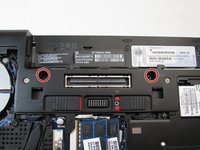
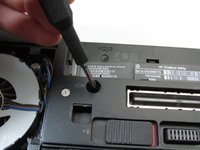
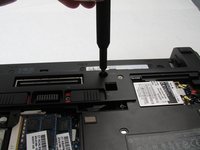
Draai met een Phillips #0-bit de twee schroeven los voor het batterijcompartiment aan de onderkant van de laptop.
-
-
-
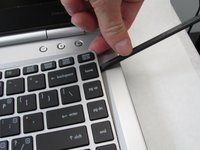
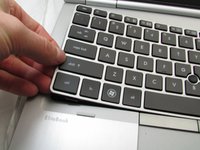
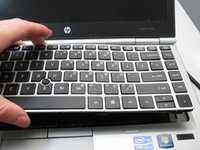
Gebruik een spudger om langs de rand van het toetsenbord te werken en het van het apparaat los te wrikken.
-
-
-
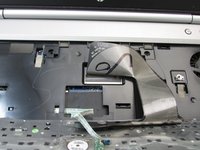
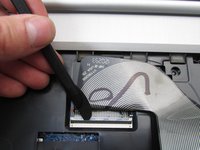
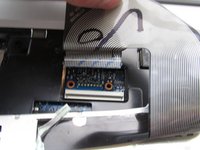
Koppel de toetsenbordkabel van de laptop los door een dun Openingsgereedschap te gebruiken om de (kabel)aansluiting te openen.
-
-
-
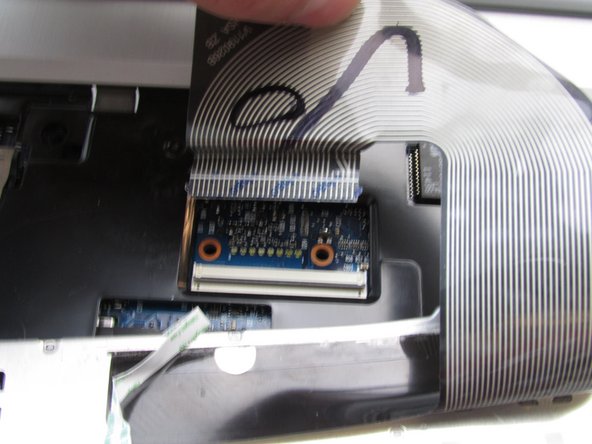
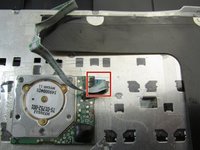
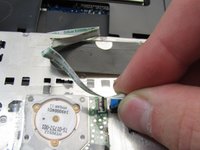
Koppel met de spudger opnieuw de dunne lintkabel aan de achterkant van het toetsenbord los.
-
-










Volg deze instructies in omgekeerde volgorde om uw apparaat weer in elkaar te zetten.
Annuleren: ik heb deze handleiding niet afgemaakt.
3 andere personen hebben deze handleiding voltooid.

Team

Embry-Riddle Aeronautical University, Team S12-G1, Lamothe Fall 2019 Lid van Embry-Riddle Aeronautical University, Team S12-G1, Lamothe Fall 2019
ERAU-LAMOTHE-F19S12G1
4 Leden
90 handleidingen geschreven
2Gids Commentaar
There's a third keyboard screw right beside the fan
yeah just wanted to say this ...
Also the screws are PH1 not PH0
