Ga door naar hoofdinhoud
Word lid van de reparatiegemeenschap - Account aanmaken

HP 7 1800 Front Facing Camera Replacement

Wat je nodig hebt

  1. HP 7 1800 Front Facing Camera Replacement, Remove the back panel: stap 1, afbeelding 1 van 2 HP 7 1800 Front Facing Camera Replacement, Remove the back panel: stap 1, afbeelding 2 van 2
    • Carefully insert a Spudger into one of the corners of the tablet.

    • Slide the Spudger along the edge popping the tabs out along the way.

    • Be careful not to break the tabs.

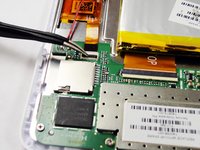
  2. HP 7 1800 Front Facing Camera Replacement, Remove the battery: stap 2, afbeelding 1 van 3 HP 7 1800 Front Facing Camera Replacement, Remove the battery: stap 2, afbeelding 2 van 3 HP 7 1800 Front Facing Camera Replacement, Remove the battery: stap 2, afbeelding 3 van 3
    Gereedschap gebruikt in deze stap:
    Tweezers
    $4.99
    • Slide the Spudger under the battery to lift it off the adhesive.

    • Gently pull the cable connection from the motherboard using tweezers.

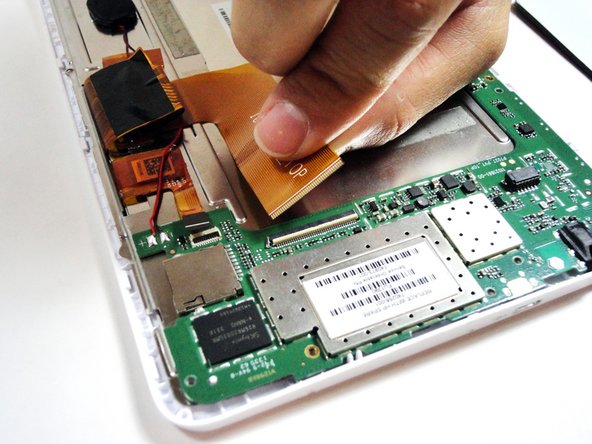
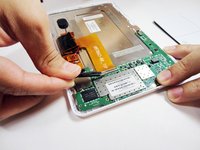
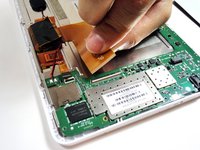
  3. HP 7 1800 Front Facing Camera Replacement, Remove the large ribbon cable: stap 3, afbeelding 1 van 2 HP 7 1800 Front Facing Camera Replacement, Remove the large ribbon cable: stap 3, afbeelding 2 van 2
    Gereedschap gebruikt in deze stap:
    Tweezers
    $4.99
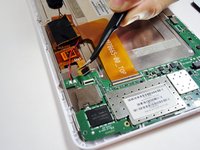
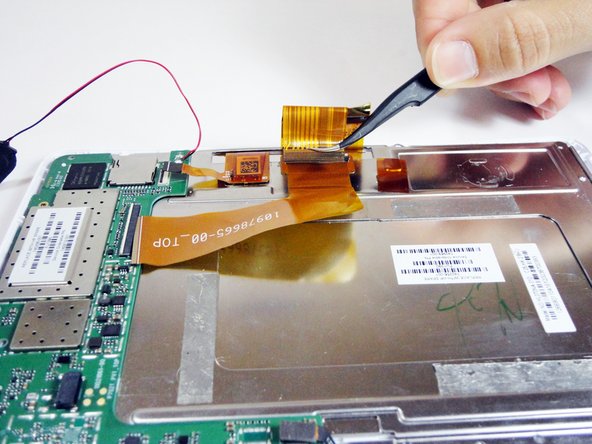
    • Remove the larger ribbon cable by gently flipping the beige latch and pulling it out with tweezers.

  4. HP 7 1800 Front Facing Camera Replacement, Remove the smaller ribbon cable: stap 4, afbeelding 1 van 2 HP 7 1800 Front Facing Camera Replacement, Remove the smaller ribbon cable: stap 4, afbeelding 2 van 2
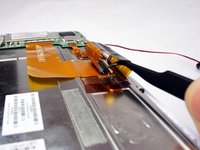
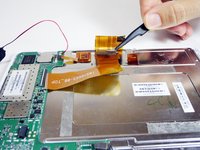
    • Remove the smaller ribbon cable by gently flipping the black latch and pulling it out with tweezers.

  5. HP 7 1800 Front Facing Camera Replacement, Unscrew the 7 silver screws from the logic board: stap 5, afbeelding 1 van 1
    • Remove the following 7 screws:

    • Six 4.17mm Phillips #00 around the motherboard.

    • One 2.67mm Phillips #00 next to the front facing camera.

    • The 2.67mm screw circled in yellow is notably shorter than the other 6 screws circled in red.

  6. HP 7 1800 Front Facing Camera Replacement, Unplug the front facing camera from the logic board: stap 6, afbeelding 1 van 1
    • Gently pry the front facing camera plug up and off of the motherboard.

  7. HP 7 1800 Front Facing Camera Replacement, Remove the logic board: stap 7, afbeelding 1 van 1
    • Carefully lift the motherboard directly up.

  8. HP 7 1800 Front Facing Camera Replacement, Remove the ribbon cable attached to the metal plate: stap 8, afbeelding 1 van 2 HP 7 1800 Front Facing Camera Replacement, Remove the ribbon cable attached to the metal plate: stap 8, afbeelding 2 van 2
    • On the metal plate inside of the device, there is a ribbon cable in a loop. Flip the white tab and pull the cable out.

  9. HP 7 1800 Front Facing Camera Replacement, Unscrew the 7 black screws on the metal plate: stap 9, afbeelding 1 van 1
    • Unscrew the following black screws:

    • Seven 2.82mm Phillips #00 around the metal casing.

  10. HP 7 1800 Front Facing Camera Replacement, Remove the metal plate: stap 10, afbeelding 1 van 1
    • Gently lift the metal plate directly up.

  11. HP 7 1800 Front Facing Camera Replacement, Remove the camera: stap 11, afbeelding 1 van 1
    Gereedschap gebruikt in deze stap:
    Tweezers
    $4.99
    • Gently remove the camera from the device with tweezers by lifting it up and out of its square hole.

Conclusie

To reassemble your device, follow these instructions in reverse order.

Trevor Shumate

Lid sinds: 01/21/15

225 Reputatie

2 handleidingen geschreven

Team

USF Tampa, Team 4-1, Brown Winter 2015 Lid van USF Tampa, Team 4-1, Brown Winter 2015

USFT-BROWN-W15S4G1

4 Leden

14 handleidingen geschreven

0Gids Commentaar

Voeg opmerking toe

Weergavestatistieken:

Afgelopen 24 uren: 2

Afgelopen 7 dagen: 11

Afgelopen 30 dagen: 41

Altijd: 467