Ga door naar hoofdinhoud
Word lid van de reparatiegemeenschap - Account aanmaken

HP 7 1800 Display Replacement

Wat je nodig hebt

    1. HP 7 1800 Display Replacement, Remove the back panel: stap 1, afbeelding 1 van 2 HP 7 1800 Display Replacement, Remove the back panel: stap 1, afbeelding 2 van 2
      • Carefully insert a Spudger into one of the corners of the tablet.

      • Slide the Spudger along the edge popping the tabs out along the way.

      • Be careful not to break the tabs.

      Vraag FixBot

      Voeg opmerking toe

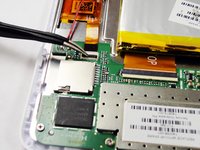
    2. HP 7 1800 Display Replacement, Remove the battery: stap 2, afbeelding 1 van 3 HP 7 1800 Display Replacement, Remove the battery: stap 2, afbeelding 2 van 3 HP 7 1800 Display Replacement, Remove the battery: stap 2, afbeelding 3 van 3
      Gereedschap gebruikt in deze stap:
      Tweezers
      $4.99
      • Slide the Spudger under the battery to lift it off the adhesive.

      • Gently pull the cable connection from the motherboard using tweezers.

      Vraag FixBot

      Voeg opmerking toe

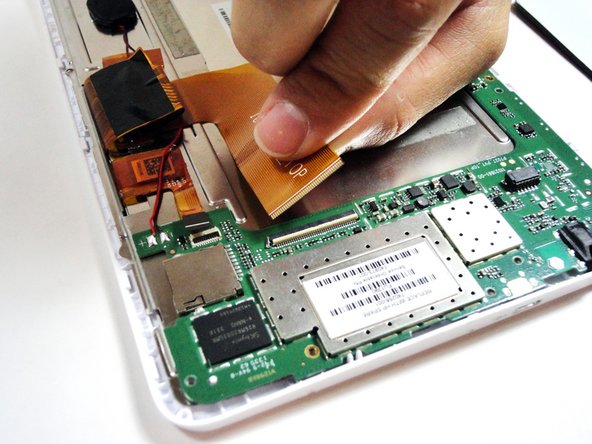
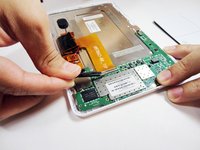
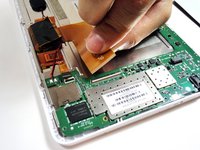
    1. HP 7 1800 Display Replacement, Remove the large ribbon cable: stap 3, afbeelding 1 van 2 HP 7 1800 Display Replacement, Remove the large ribbon cable: stap 3, afbeelding 2 van 2
      Gereedschap gebruikt in deze stap:
      Tweezers
      $4.99
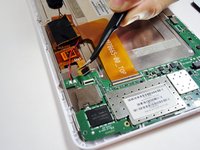
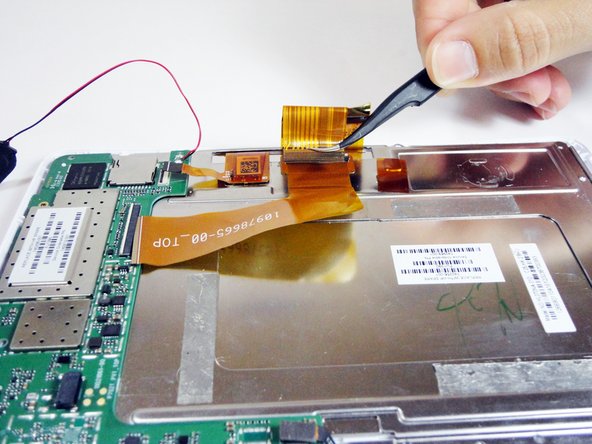
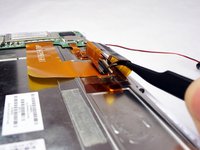
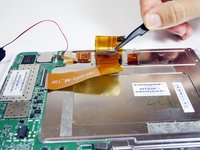
      • Remove the larger ribbon cable by gently flipping the beige latch and pulling it out with tweezers.

      Vraag FixBot

      Voeg opmerking toe

    2. HP 7 1800 Display Replacement, Remove the smaller ribbon cable: stap 4, afbeelding 1 van 2 HP 7 1800 Display Replacement, Remove the smaller ribbon cable: stap 4, afbeelding 2 van 2
      • Remove the smaller ribbon cable by gently flipping the black latch and pulling it out with tweezers.

      Vraag FixBot

      Voeg opmerking toe

    3. HP 7 1800 Display Replacement, Unscrew the 7 silver screws from the logic board: stap 5, afbeelding 1 van 1
      • Remove the following 7 screws:

      • Six 4.17mm Phillips #00 around the motherboard.

      • One 2.67mm Phillips #00 next to the front facing camera.

      • The 2.67mm screw circled in yellow is notably shorter than the other 6 screws circled in red.

      Vraag FixBot

      Voeg opmerking toe

    4. HP 7 1800 Display Replacement, Unplug the front facing camera from the logic board: stap 6, afbeelding 1 van 1
      • Gently pry the front facing camera plug up and off of the motherboard.

      Vraag FixBot

      Voeg opmerking toe

    5. HP 7 1800 Display Replacement, Remove the logic board: stap 7, afbeelding 1 van 1
      • Carefully lift the motherboard directly up.

      Vraag FixBot

      Voeg opmerking toe

    1. HP 7 1800 Display Replacement, Remove the ribbon cable attached to the metal plate: stap 8, afbeelding 1 van 2 HP 7 1800 Display Replacement, Remove the ribbon cable attached to the metal plate: stap 8, afbeelding 2 van 2
      • On the metal plate inside of the device, there is a ribbon cable in a loop. Flip the white tab and pull the cable out.

      Vraag FixBot

      Voeg opmerking toe

    2. HP 7 1800 Display Replacement, Unscrew the 7 black screws on the metal plate: stap 9, afbeelding 1 van 1
      • Unscrew the following black screws:

      • Seven 2.82mm Phillips #00 around the metal casing.

      Vraag FixBot

      Voeg opmerking toe

    3. HP 7 1800 Display Replacement, Remove the metal plate: stap 10, afbeelding 1 van 1
      • Gently lift the metal plate directly up.

      Vraag FixBot

      Voeg opmerking toe

    4. HP 7 1800 Display Replacement, Remove the display: stap 11, afbeelding 1 van 1
      • Gently lift the display directly up.

      Vraag FixBot

      Voeg opmerking toe

Conclusie

To reassemble your device, follow these instructions in reverse order.

Annuleren: ik heb deze handleiding niet afgemaakt.

5 andere personen hebben deze handleiding voltooid.

TMD

Lid sinds: 01/21/15

792 Reputatie

5 handleidingen geschreven

Team

USF Tampa, Team 4-1, Brown Winter 2015 Lid van USF Tampa, Team 4-1, Brown Winter 2015

USFT-BROWN-W15S4G1

4 Leden

14 handleidingen geschreven

2Gids Commentaar

I have this same tablet but I cannot find a replacement screen. Do you know where I could find one?

Karen Porter - Antwoord Deel

I have the same problem

akiel panchan - Antwoord Deel

Voeg opmerking toe

Weergavestatistieken:

Afgelopen 24 uren: 0

Afgelopen 7 dagen: 6

Afgelopen 30 dagen: 21

Altijd: 2,262