Ga door naar hoofdinhoud
Word lid van de reparatiegemeenschap - Account aanmaken

Google Pixel C Screen Replacement

Wat je nodig hebt

    1. Google Pixel C Screen Replacement, Screen: stap 1, afbeelding 1 van 1
      • Ensure that the device is completely powered down before beginning to take it apart

      • Use a heat gun to melt the adhesive that holds the screen to the device

      • Move the heat gun around the edge of the screen for approximately 1 minute, or until the screen can be lifted off in the next step.

      • Make sure not to heat the screen for too long because too much can damage other components inside the tablet.

      Vraag FixBot

      Voeg opmerking toe

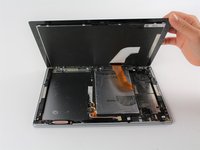
    2. Google Pixel C Screen Replacement: stap 2, afbeelding 1 van 2 Google Pixel C Screen Replacement: stap 2, afbeelding 2 van 2
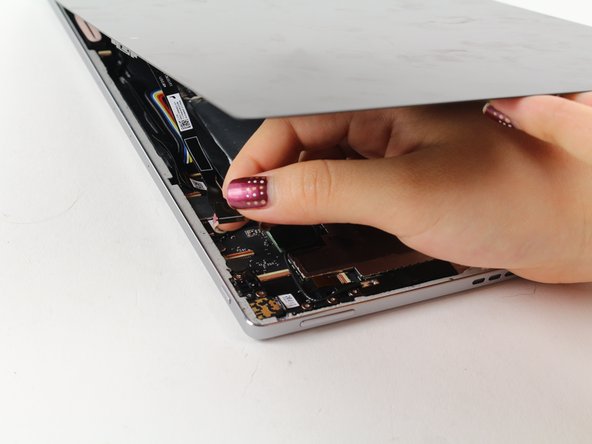
      • Use a suction cup to assist in lifting the screen while prying around its edges with a plastic spudger.

      • If necessary use a metal spudger to pry the screen up, taking care not to scratch the device.

      • Be careful not to pull the screen too far off. It will still be attached to the device by a cable for the front facing camera and the wide display data cable.

      • Reattaching the screen will require adhesive to ensure that it stays in place.

      Vraag FixBot

      Voeg opmerking toe

    3. Google Pixel C Screen Replacement: stap 3, afbeelding 1 van 2 Google Pixel C Screen Replacement: stap 3, afbeelding 2 van 2
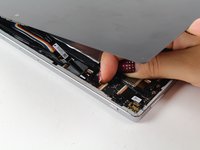
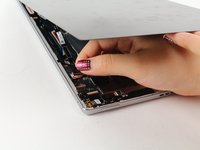
      • Detach the cables for the camera by lifting the small flap using the tip of your fingernail or a spudger. Gently pull the ribbon cable out.

      Vraag FixBot

      Voeg opmerking toe

    4. Google Pixel C Screen Replacement: stap 4, afbeelding 1 van 2 Google Pixel C Screen Replacement: stap 4, afbeelding 2 van 2
      Gereedschap gebruikt in deze stap:
      Tweezers
      $4.99
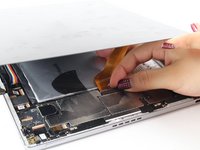
      • Follow the same removal procedure to detach the wide gold cable.

      • When reattaching cables, it is helpful to use tweezers to slide the cable in before securing it down with the flap.

      • This device is missing a battery, so the device that you are working on may appear slightly different inside.

      Vraag FixBot

      Voeg opmerking toe

Conclusie

To reassemble your device, follow these instructions in reverse order.

Annuleren: ik heb deze handleiding niet afgemaakt.

9 andere personen hebben deze handleiding voltooid.

Deborah Iwakiri

Lid sinds: 04/25/17

522 Reputatie

2 handleidingen geschreven

Team

Cal Poly, Team S21-G4, Livingston Spring 2017 Lid van Cal Poly, Team S21-G4, Livingston Spring 2017

CPSU-LIVINGSTON-S17S21G4

4 Leden

11 handleidingen geschreven

28Gids Commentaar

Where can a replacement screen be located?

Ronnie Williams - Antwoord Deel

Where can i buy a spare screen for this tablet?

Luigi Abbinante - Antwoord Deel

Yes, I have to buy the screen too, but where??

Кирилл Кнышев - Antwoord Deel

All very nice but unfortunately useless without knowing where to get the parts :(

Lorenzo Braschi - Antwoord Deel

Ciao Lorenzo, sei poi riuscito a trovare il ricambio?

Luigi Abbinante - Antwoord Deel

Voeg opmerking toe

Weergavestatistieken:

Afgelopen 24 uren: 4

Afgelopen 7 dagen: 21

Afgelopen 30 dagen: 86

Altijd: 19,629