Ga door naar hoofdinhoud
Word lid van de reparatiegemeenschap - Account aanmaken

Gateway MS2370 Screen Replacement

Wat je nodig hebt

  1. Gateway MS2370 Screen Replacement, Battery: stap 1, afbeelding 1 van 1
    • Make sure the laptop is turned off and flipped over so that the bottom is facing up. Then, locate the battery clip as shown.

    Vraag FixBot
  2. Gateway MS2370 Screen Replacement: stap 2, afbeelding 1 van 1
    • Either using your fingers or a plastic spudger push the battery clip to the left to release battery.

    Vraag FixBot
  3. Gateway MS2370 Screen Replacement: stap 3, afbeelding 1 van 1
    • Pull the battery from the laptop to remove it.

    Vraag FixBot
  4. Gateway MS2370 Screen Replacement, Screen: stap 4, afbeelding 1 van 1
    Gereedschap gebruikt in deze stap:
    Tweezers
    $4.99
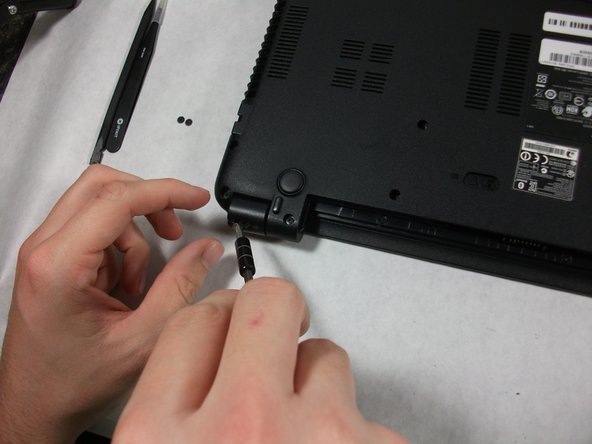
    • Using the pointed tweezers, remove plastic circles that are stuck onto the back of the laptop’s hinges.

    • These plastic circles are stuck inside the hole with adhesive and might require a significant amount of force.

    Vraag FixBot
  5. Gateway MS2370 Screen Replacement: stap 5, afbeelding 1 van 2 Gateway MS2370 Screen Replacement: stap 5, afbeelding 2 van 2
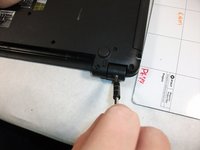
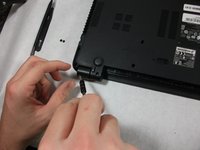
    • Unscrew both of the 3mm Phillips 01 screws on both hinges using the matching screwdriver.

    Vraag FixBot
  6. Gateway MS2370 Screen Replacement: stap 6, afbeelding 1 van 1
    • Take the plastic spudger and pull up the tabs on all four sides of the screen molding.

    Vraag FixBot
  7. Gateway MS2370 Screen Replacement: stap 7, afbeelding 1 van 1
    • Carefully remove the screen molding. Be aware that the screen molding will not come out all the way.

    Vraag FixBot
  8. Gateway MS2370 Screen Replacement: stap 8, afbeelding 1 van 1
    • Unscrew the four 3mm inch Phillips 01 screws on the screen bracket.

    Vraag FixBot
  9. Gateway MS2370 Screen Replacement: stap 9, afbeelding 1 van 3 Gateway MS2370 Screen Replacement: stap 9, afbeelding 2 van 3 Gateway MS2370 Screen Replacement: stap 9, afbeelding 3 van 3
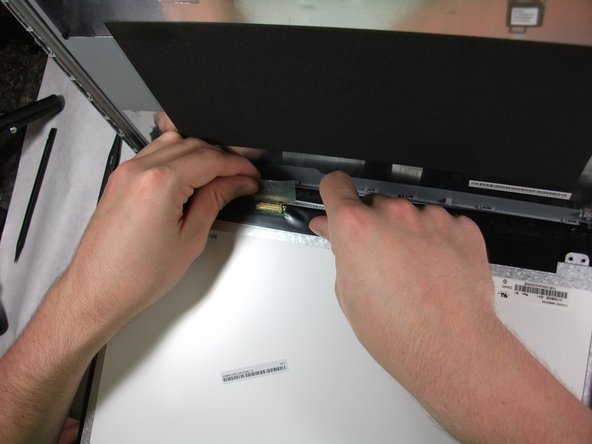
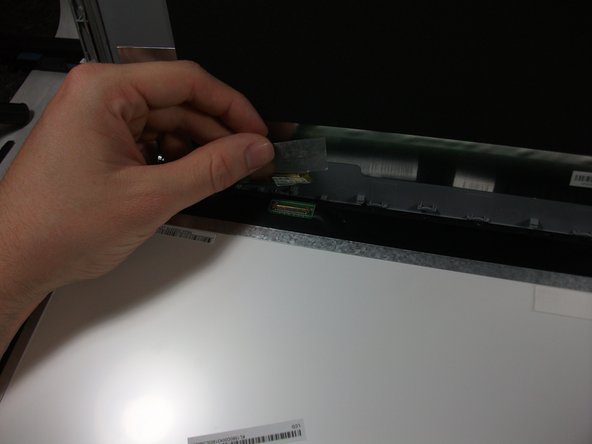
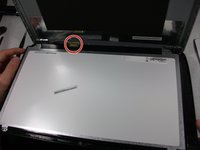
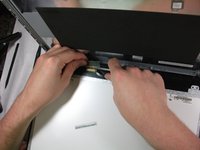
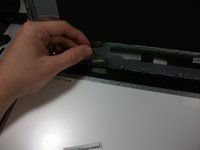
    • Peel up the tape over the connector and unplug the screen from the laptop.

    Vraag FixBot
  10. Gateway MS2370 Screen Replacement: stap 10, afbeelding 1 van 2 Gateway MS2370 Screen Replacement: stap 10, afbeelding 2 van 2
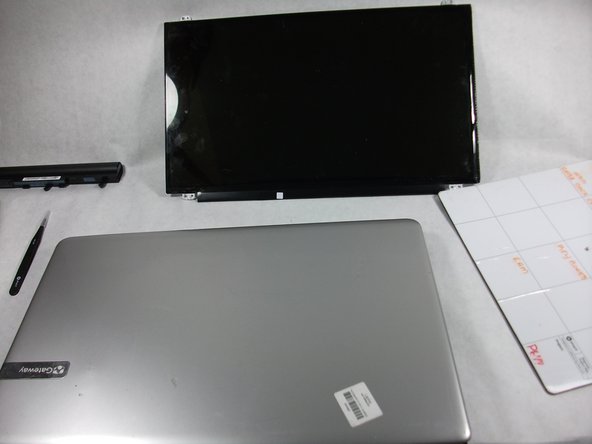
    • Slowly remove the screen from the laptop.

    Vraag FixBot
Conclusie

To reassemble your device, follow these instructions in reverse order.

Mathieu Bolduc-Clayton

Lid sinds: 10/17/17

518 Reputatie

4 handleidingen geschreven

Team

UMass Dartmouth, Team S1-G5, Simcock Fall 2017 Lid van UMass Dartmouth, Team S1-G5, Simcock Fall 2017

UMASSD-SIMCOCK-F17S1G5

3 Leden

10 handleidingen geschreven

0Gids Commentaar

Voeg opmerking toe

Weergavestatistieken:

Afgelopen 24 uren: 0

Afgelopen 7 dagen: 2

Afgelopen 30 dagen: 55

Altijd: 944