Ga door naar hoofdinhoud
Word lid van de reparatiegemeenschap - Account aanmaken

Gateway MS2370 Fan Replacement

Wat je nodig hebt

  1. Gateway MS2370 Fan Replacement, Battery: stap 1, afbeelding 1 van 1
    • Make sure the laptop is turned off and flipped over so that the bottom is facing up. Then, locate the battery clip as shown.

    Vraag FixBot
  2. Gateway MS2370 Fan Replacement: stap 2, afbeelding 1 van 1
    • Either using your fingers or a plastic spudger push the battery clip to the left to release battery.

    Vraag FixBot
  3. Gateway MS2370 Fan Replacement: stap 3, afbeelding 1 van 1
    • Pull the battery from the laptop to remove it.

    Vraag FixBot
  4. Gateway MS2370 Fan Replacement, RAM: stap 4, afbeelding 1 van 1
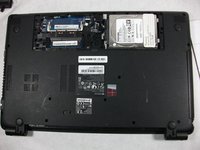
    • Unscrew the three 10mm inch Phillips 01 screws on the back of your laptop.

    • Unplug everything from the USB and SD ports.

    Vraag FixBot
  5. Gateway MS2370 Fan Replacement: stap 5, afbeelding 1 van 1
    • Remove the cover panel.

    • This exposes more screws that must be removed.

    Vraag FixBot
  6. Gateway MS2370 Fan Replacement: stap 6, afbeelding 1 van 1
    • Unplug the two exposed cables from the motherboard.

    Vraag FixBot
  7. Gateway MS2370 Fan Replacement: stap 7, afbeelding 1 van 2 Gateway MS2370 Fan Replacement: stap 7, afbeelding 2 van 2
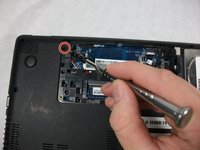
    • Unscrew the rest of the case screws which include several 10mm 01 Phillips screws and three 3mm 00 Phillips screws.

    • This marked screw will not fully come out. Just loosen it and leave it there it will not effect the rest of the replacement.

    Vraag FixBot
  8. Gateway MS2370 Fan Replacement: stap 8, afbeelding 1 van 2 Gateway MS2370 Fan Replacement: stap 8, afbeelding 2 van 2
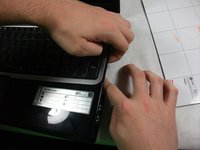
    • Pry the laptop case apart.

    • The disc drive in this photo was removed. You can remove it just by puling it out when the previous step is completed.

    Vraag FixBot
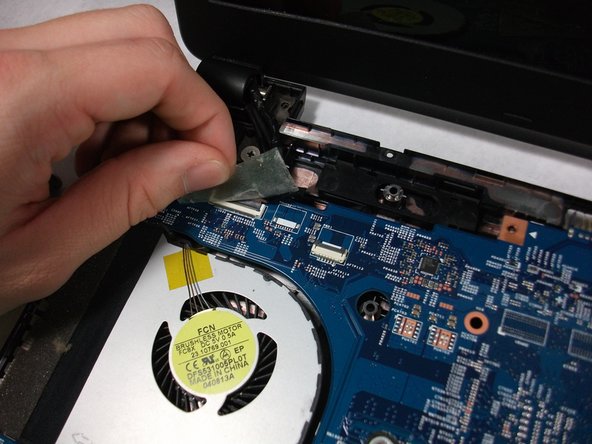
  9. Gateway MS2370 Fan Replacement: stap 9, afbeelding 1 van 1
    • Unplug the track-pad and the keyboard ribbon cable by lifting up the grey flap and removing the cable.

    • This cable has a special connector the requires you to lift open a grey flap to unplug properly.

    • The keyboard plug is located at the center of the motherboard and can be unplugged like a normal cable.

    Vraag FixBot
  10. Gateway MS2370 Fan Replacement: stap 10, afbeelding 1 van 1
    • Remove the top half of the case.

    Vraag FixBot
  11. Gateway MS2370 Fan Replacement: stap 11, afbeelding 1 van 1
    • Unscrew all 5 10mm inch Phillips 01 screws.

    • One more off screen

    Vraag FixBot
  12. Gateway MS2370 Fan Replacement: stap 12, afbeelding 1 van 3 Gateway MS2370 Fan Replacement: stap 12, afbeelding 2 van 3 Gateway MS2370 Fan Replacement: stap 12, afbeelding 3 van 3
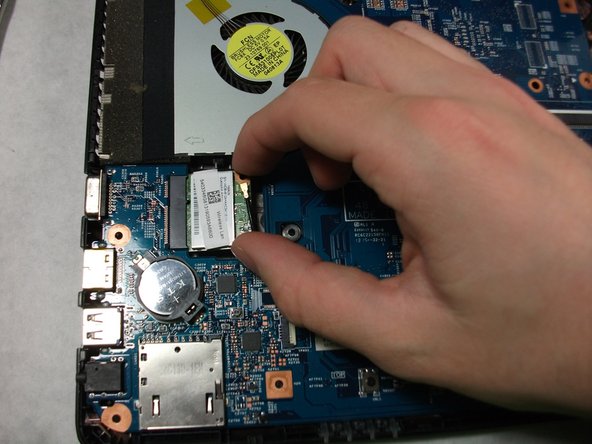
    • Unplug the ribbon cable connected to the USB Hub, the network card, and the monitor cable.

    Vraag FixBot
  13. Gateway MS2370 Fan Replacement: stap 13, afbeelding 1 van 1
    • Flip the motherboard over.

    Vraag FixBot
  14. Gateway MS2370 Fan Replacement: stap 14, afbeelding 1 van 3 Gateway MS2370 Fan Replacement: stap 14, afbeelding 2 van 3 Gateway MS2370 Fan Replacement: stap 14, afbeelding 3 van 3
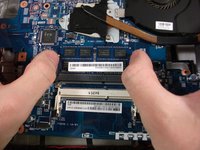
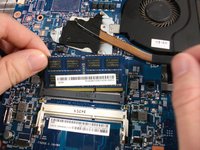
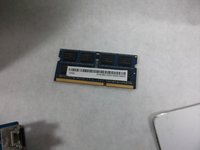
    • Using your two thumbs to pull outwards from the inside of the RAM slot to release and remove the RAM.

    • The last step of this replacement guide is not required to complete the fan replacement guide.

    Vraag FixBot
  15. Gateway MS2370 Fan Replacement, Fan: stap 15, afbeelding 1 van 1
    • Unscrew the three 3mm inch Phillips 01 screws.

    • These screws will not be removed entirely. Just loosen them enough to free the fan from the motherboard.

    Vraag FixBot
  16. Gateway MS2370 Fan Replacement: stap 16, afbeelding 1 van 1
    • Unplug the fan cable from the motherboard.

    Vraag FixBot
  17. Gateway MS2370 Fan Replacement: stap 17, afbeelding 1 van 1
    • Remove the Fan.

    Vraag FixBot
Conclusie

To reassemble your device, follow these instructions in reverse order.

Erickson Rodrigues

Lid sinds: 10/17/17

101 Reputatie

1 Handleiding geschreven

Team

UMass Dartmouth, Team S1-G5, Simcock Fall 2017 Lid van UMass Dartmouth, Team S1-G5, Simcock Fall 2017

UMASSD-SIMCOCK-F17S1G5

3 Leden

10 handleidingen geschreven

0Gids Commentaar

Voeg opmerking toe

Weergavestatistieken:

Afgelopen 24 uren: 0

Afgelopen 7 dagen: 6

Afgelopen 30 dagen: 64

Altijd: 874