Ga door naar hoofdinhoud
Word lid van de reparatiegemeenschap - Account aanmaken

Gateway MA7 RAM Replacement

Wat je nodig hebt

    1. Gateway MA7 RAM Replacement, RAM: stap 1, afbeelding 1 van 1
      • To prevent injury, make sure the laptop is unplugged before removing the battery.

      • Push the locking tab over to the right away from the battery to unlock it from the laptop.

      • Hold the additional locking tab to the left while pulling out the battery.

      Vraag FixBot

      Voeg opmerking toe

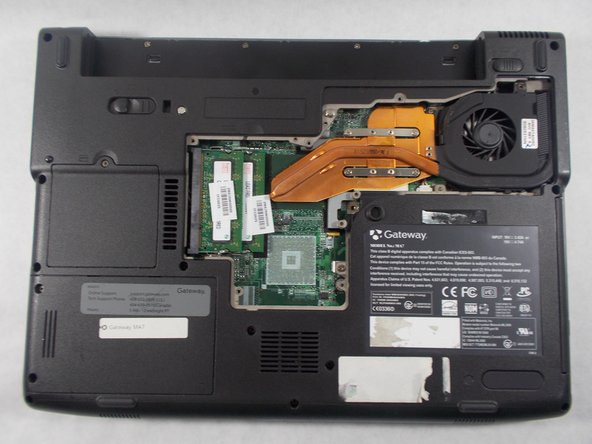
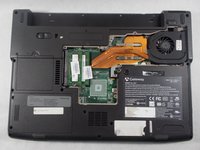
    2. Gateway MA7 RAM Replacement: stap 2, afbeelding 1 van 2 Gateway MA7 RAM Replacement: stap 2, afbeelding 2 van 2
      • Remove the following screws securing the plastic panel from the bottom of the laptop:

      • Seven 6 mm Phillips #0

      Vraag FixBot

      Voeg opmerking toe

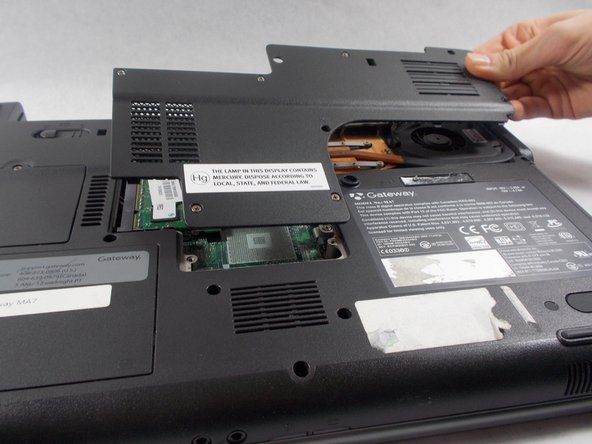
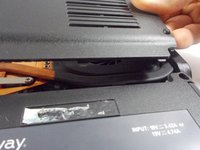
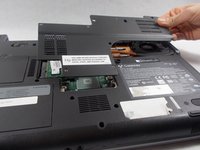
    3. Gateway MA7 RAM Replacement: stap 3, afbeelding 1 van 3 Gateway MA7 RAM Replacement: stap 3, afbeelding 2 van 3 Gateway MA7 RAM Replacement: stap 3, afbeelding 3 van 3
      • Pull upwards on the top of the plastic panel to remove it.

      • With the exception of the screw marked "K", all of the screws will remain connected to the plastic piece.

      Vraag FixBot

      Voeg opmerking toe

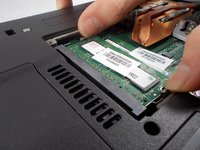
    4. Gateway MA7 RAM Replacement: stap 4, afbeelding 1 van 2 Gateway MA7 RAM Replacement: stap 4, afbeelding 2 van 2
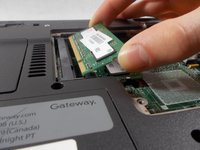
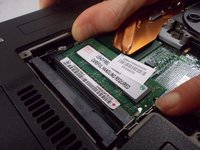
      • Push the two metal tabs (holding the module in place) apart in order to release it.

      Vraag FixBot

      Voeg opmerking toe

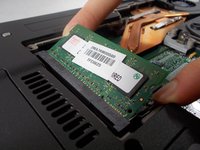
    5. Gateway MA7 RAM Replacement: stap 5, afbeelding 1 van 2 Gateway MA7 RAM Replacement: stap 5, afbeelding 2 van 2
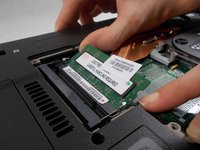
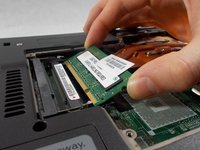
      • Pull the ram out of the motherboard at a 45 degree angle.

      Vraag FixBot

      Voeg opmerking toe

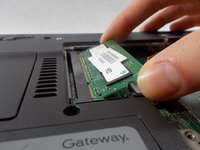
    6. Gateway MA7 RAM Replacement: stap 6, afbeelding 1 van 3 Gateway MA7 RAM Replacement: stap 6, afbeelding 2 van 3 Gateway MA7 RAM Replacement: stap 6, afbeelding 3 van 3
      • Repeat steps 4 & 5 for the other memory module.

      Vraag FixBot

      Voeg opmerking toe

Conclusie

To reassemble your device, follow these instructions in reverse order.

Annuleren: ik heb deze handleiding niet afgemaakt.

2 andere personen hebben deze handleiding voltooid.

Tim Rose

Lid sinds: 03/05/18

392 Reputatie

2 handleidingen geschreven

Team

UMass Dartmouth, Team S6-G2, Bernier Spring 2018 Lid van UMass Dartmouth, Team S6-G2, Bernier Spring 2018

UMASSD-BERNIER-S18S6G2

3 Leden

28 handleidingen geschreven

0Gids Commentaar

Voeg opmerking toe

Weergavestatistieken:

Afgelopen 24 uren: 0

Afgelopen 7 dagen: 14

Afgelopen 30 dagen: 44

Altijd: 1,923