Ga door naar hoofdinhoud
Word lid van de reparatiegemeenschap - Account aanmaken

Fujifilm FinePix S4200 Viewfinder Replacement

Wat je nodig hebt

    1. Fujifilm FinePix S4200 Viewfinder  Replacement, LCD Screen: stap 1, afbeelding 1 van 1
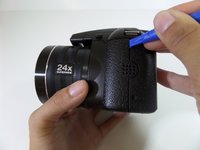
      • Turn the camera off.

      • Turn the camera upside down so that the battery compartment is showing.

      Vraag FixBot

      Voeg opmerking toe

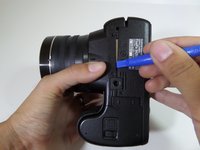
    2. Fujifilm FinePix S4200 Viewfinder  Replacement: stap 2, afbeelding 1 van 1
      • Remove the three 4 mm screws from the bottom of the camera with a Phillips #000 screwdriver.

      Vraag FixBot

      Voeg opmerking toe

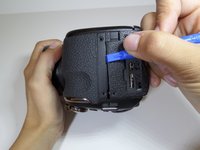
    3. Fujifilm FinePix S4200 Viewfinder  Replacement: stap 3, afbeelding 1 van 1
      • Rotate camera to the side where the speaker ports are located.

      • Remove the three 4 mm screws with a Phillips #000 screwdriver.

      Vraag FixBot

      Voeg opmerking toe

    4. Fujifilm FinePix S4200 Viewfinder  Replacement: stap 4, afbeelding 1 van 1
      • Turn the camera to the opposite side where the HDMI port is located.

      • Remove all five 4 mm screws with a Phillips #000 screwdriver.

      Vraag FixBot

      Voeg opmerking toe

    5. Fujifilm FinePix S4200 Viewfinder  Replacement: stap 5, afbeelding 1 van 3 Fujifilm FinePix S4200 Viewfinder  Replacement: stap 5, afbeelding 2 van 3 Fujifilm FinePix S4200 Viewfinder  Replacement: stap 5, afbeelding 3 van 3
      • Casing is fragile.

      • Utilize the plastic opening tool to pry in between the back casing of the camera from the front casing.

      • Continue this motion around the camera to create a wedge between the front and back casing of the camera.

      Vraag FixBot

      Voeg opmerking toe

    6. Fujifilm FinePix S4200 Viewfinder  Replacement: stap 6, afbeelding 1 van 1
      • Use force to pull apart the back casing from the camera.

      Vraag FixBot

      Voeg opmerking toe

    7. Fujifilm FinePix S4200 Viewfinder  Replacement: stap 7, afbeelding 1 van 1
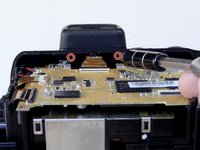
      • Remove the two 4 mm screws that hold the motherboard and metal plate in place.

      Vraag FixBot

      Voeg opmerking toe

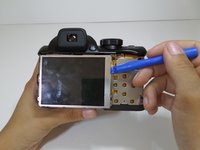
    8. Fujifilm FinePix S4200 Viewfinder  Replacement: stap 8, afbeelding 1 van 2 Fujifilm FinePix S4200 Viewfinder  Replacement: stap 8, afbeelding 2 van 2
      • Utilize the plastic opening tool to gently lift the LCD screen away from the metal plate.

      • Flip over LCD screen so that the left side of the metal plate is visible.

      Vraag FixBot

      Voeg opmerking toe

    9. Fujifilm FinePix S4200 Viewfinder  Replacement: stap 9, afbeelding 1 van 1
      • Rotate the camera vertically so that it is easier to manage.

      • Use a Phillips #000 screwdriver to remove the two 4mm screws that are located on the metal plate under the LCD screen.

      Vraag FixBot

      Voeg opmerking toe

    10. Fujifilm FinePix S4200 Viewfinder  Replacement: stap 10, afbeelding 1 van 1
      • Detach the metal plate from the motherboard.

      Vraag FixBot

      Voeg opmerking toe

    11. Fujifilm FinePix S4200 Viewfinder  Replacement: stap 11, afbeelding 1 van 2 Fujifilm FinePix S4200 Viewfinder  Replacement: stap 11, afbeelding 2 van 2
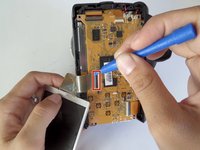
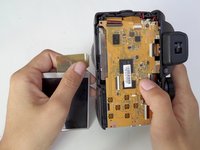
      • The orange ribbon cable is fragile.

      • Pull back the small black latch connecting the orange ribbon cable to the motherboard.

      • Gently remove the LCD screen from the motherboard.

      Vraag FixBot

      Voeg opmerking toe

    1. Fujifilm FinePix S4200 Viewfinder  Replacement, Viewfinder: stap 12, afbeelding 1 van 2 Fujifilm FinePix S4200 Viewfinder  Replacement, Viewfinder: stap 12, afbeelding 2 van 2
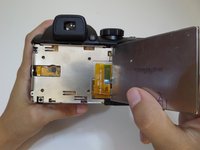
      • Remove the two 4 mm screws with a Phillips 000 screwdriver under the viewfinder.

      Vraag FixBot

      Voeg opmerking toe

    2. Fujifilm FinePix S4200 Viewfinder  Replacement: stap 13, afbeelding 1 van 1
      • Carefully pull off the plastic cover from the view finder.

      Vraag FixBot

      Voeg opmerking toe

    3. Fujifilm FinePix S4200 Viewfinder  Replacement: stap 14, afbeelding 1 van 1
      • Remove the two 3mm screws surrounding the viewfinder with a Phillips 000 screwdriver.

      Vraag FixBot

      Voeg opmerking toe

    4. Fujifilm FinePix S4200 Viewfinder  Replacement: stap 15, afbeelding 1 van 1
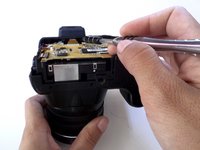
      • Orange ribbon is fragile.

      • Using the plastic opening tool, pull down the small black latch to remove the orange ribbon from the mother board.

      Vraag FixBot

      Voeg opmerking toe

    5. Fujifilm FinePix S4200 Viewfinder  Replacement: stap 16, afbeelding 1 van 1
      • Pull the viewfinder up to remove it from the body of the camera

      Vraag FixBot

      Voeg opmerking toe

Conclusie

To reassemble your device, follow these instructions in reverse order.

Annuleren: ik heb deze handleiding niet afgemaakt.

2 andere personen hebben deze handleiding voltooid.

Melissa Burciaga

Lid sinds: 09/14/15

158 Reputatie

1 Handleiding geschreven

Team

CSU Fullerton, Team 1-4, Bruce Fall 2015 Lid van CSU Fullerton, Team 1-4, Bruce Fall 2015

CSUF-BRUCE-F15S1G4

4 Leden

7 handleidingen geschreven

0Gids Commentaar

Voeg opmerking toe

Weergavestatistieken:

Afgelopen 24 uren: 0

Afgelopen 7 dagen: 1

Afgelopen 30 dagen: 16

Altijd: 1,278