Ga door naar hoofdinhoud
Word lid van de reparatiegemeenschap - Account aanmaken

Flip Video Ultra Power button Replacement

Wat je nodig hebt

  1. Flip Video Ultra Power button Replacement, Power button: stap 1, afbeelding 1 van 1
    • Unlock the battery cover by sliding the switch to the unlock position.

    Vraag FixBot
  2. Flip Video Ultra Power button Replacement: stap 2, afbeelding 1 van 1
    • Remove the battery cover by sliding it down the camera.

    Vraag FixBot
  3. Flip Video Ultra Power button Replacement: stap 3, afbeelding 1 van 1
    • Remove the batteries

    Vraag FixBot
  4. Flip Video Ultra Power button Replacement: stap 4, afbeelding 1 van 1
    • Slide the black upper casing off from the device.

    Vraag FixBot
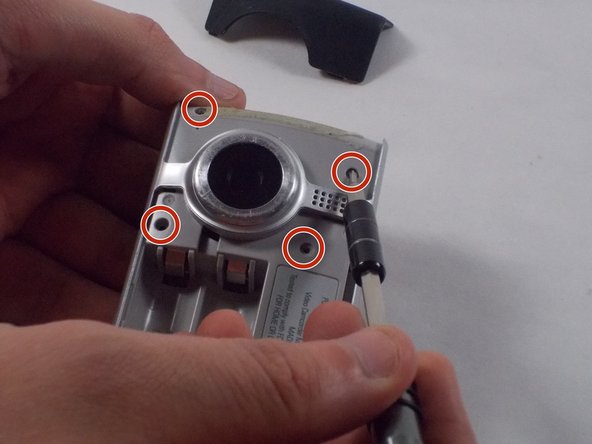
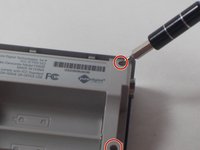
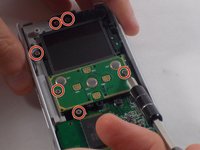
  5. Flip Video Ultra Power button Replacement: stap 5, afbeelding 1 van 2 Flip Video Ultra Power button Replacement: stap 5, afbeelding 2 van 2
    • Remove the six 1mm screws from the back and upper casing with the Phillips Head screwdriver.

    Vraag FixBot
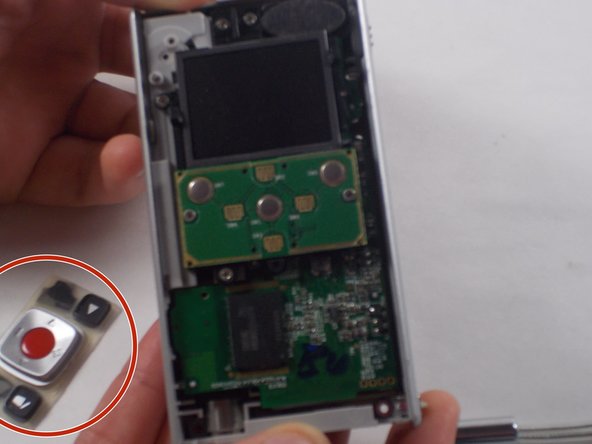
  6. Flip Video Ultra Power button Replacement: stap 6, afbeelding 1 van 1
    • Remove the top casing from the bottom to reveal the inner circuit board.

    Vraag FixBot
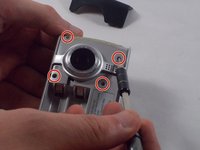
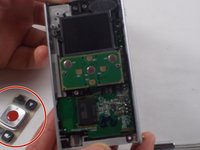
  7. Flip Video Ultra Power button Replacement: stap 7, afbeelding 1 van 2 Flip Video Ultra Power button Replacement: stap 7, afbeelding 2 van 2
    • When removing the back panel, the rubber buttons will become loose and likely fall off the board. This is normal and can easily placed back on the board once finished.

    • Remove the six 1mm screws with the 1 Phillips head screwdriver.

    Vraag FixBot
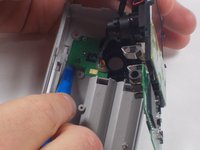
  8. Flip Video Ultra Power button Replacement: stap 8, afbeelding 1 van 1
    • Gently separate the circuit board from the casing.

    Vraag FixBot
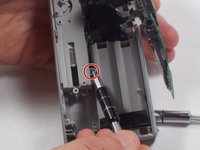
  9. Flip Video Ultra Power button Replacement: stap 9, afbeelding 1 van 2 Flip Video Ultra Power button Replacement: stap 9, afbeelding 2 van 2
    • Unscrew the single 1mm screw from USB housing unit.

    Vraag FixBot
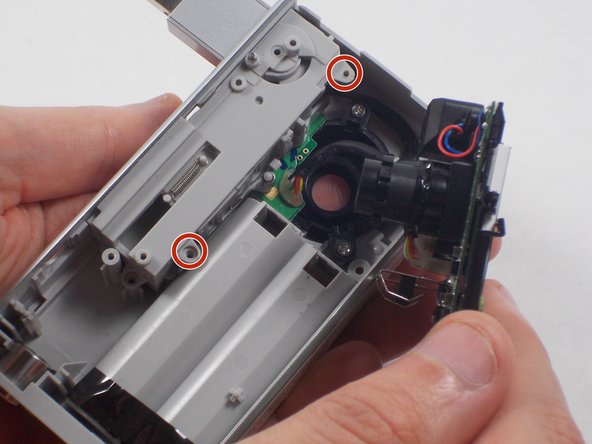
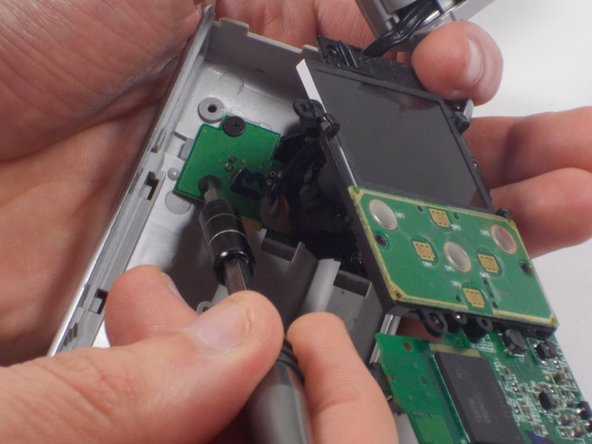
  10. Flip Video Ultra Power button Replacement: stap 10, afbeelding 1 van 2 Flip Video Ultra Power button Replacement: stap 10, afbeelding 2 van 2
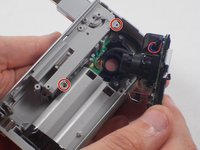
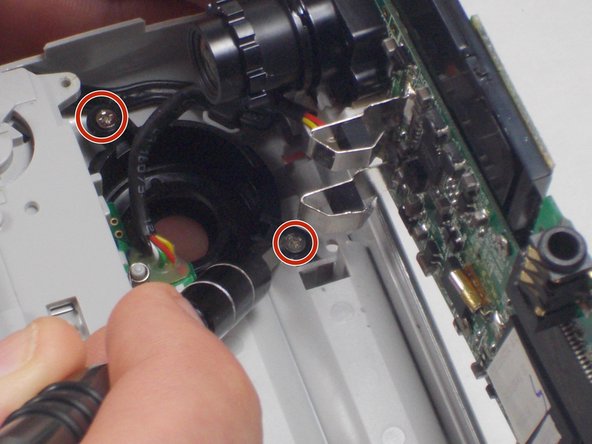
    • Unscrew the 2 1mm screws and gently separate camera wires from plastic casing.

    Vraag FixBot
  11. Flip Video Ultra Power button Replacement: stap 11, afbeelding 1 van 1
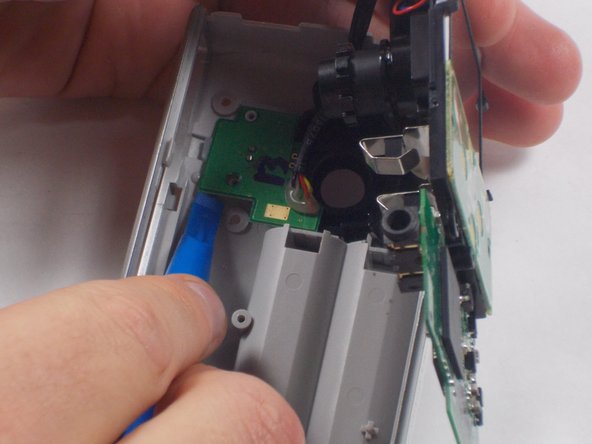
    • Gently pry out the USB housing unit with the Ifxit Opening Tool.

    Vraag FixBot
  12. Flip Video Ultra Power button Replacement: stap 12, afbeelding 1 van 3 Flip Video Ultra Power button Replacement: stap 12, afbeelding 2 van 3 Flip Video Ultra Power button Replacement: stap 12, afbeelding 3 van 3
    • Remove the two 1mm screws and separate the circuit board and camera from the plastic casing.

    Vraag FixBot
  13. Flip Video Ultra Power button Replacement: stap 13, afbeelding 1 van 1
    • Unscrew the camera housing unit from the plastic case.

    Vraag FixBot
Conclusie

To reassemble your device, follow these instructions in reverse order.

Nathaniel Ruf

Lid sinds: 10/18/16

514 Reputatie

5 handleidingen geschreven

Team

UMass Dartmouth, Team 5-7, Martin Fall 2016 Lid van UMass Dartmouth, Team 5-7, Martin Fall 2016

UMASSD-MARTIN-F16S5G7

3 Leden

10 handleidingen geschreven

0Gids Commentaar

Voeg opmerking toe

Weergavestatistieken:

Afgelopen 24 uren: 1

Afgelopen 7 dagen: 8

Afgelopen 30 dagen: 50

Altijd: 741