Deze vertaling is door een computer gegenereerd en is nog niet door iemand nagekeken. Spreek je deze taal? Bekijk het hier.
Inleiding
Volg deze JBL Tune 500bt Speakers verwijderen handleiding om hem te openen
Wat je nodig hebt
-
-
-
-
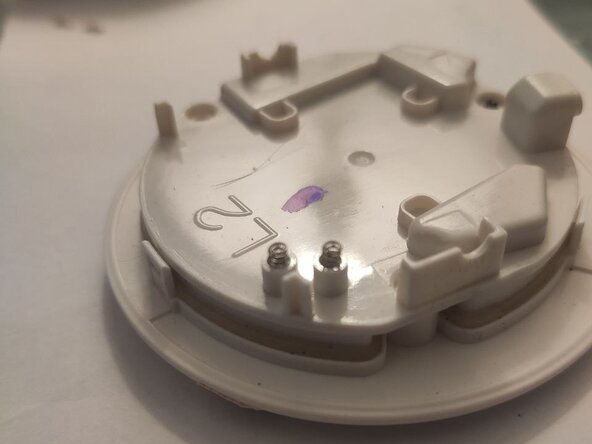
Zoek de twee veren en trek ze voorzichtig ongeveer één of twee millimeter uit.
-
-
-
Het is aan te raden, maar niet noodzakelijk, om deze twee contactpunten schoon te maken met isopropylalcohol voor een betere connectiviteit.
-
Dat is alles, je bent er bijna! Volg nu de JBL Tune 500bt Speakers verwijderen handleiding in omgekeerde volgorde om alles weer in elkaar te zetten en te genieten! (Het terugplaatsen van de pads wordt uitgelegd in de Conclusie)
-



 Vraag FixBot


Om de oorkussens weer te plaatsen: duw een laag in een kleine verticale opening aan de bovenhelft van de driverkap en draai hem voorzichtig, zoals bij het openen van een blikje, maar dan andersom ;))
Hoofdtelefoonkussens vervangen
Annuleren: ik heb deze handleiding niet afgemaakt.
2 andere personen hebben deze handleiding voltooid.

