Ga door naar hoofdinhoud
Word lid van de reparatiegemeenschap - Account aanmaken

Epson PowerLite 83+ Power Supply Replacement

Wat je nodig hebt

  1. Epson PowerLite 83+ Power Supply Replacement, Motherboard: stap 1, afbeelding 1 van 3 Epson PowerLite 83+ Power Supply Replacement, Motherboard: stap 1, afbeelding 2 van 3 Epson PowerLite 83+ Power Supply Replacement, Motherboard: stap 1, afbeelding 3 van 3
    • Remove the eight 5mm Phillips #2 screws securing the projector's bottom cover.

    • A long shank Phillips #2 screwdriver is required to reach the screws.

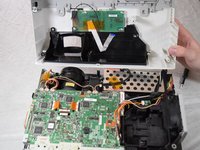
  2. Epson PowerLite 83+ Power Supply Replacement: stap 2, afbeelding 1 van 3 Epson PowerLite 83+ Power Supply Replacement: stap 2, afbeelding 2 van 3 Epson PowerLite 83+ Power Supply Replacement: stap 2, afbeelding 3 van 3
    • Flip the projector over and lift the top cover from the rear of the projector.

    • Two cables are connected at the front that prevent full removal.

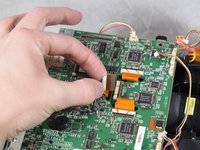
    • Disconnect the slide cover JST connector. Grip the connector and rock it back and forth while apply gentle pressure.

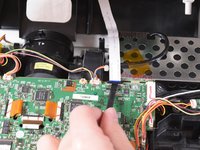
  3. Epson PowerLite 83+ Power Supply Replacement: stap 3, afbeelding 1 van 2 Epson PowerLite 83+ Power Supply Replacement: stap 3, afbeelding 2 van 2
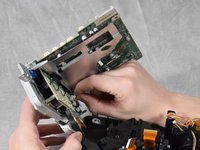
    • Using a spudger, lift the ribbon cable's locking tab along the length of the cable.

    • Remove the ribbon cable from the connector and place the projector's top cover aside.

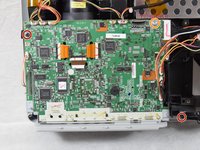
  4. Epson PowerLite 83+ Power Supply Replacement: stap 4, afbeelding 1 van 3 Epson PowerLite 83+ Power Supply Replacement: stap 4, afbeelding 2 van 3 Epson PowerLite 83+ Power Supply Replacement: stap 4, afbeelding 3 van 3
    • Remove the two 6 mm Phillips #2 screws.

    • Remove the single silver 5 mm Phillips #2 screw.

  5. Epson PowerLite 83+ Power Supply Replacement: stap 5, afbeelding 1 van 3 Epson PowerLite 83+ Power Supply Replacement: stap 5, afbeelding 2 van 3 Epson PowerLite 83+ Power Supply Replacement: stap 5, afbeelding 3 van 3
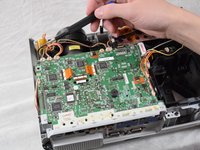
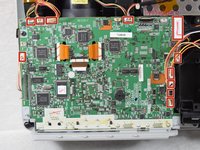
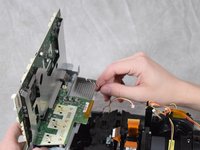
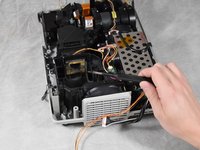
    • Using your fingernails or a spudger, remove the eleven JST connectors attached to the motherboard.

  6. Epson PowerLite 83+ Power Supply Replacement: stap 6, afbeelding 1 van 2 Epson PowerLite 83+ Power Supply Replacement: stap 6, afbeelding 2 van 2
    • Using a spudger, flip up the plastic locking tabs and gently remove the three ribbon cables from their connectors.

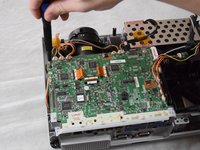
  7. Epson PowerLite 83+ Power Supply Replacement: stap 7, afbeelding 1 van 2 Epson PowerLite 83+ Power Supply Replacement: stap 7, afbeelding 2 van 2
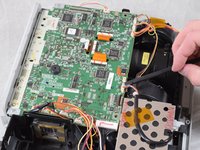
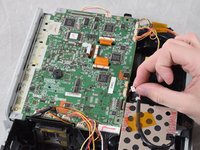
    • Ensure all JST connectors are clear of the motherboard and that the ribbon cables freely move in their motherboard cutouts.

    • Lift the motherboard from the front side of the projector to clear the ribbon cables.

    • Disconnect the speaker's JST connector on the underside of the motherboard using your fingernails.

    • Remove the motherboard from the case.

  8. Epson PowerLite 83+ Power Supply Replacement, Projector Lens: stap 8, afbeelding 1 van 3 Epson PowerLite 83+ Power Supply Replacement, Projector Lens: stap 8, afbeelding 2 van 3 Epson PowerLite 83+ Power Supply Replacement, Projector Lens: stap 8, afbeelding 3 van 3
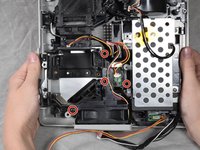
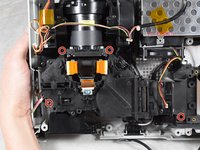
    • Remove the four 6 mm Phillips #2 screws securing the fan bracket.

    • Remove the fan bracket by pulling straight up and set it aside.

  9. Epson PowerLite 83+ Power Supply Replacement: stap 9, afbeelding 1 van 3 Epson PowerLite 83+ Power Supply Replacement: stap 9, afbeelding 2 van 3 Epson PowerLite 83+ Power Supply Replacement: stap 9, afbeelding 3 van 3
    • Remove the four 6 mm Phillips #2 screws securing the projector lens.

  10. Epson PowerLite 83+ Power Supply Replacement: stap 10, afbeelding 1 van 2 Epson PowerLite 83+ Power Supply Replacement: stap 10, afbeelding 2 van 2
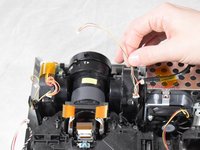
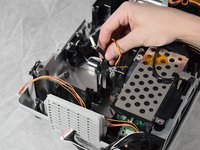
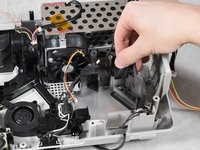
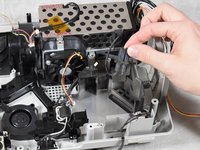
    • Unhook the JST connector wire from wire stay and move it aside.

    • Remove the projector lens from the base.

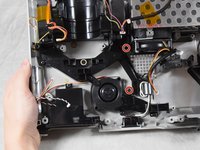
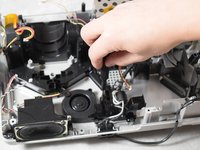
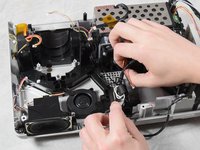
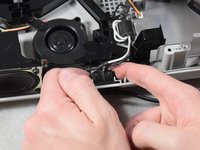
  11. Epson PowerLite 83+ Power Supply Replacement, Power Supply: stap 11, afbeelding 1 van 3 Epson PowerLite 83+ Power Supply Replacement, Power Supply: stap 11, afbeelding 2 van 3 Epson PowerLite 83+ Power Supply Replacement, Power Supply: stap 11, afbeelding 3 van 3
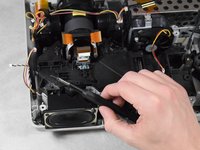
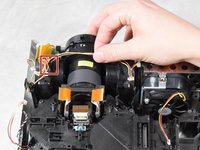
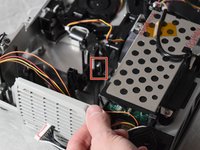
    • Remove the sensor using a spudger and lifting it from the bottom.

  12. Epson PowerLite 83+ Power Supply Replacement: stap 12, afbeelding 1 van 2 Epson PowerLite 83+ Power Supply Replacement: stap 12, afbeelding 2 van 2
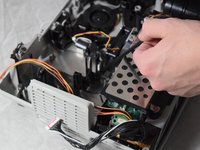
    • Remove the lamp's power plug by rocking towards the fan's vent and then pulling up.

  13. Epson PowerLite 83+ Power Supply Replacement: stap 13, afbeelding 1 van 2 Epson PowerLite 83+ Power Supply Replacement: stap 13, afbeelding 2 van 2
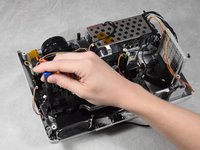
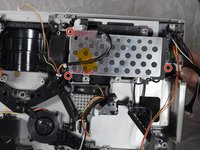
    • Remove the three 6 mm Phillips #2 screws securing the power supply.

    • The screw located by the power supply's fan is near a magnetic field. Reinserting this screw can be difficult.

  14. Epson PowerLite 83+ Power Supply Replacement: stap 14, afbeelding 1 van 3 Epson PowerLite 83+ Power Supply Replacement: stap 14, afbeelding 2 van 3 Epson PowerLite 83+ Power Supply Replacement: stap 14, afbeelding 3 van 3
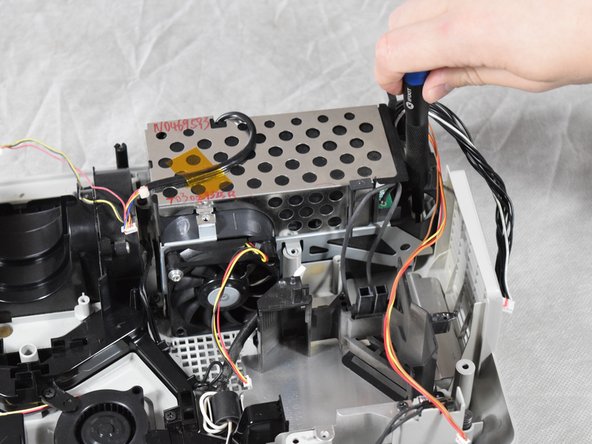
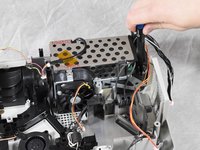
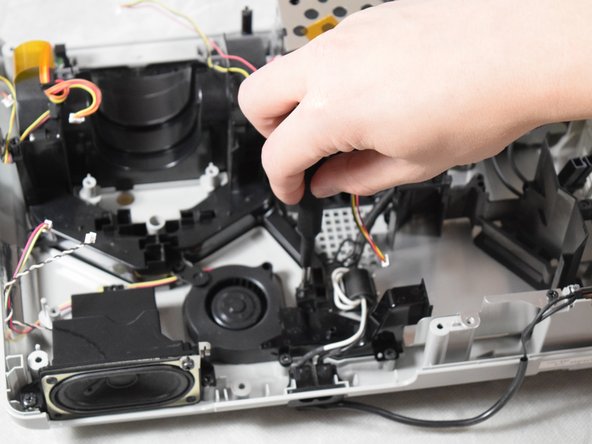
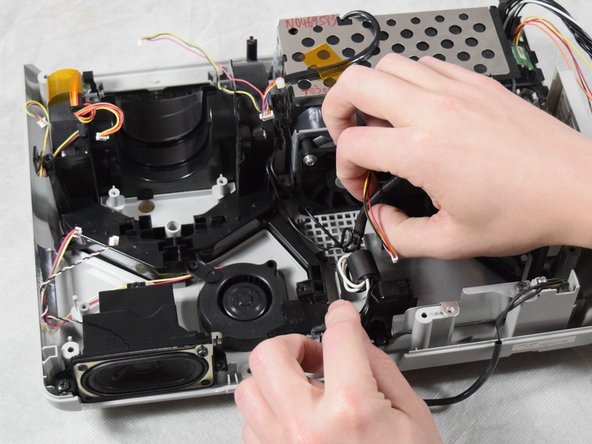
    • Remove the two 6 mm Phillips #2 screws securing the wire guide.

    • Remove the wires by gently lifting up the wire guide.

  15. Epson PowerLite 83+ Power Supply Replacement: stap 15, afbeelding 1 van 2 Epson PowerLite 83+ Power Supply Replacement: stap 15, afbeelding 2 van 2
    • Using your fingers, firmly press in the sides of the power plug while lifting up.

    • Remove the power supply.

Conclusie

To reassemble your device, follow these instructions in reverse order.

Blake Davis

Lid sinds: 02/22/22

181 Reputatie

1 Handleiding geschreven

Team

Clemson, Team 2-4, Hunter Spring 2022 Lid van Clemson, Team 2-4, Hunter Spring 2022

CLEM-HUNTER-S22S2G4

4 Leden

6 handleidingen geschreven

0Gids Commentaar

Voeg opmerking toe

Weergavestatistieken:

Afgelopen 24 uren: 2

Afgelopen 7 dagen: 9

Afgelopen 30 dagen: 17

Altijd: 261