Deze vertaling is door een computer gegenereerd en is nog niet door iemand nagekeken. Spreek je deze taal? Bekijk het hier.
Inleiding
De D-pad is essentieel voor veel spelervaringen en kan na verloop van tijd door gebruik defect raken. Deze gids legt de gebruiker uit hoe de D-pad van de EasySMX-15 vervangen kan worden.
Wat je nodig hebt
-
-
-
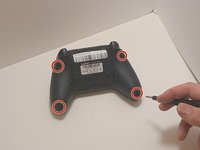
Gebruik een kruiskopschroevendraaier (Phillips #00) om de vier kruiskopschroeven van 9 mm aan de onderkant van de EasySMX X15 te verwijderen.
-
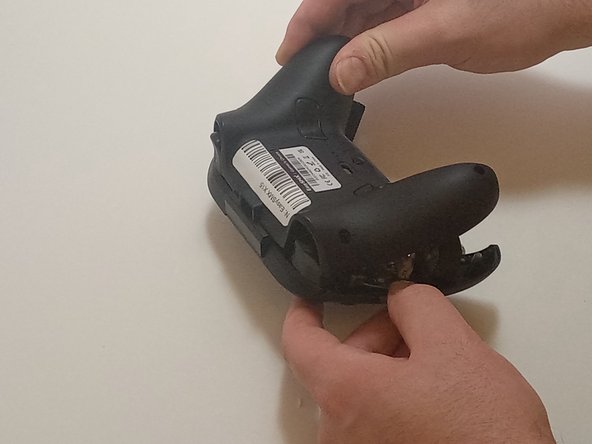
Gebruik een openingsgereedschap om voorzichtig tussen de naden van de controller te wrikken om de onderste en bovenste behuizing te scheiden.
 Vraag FixBot
-
-
-
-
-
Koppel de kabels van de trilmotor los van de (kabel)aansluitingen op de printplaat.
-
Gebruik een Phillips #00 kruiskopschroevendraaier om zes 6 mm kruiskopschroeven van de plaat te verwijderen.
-
-
-
-
Til het moederbord voorzichtig uit de behuizing. Manoeuvreer het rond de triggers door het vanaf de onderkant op te tillen, weg van de behuizing.
-
-
-
-
-
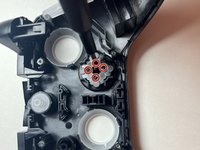
Gebruik de Phillips #00-kruiskopschroevendraaier om de vier 4 mm-kruiskopschroeven te verwijderen waarmee de D-pad aan de behuizing van de controller is bevestigd.
-
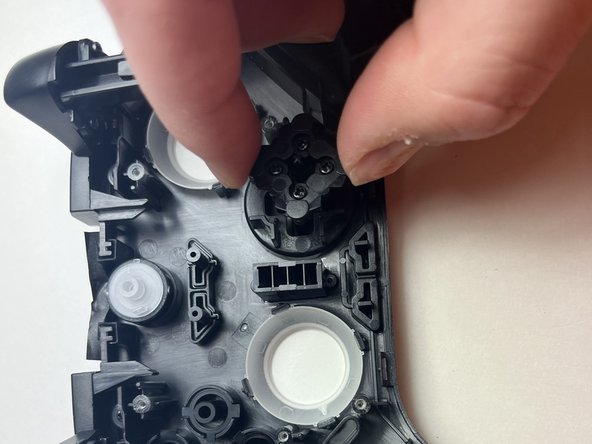
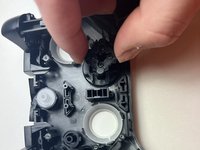
Til de achterkant van de D-pad op, samen met het membraan, om ze uit de controller te verwijderen.
-
Til de behuizing op, zodat de D-pad van de bovenkant van de behuizing loskomt.
-
-



Volg deze instructies in omgekeerde volgorde om je apparaat weer in elkaar te zetten.

Team

Austin Community College, Team 7-3, Watkins Fall 2024 Lid van Austin Community College, Team 7-3, Watkins Fall 2024
AUSTINCC-WATKINS-F24S7G3
3 Leden
84 handleidingen geschreven
