Ga door naar hoofdinhoud
Word lid van de reparatiegemeenschap - Account aanmaken

Disassembling the HP Pavilion tx2500 Bezel

Wat je nodig hebt

    1. Disassembling the HP Pavilion tx2500 Bezel, Screen Rotator: stap 1, afbeelding 1 van 1
      • Completely turn off and unplug device. Lay the device bottom side up on a soft surface.

      Vraag FixBot

      Voeg opmerking toe

    2. Disassembling the HP Pavilion tx2500 Bezel: stap 2, afbeelding 1 van 2 Disassembling the HP Pavilion tx2500 Bezel: stap 2, afbeelding 2 van 2
      • Squeeze the latches on the battery until you hear a click. Slide out the battery.

      Vraag FixBot

      Voeg opmerking toe

    3. Disassembling the HP Pavilion tx2500 Bezel: stap 3, afbeelding 1 van 1
      • Using the Phillips #0 screwdriver, remove the 4.5 mm screw from the WLAN model screen.

      • Once unscrewed, lift the right side of the WLAN module compartment cover and swing it to the left.

      Vraag FixBot

      Voeg opmerking toe

    4. Disassembling the HP Pavilion tx2500 Bezel: stap 4, afbeelding 1 van 1
      • Using the plastic opening tool, disconnect the WLAN antenna cables from the WLAN module.

      Vraag FixBot

      Voeg opmerking toe

    5. Disassembling the HP Pavilion tx2500 Bezel: stap 5, afbeelding 1 van 1
      • Using the Phillips #0 screwdriver, unscrew the 4.5 mm screw from the middle section in the battery compartment.

      Vraag FixBot

      Voeg opmerking toe

    6. Disassembling the HP Pavilion tx2500 Bezel: stap 6, afbeelding 1 van 1
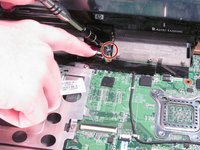
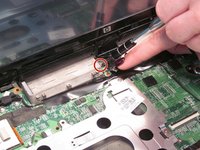
      • Use the plastic opening tool to disconnect the wires in the upper corners.

      Vraag FixBot

      Voeg opmerking toe

    7. Disassembling the HP Pavilion tx2500 Bezel: stap 7, afbeelding 1 van 1
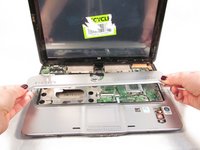
      • Flip the laptop front side up and then use your fingers to lift up the keyboard.

      Vraag FixBot

      Voeg opmerking toe

    8. Disassembling the HP Pavilion tx2500 Bezel: stap 8, afbeelding 1 van 1
      • Lift up the black latch that connects the film strip to the base of the computer.

      • Use the plastic opening tool to disconnect the film strip from the base of the computer.

      Vraag FixBot

      Voeg opmerking toe

    9. Disassembling the HP Pavilion tx2500 Bezel: stap 9, afbeelding 1 van 2 Disassembling the HP Pavilion tx2500 Bezel: stap 9, afbeelding 2 van 2
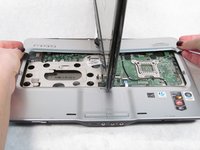
      • Rotate the screen 90 degrees and remove the base under the screen.

      Vraag FixBot

      Voeg opmerking toe

    10. Disassembling the HP Pavilion tx2500 Bezel: stap 10, afbeelding 1 van 1
      • Rotate the screen back towards you.

      • Lift up the convertible hinge to unclip it from the base of the computer.

      Vraag FixBot

      Voeg opmerking toe

    11. Disassembling the HP Pavilion tx2500 Bezel: stap 11, afbeelding 1 van 2 Disassembling the HP Pavilion tx2500 Bezel: stap 11, afbeelding 2 van 2
      • Using the Phillips #0 screwdriver, remove both of the 5.0 mm screws on the base of the rotator.

      Vraag FixBot

      Voeg opmerking toe

    12. Disassembling the HP Pavilion tx2500 Bezel: stap 12, afbeelding 1 van 1
      • Gently lift up and remove the screen.

      Vraag FixBot

      Voeg opmerking toe

    1. Disassembling the HP Pavilion tx2500 Bezel, Bezel: stap 13, afbeelding 1 van 3 Disassembling the HP Pavilion tx2500 Bezel, Bezel: stap 13, afbeelding 2 van 3 Disassembling the HP Pavilion tx2500 Bezel, Bezel: stap 13, afbeelding 3 van 3
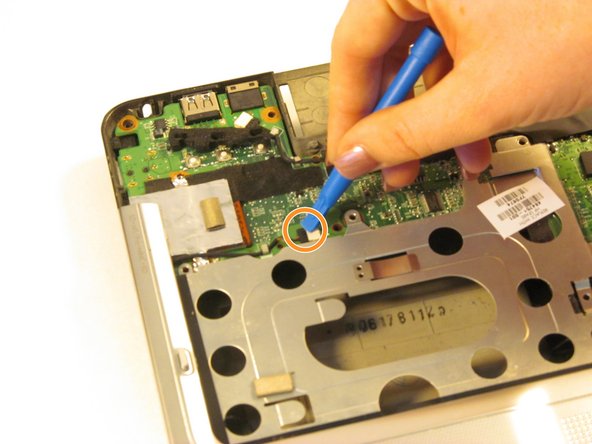
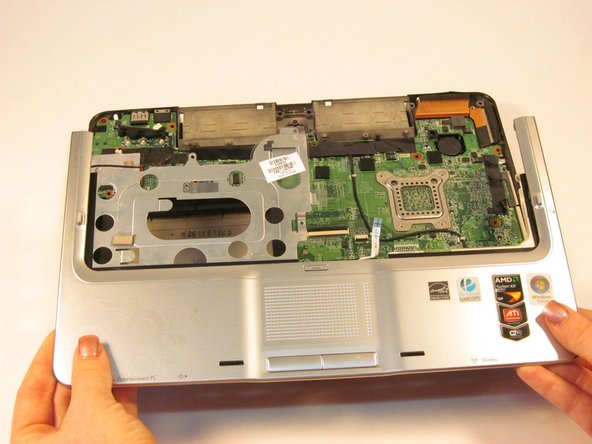
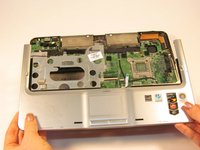
      • Disconnect the wire from the system board using the plastic opening tool.

      • Disconnect the wire from the optical drive using the plastic opening tool.

      • Gently lift the top cover from the tablet.

      Vraag FixBot

      Voeg opmerking toe

    2. Disassembling the HP Pavilion tx2500 Bezel: stap 14, afbeelding 1 van 2 Disassembling the HP Pavilion tx2500 Bezel: stap 14, afbeelding 2 van 2
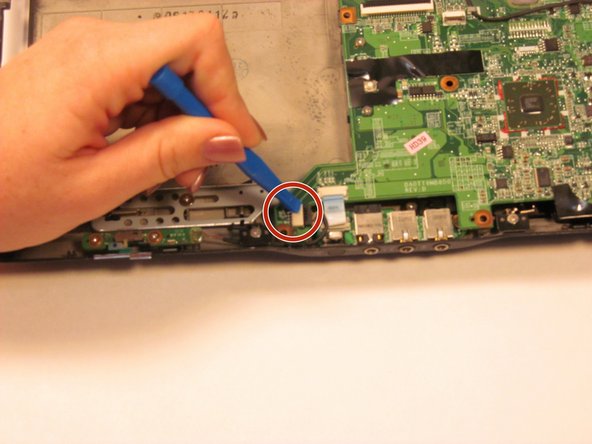
      • Using the plastic opening tool, disconnect the plastic blue film from the tablet.

      • Disconnect the wire using the plastic opening tool.

      Vraag FixBot

      Voeg opmerking toe

    3. Disassembling the HP Pavilion tx2500 Bezel: stap 15, afbeelding 1 van 2 Disassembling the HP Pavilion tx2500 Bezel: stap 15, afbeelding 2 van 2
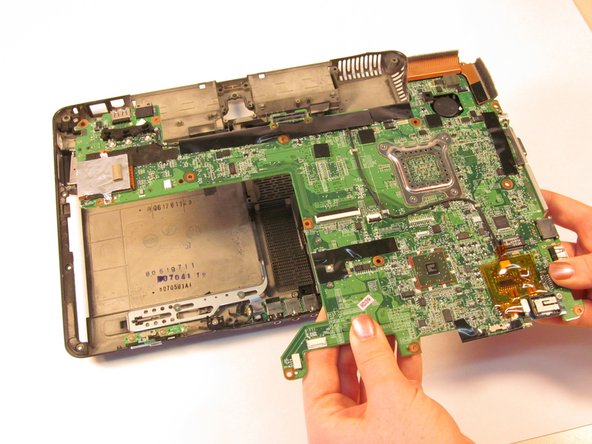
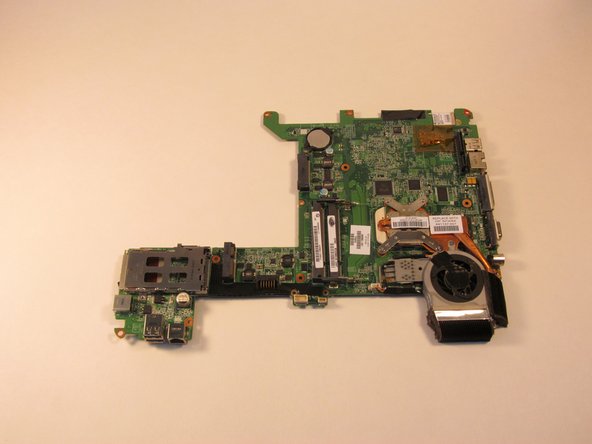
      • Lift the system board from the tablet.

      • Turn the system board over and lay it flat on a soft surface.

      Vraag FixBot

      Voeg opmerking toe

    4. Disassembling the HP Pavilion tx2500 Bezel: stap 16, afbeelding 1 van 1
      • Gently remove the bezel from the system board.

      Vraag FixBot

      Voeg opmerking toe

Conclusie

To reassemble your device, follow these instructions in reverse order.

Annuleren: ik heb deze handleiding niet afgemaakt.

Sarah Naiser

Lid sinds: 10/13/15

336 Reputatie

2 handleidingen geschreven

Team

0Gids Commentaar

Voeg opmerking toe

Weergavestatistieken:

Afgelopen 24 uren: 0

Afgelopen 7 dagen: 5

Afgelopen 30 dagen: 16

Altijd: 1,050