Deze vertaling is door een computer gegenereerd en is nog niet door iemand nagekeken. Spreek je deze taal? Bekijk het hier.

Het toetsenbord van de Motorola i850 demonteren

Tony Chen en 4 andere bijdragers
Voor het laatst geüpdatet op 5 aug 2026
Bekeken: 2K
Statistieken weergeven:
- Afgelopen 24 uur:
- 0
- Afgelopen 7 dagen:
- 8
- Afgelopen 30 dagen:
- 40
- Altijd:
- 2.010
Commentaar: 0
Niemand heeft een opmerking bij deze handleiding geplaatst. Ben jij de eerste?
Go to guide commentsVoltooid: 0 1
Niemand heeft deze handleiding als "voltooid" gemarkeerd. Ben jij de eerste?
1 persoon heeft deze handleiding als "voltooid" gemarkeerd. Dat ben jij—lekker bezig!
Favorieten: 0 1
Niemand heeft deze handleiding gemarkeerd als favoriet of volgt de handleiding. Ben jij de eerste?
1 persoon heeft deze handleiding als favoriet gemarkeerd (en blijft daarmee op de hoogte van meldingen)—dat ben jij!
Inleiding
Ga naar stap 1 ↓Een procedure voor het vervangen van het toetsenbord van het apparaat.
Wat je nodig hebt
Gereedschap


-
-
-
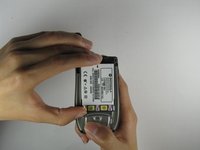
Gebruik je duim om de vergrendeling van de achterbehuizing van de antenne af te schuiven.
 Vraag FixBot
-
-
-
Schuif de achterbehuizing richting de antenne terwijl je de behuizing van de telefoon optilt.
-
-
-
-
-
Plaats je duim op de aangegeven hoek terwijl je de telefoon en het bovenste gedeelte van de accu stabiliseert met je wijsvinger.
-
-
-
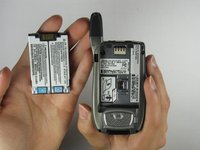
Til de accu uit de telefoon terwijl je deze in de richting van de antenne duwt.
-
-
-
-
-
Zodra de accu is verwijderd, draai je de schroeven bij de randen van het apparaat los met een kruiskopschroevendraaier #00.
-
-
-
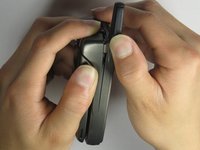
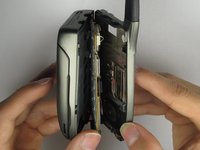
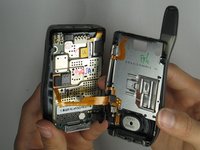
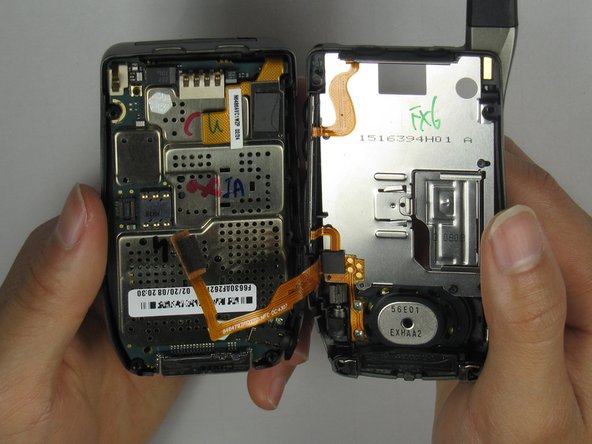
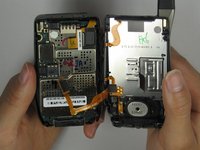
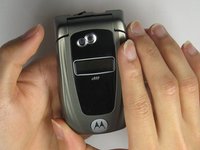
Houd het apparaat stevig met beide handen vast en open het apparaat voorzichtig.
-
-
-
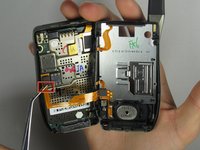
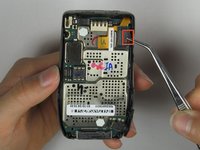
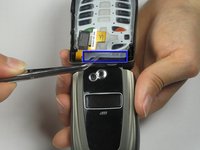
Verwijder de hardware voorzichtig door de zijkant van de hardwarebevestiging vast te pakken met een pincet.
-
-
-
-
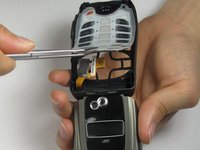
Pak de zijkant van de hardwarebevestiging voorzichtig vast met een pincet en maak deze los van het apparaat.
-
-
-
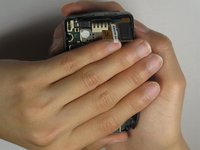
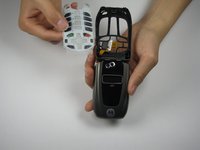
Leg de achterkant van het apparaat in je hand en draai het om met je andere hand.
-
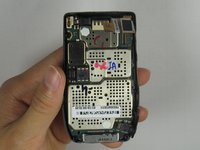
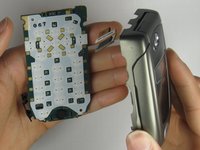
Til het apparaat voorzichtig op om de interne hardware te verwijderen.
-
-
-
Verwijder het toetsenbord voorzichtig door met een pincet de zijkant van het plastic vast te pakken.
-
-











Volg deze instructies in omgekeerde volgorde om uw apparaat weer in elkaar te zetten.

Team

Cal Poly, Team 34-56, Forte Spring 2010 Lid van Cal Poly, Team 34-56, Forte Spring 2010
CPSU-FORTE-S10S34G56
4 Leden
84 handleidingen geschreven
