Ga door naar hoofdinhoud
Word lid van de reparatiegemeenschap - Account aanmaken

Disassembling IBM ThinkPad A30 Display Assembly

Wat je nodig hebt

  1. Disassembling IBM ThinkPad A30 Display Assembly, Battery: stap 1, afbeelding 1 van 2 Disassembling IBM ThinkPad A30 Display Assembly, Battery: stap 1, afbeelding 2 van 2
    • Flip the ThinkPad over so that it is upside down.

    • Slide the highlighted tab to the left.

    • With your finger on the tab, remove the battery by lifting it upwards away from the laptop.

    Vraag FixBot

    Voeg opmerking toe

  2. Disassembling IBM ThinkPad A30 Display Assembly, Hard Drive: stap 2, afbeelding 1 van 3 Disassembling IBM ThinkPad A30 Display Assembly, Hard Drive: stap 2, afbeelding 2 van 3 Disassembling IBM ThinkPad A30 Display Assembly, Hard Drive: stap 2, afbeelding 3 van 3
    • Remove the highlighted screw with a Phillips #1 screwdriver.

    • Pull the hard drive out.

    Vraag FixBot

    Voeg opmerking toe

  3. Disassembling IBM ThinkPad A30 Display Assembly, Upper Case: stap 3, afbeelding 1 van 1
    • Make sure the laptop is upside down and oriented in the direction shown.

    • Remove the six 16.7mm screws inside the circled holes.

    Vraag FixBot

    Voeg opmerking toe

  4. Disassembling IBM ThinkPad A30 Display Assembly: stap 4, afbeelding 1 van 1
    • Rotate the ThinkPad so that the hard drive bay is facing you.

    • Remove the black cover to reveal a 14.8mm screw.

    • Remove the uncovered screw with a Phillips #0 screwdriver.

    Vraag FixBot

    Voeg opmerking toe

  5. Disassembling IBM ThinkPad A30 Display Assembly: stap 5, afbeelding 1 van 2 Disassembling IBM ThinkPad A30 Display Assembly: stap 5, afbeelding 2 van 2
    • Flip the ThinkPad over and open the LCD panel.

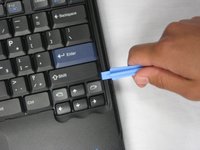
    • Pry apart the keyboard with a plastic opening tool or with your fingers.

    Vraag FixBot

    Voeg opmerking toe

  6. Disassembling IBM ThinkPad A30 Display Assembly: stap 6, afbeelding 1 van 3 Disassembling IBM ThinkPad A30 Display Assembly: stap 6, afbeelding 2 van 3 Disassembling IBM ThinkPad A30 Display Assembly: stap 6, afbeelding 3 van 3
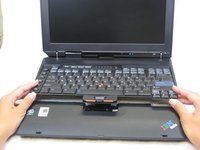
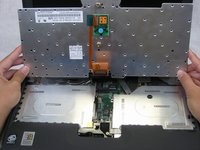
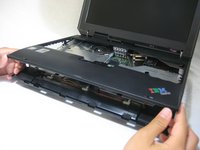
    • Be careful not to pull out the keyboard carelessly; there is a connector underneath it!

    • Lift the front end of the keyboard as shown.

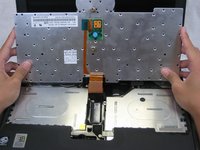
    • Using your fingers, remove the black film cover.

    Vraag FixBot

    Voeg opmerking toe

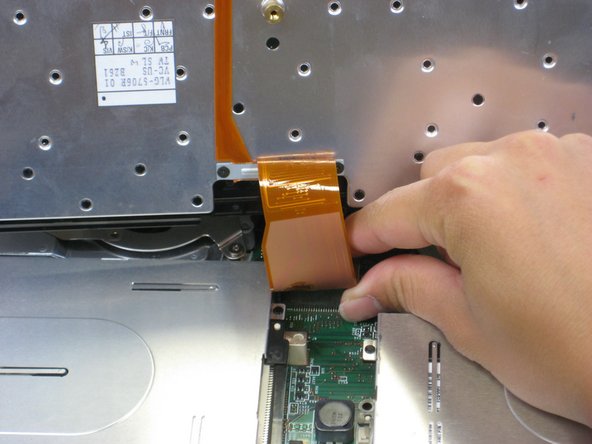
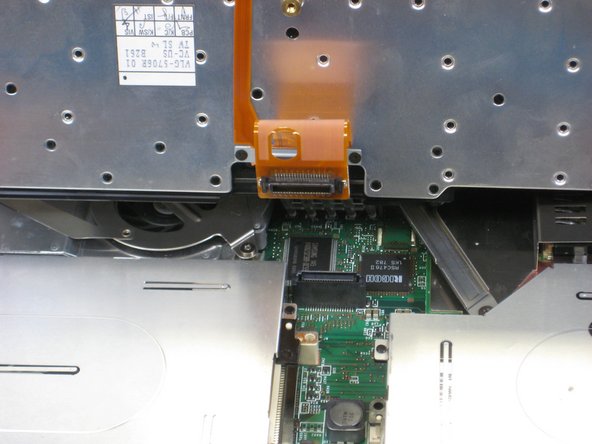
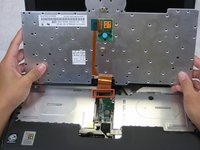
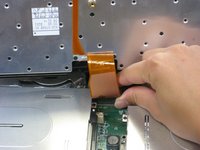
  7. Disassembling IBM ThinkPad A30 Display Assembly: stap 7, afbeelding 1 van 3 Disassembling IBM ThinkPad A30 Display Assembly: stap 7, afbeelding 2 van 3 Disassembling IBM ThinkPad A30 Display Assembly: stap 7, afbeelding 3 van 3
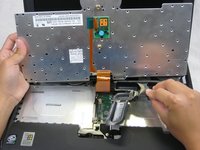
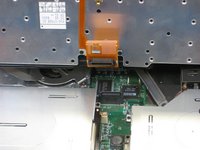
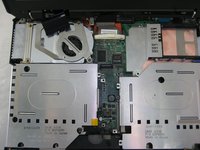
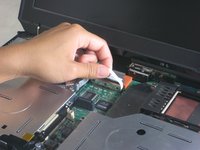
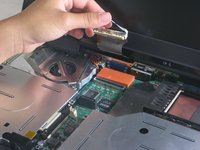
    • Locate the connector attached to the motherboard.

    • Disconnect the ribbon cable by removing the connector.

    Vraag FixBot

    Voeg opmerking toe

  8. Disassembling IBM ThinkPad A30 Display Assembly: stap 8, afbeelding 1 van 2 Disassembling IBM ThinkPad A30 Display Assembly: stap 8, afbeelding 2 van 2
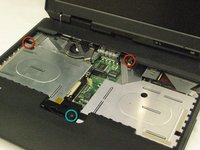
    • Lift and remove the keyboard.

    • Remove the two 5.6mm screws.

    • Remove the 16.7mm screw.

    Vraag FixBot

    Voeg opmerking toe

  9. Disassembling IBM ThinkPad A30 Display Assembly: stap 9, afbeelding 1 van 3 Disassembling IBM ThinkPad A30 Display Assembly: stap 9, afbeelding 2 van 3 Disassembling IBM ThinkPad A30 Display Assembly: stap 9, afbeelding 3 van 3
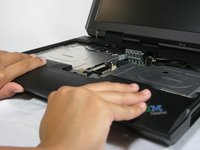
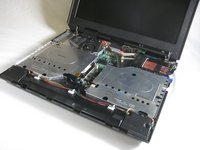
    • You will need to use a little force. Be wary of the tabs.

    • Pry off the upper case with your hands.

    Vraag FixBot

    Voeg opmerking toe

  10. Disassembling IBM ThinkPad A30 Display Assembly, Display Assembly: stap 10, afbeelding 1 van 1
    • Remove the 5.6mm screw that holds the LCD to the upper case.

    Vraag FixBot

    Voeg opmerking toe

  11. Disassembling IBM ThinkPad A30 Display Assembly: stap 11, afbeelding 1 van 3 Disassembling IBM ThinkPad A30 Display Assembly: stap 11, afbeelding 2 van 3 Disassembling IBM ThinkPad A30 Display Assembly: stap 11, afbeelding 3 van 3
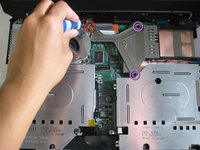
    • Remove the 5.6mm screw on the left side of the three-pronged connector.

    • Remove the other two 16.7mm screws.

    • Lift and remove connector.

    Vraag FixBot

    Voeg opmerking toe

  12. Disassembling IBM ThinkPad A30 Display Assembly: stap 12, afbeelding 1 van 2 Disassembling IBM ThinkPad A30 Display Assembly: stap 12, afbeelding 2 van 2
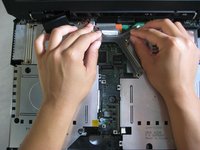
    • Pull out the white tab connecting the LCD to the motherboard.

    Vraag FixBot

    Voeg opmerking toe

  13. Disassembling IBM ThinkPad A30 Display Assembly: stap 13, afbeelding 1 van 2 Disassembling IBM ThinkPad A30 Display Assembly: stap 13, afbeelding 2 van 2
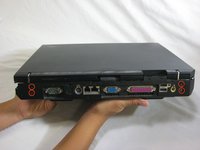
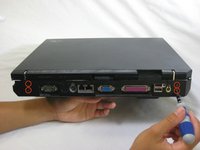
    • Turn the laptop so that the back is facing you.

    • Remove the four 5.6mm long screws.

    Vraag FixBot

    Voeg opmerking toe

  14. Disassembling IBM ThinkPad A30 Display Assembly: stap 14, afbeelding 1 van 3 Disassembling IBM ThinkPad A30 Display Assembly: stap 14, afbeelding 2 van 3 Disassembling IBM ThinkPad A30 Display Assembly: stap 14, afbeelding 3 van 3
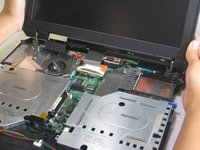
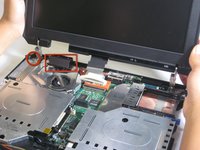
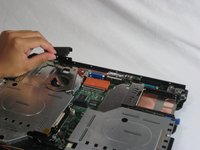
    • Place the laptop so that the LCD is facing you again.

    • Gently lift the LCD monitor up and out.

    • Remove the black plastic tab.

    Vraag FixBot

    Voeg opmerking toe

Conclusie

To reassemble your device, follow these instructions in reverse order.

Annuleren: ik heb deze handleiding niet afgemaakt.

Één andere persoon heeft deze handleiding voltooid.

Jessica

Lid sinds: 10/06/10

162 Reputatie

7 handleidingen geschreven

Team

Cal Poly, Team 4-44, Amido Fall 2010 Lid van Cal Poly, Team 4-44, Amido Fall 2010

CPSU-AMIDO-F10S4G44

4 Leden

26 handleidingen geschreven

0Gids Commentaar

Voeg opmerking toe

Weergavestatistieken:

Afgelopen 24 uren: 2

Afgelopen 7 dagen: 12

Afgelopen 30 dagen: 47

Altijd: 3,961