Ga door naar hoofdinhoud
Word lid van de reparatiegemeenschap - Account aanmaken

Disassembling Epson PPC650 Replacing Flash

Wat je nodig hebt

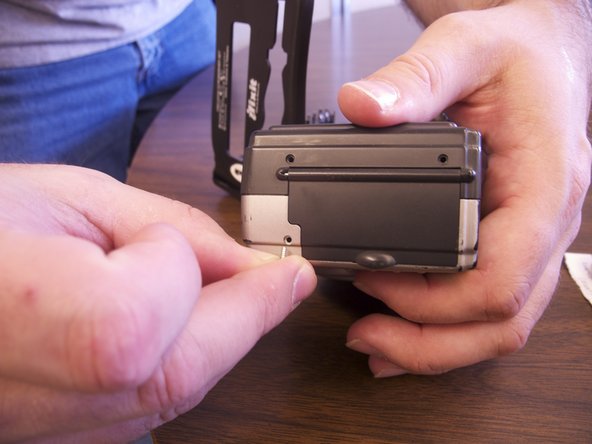
  1. Disassembling Epson PPC650 Replacing Flash, Case: stap 1, afbeelding 1 van 3 Disassembling Epson PPC650 Replacing Flash, Case: stap 1, afbeelding 2 van 3 Disassembling Epson PPC650 Replacing Flash, Case: stap 1, afbeelding 3 van 3
    • Locate the silver power button. Gently slide the button to the middle section labeled "off" to shut down the camera.

    • Remove the batteries from the battery compartment located on the underside of the camera.

    • Remove the SD card from the compartment located on the flat, left side of the camera.

    Vraag FixBot

    Voeg opmerking toe

  2. Disassembling Epson PPC650 Replacing Flash: stap 2, afbeelding 1 van 1
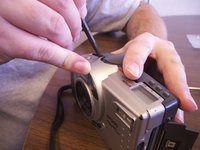
    • Remove the two screws on the rounded side of the camera.

    Vraag FixBot

    Voeg opmerking toe

  3. Disassembling Epson PPC650 Replacing Flash: stap 3, afbeelding 1 van 2 Disassembling Epson PPC650 Replacing Flash: stap 3, afbeelding 2 van 2
    • Remove the three screws on the flat side of the camera.

    • All of the silver screws go into the side of the camera that is silver.

    • All of the black screws go into the side of the camera that is black.

    Vraag FixBot

    Voeg opmerking toe

  4. Disassembling Epson PPC650 Replacing Flash: stap 4, afbeelding 1 van 1
    • Remove the four screws from the bottom of the camera.

    • All of the silver screws go into the side of the camera that is silver.

    • All of the black screws go into the side of the camera that is black.

    Vraag FixBot

    Voeg opmerking toe

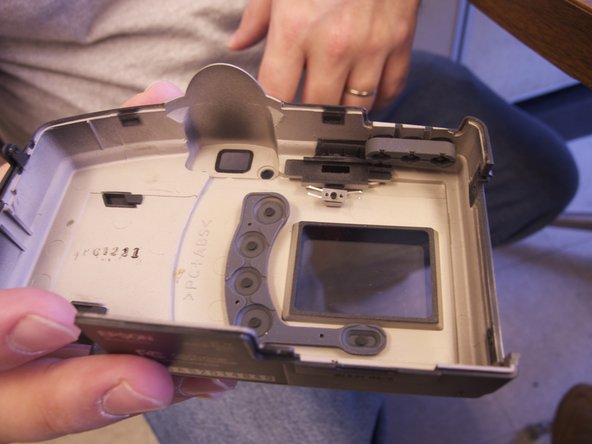
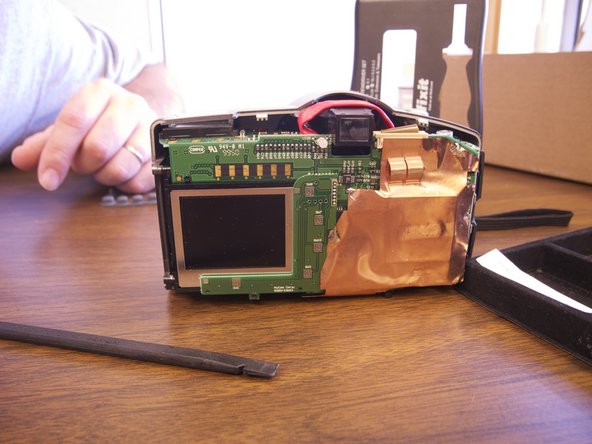
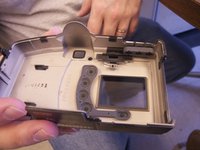
  5. Disassembling Epson PPC650 Replacing Flash: stap 5, afbeelding 1 van 3 Disassembling Epson PPC650 Replacing Flash: stap 5, afbeelding 2 van 3 Disassembling Epson PPC650 Replacing Flash: stap 5, afbeelding 3 van 3
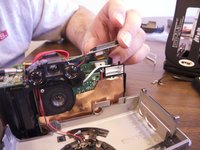
    • Separate the front and the back pieces of the camera's plastic casing using a spudger.

    • WARNING: When pulling the front plastic casing, be careful of the wires that are connected to the aperture control.

    • Use minimal force so that the plastic casing does not break.

    • When separating the small silver siding, the indicator for the view/off/playback may fall out.

    • The plastic viewing window located on the top of the camera may also become lose and fall out.

    Vraag FixBot

    Voeg opmerking toe

  6. Disassembling Epson PPC650 Replacing Flash, Disassembling Epson PPC650 Replacing Flash: stap 6, afbeelding 1 van 3 Disassembling Epson PPC650 Replacing Flash, Disassembling Epson PPC650 Replacing Flash: stap 6, afbeelding 2 van 3 Disassembling Epson PPC650 Replacing Flash, Disassembling Epson PPC650 Replacing Flash: stap 6, afbeelding 3 van 3
    • Optional: Remove two black screws from top of camera on the flash side for more working space.

    Vraag FixBot

    Voeg opmerking toe

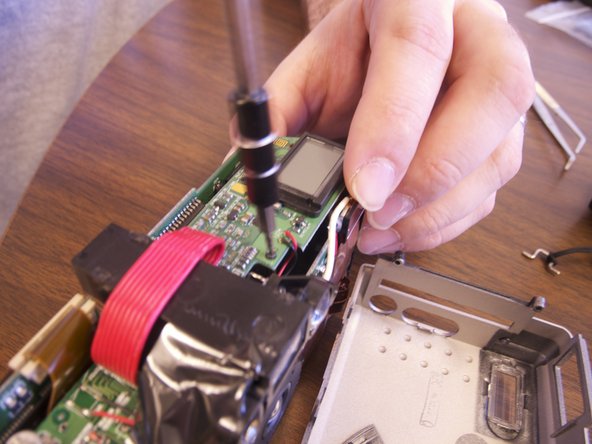
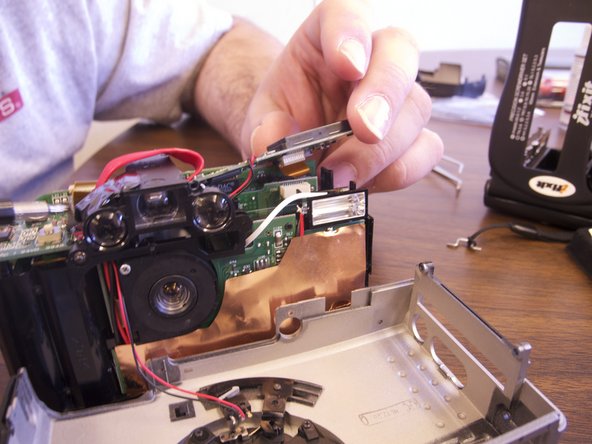
  7. Disassembling Epson PPC650 Replacing Flash: stap 7, afbeelding 1 van 1
    • Remove clear rubber band holding flash in line with wiring.

    Vraag FixBot

    Voeg opmerking toe

    • Cut white wire, red wire, and black wire connecting flash element to circuit board by unsoldering ends

    Vraag FixBot

    Voeg opmerking toe

    • Connect new flash by soldering copper ends to their respective ends to new flash element.

    Vraag FixBot

    Voeg opmerking toe

Conclusie

To reassemble your device, follow these instructions in reverse order.

Annuleren: ik heb deze handleiding niet afgemaakt.

Xan Danes

Lid sinds: 02/14/13

134 Reputatie

1 Handleiding geschreven

Team

Ohio State, Team 1-5, Buehl Spring 2013 Lid van Ohio State, Team 1-5, Buehl Spring 2013

OSU-BUEHL-S13S1G5

4 Leden

6 handleidingen geschreven

0Gids Commentaar

Voeg opmerking toe

Weergavestatistieken:

Afgelopen 24 uren: 2

Afgelopen 7 dagen: 10

Afgelopen 30 dagen: 30

Altijd: 634