Deze vertaling is door een computer gegenereerd en is nog niet door iemand nagekeken. Spreek je deze taal? Bekijk het hier.
Inleiding
Gebruik deze handleiding om de lens van de camera te demonteren. Dit wordt gebruikt om de lens verder te reinigen als je de E18-foutmelding krijgt.
Wat je nodig hebt
-
-
-
Schakel de camera uit door op de aan-/uitknop boven het lcd-scherm te drukken.
 Vraag FixBot
-
-
-
Verwijder de twee kleine schroeven aan de onderkant van de camera met een Phillips #00-kruiskopschroevendraaier.
-
-
-
Gebruik een Phillips #00 kruiskopschroevendraaier om de twee kleine schroeven aan de rechterkant van de camera te verwijderen.
-
-
-
Gebruik een Phillips #00 kruiskopschroevendraaier om de schroef links van de camera onder het label 'A/V out digital' te verwijderen.
-
-
-
Gebruik een Phillips #00-kruiskopschroevendraaier om de schroef aan de onderkant van de camera bij de batterij- en geheugenkaartsleuven te verwijderen.
-
-
-
Verwijder de behuizingen aan de voor-, achter- en zijkant van de camera en leg deze opzij.
-
-
-
-
-
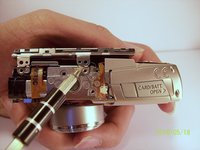
Verwijder de twee schroeven waarmee het lcd-scherm en de achtergrondverlichting aan de behuizing van de camera zijn bevestigd.
-
-
-
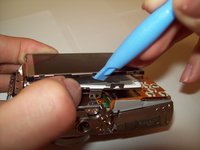
Wrik het LCD-scherm en de achtergrondverlichting voorzichtig los van de hoofdbehuizing van de camera.
-
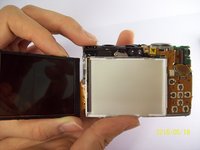
Wrik het LCD-scherm voorzichtig los van de achtergrondverlichting.
-
De dunne lintkabel is voor de achtergrondverlichting.
-
De dikke lintkabel is voor het LCD-scherm.
-
-
-
-
Til voorzichtig de ZIF-aansluiting op die de dikke lintkabel bedekt.
-
Deze ZIF-aansluiting is kwetsbaar. Wees voorzichtig wanneer u deze uit de neergeklapte stand optilt.
-
Plaats het nieuwe LCD-scherm en zet de camera weer in elkaar.
-
-
-
-
Gereedschap gebruikt in deze stap:Tweezers$4.99
-
Koppel de lintkabel los van de behuizing op de printplaat.
-
Neem de nieuwe lintkabel en steek deze in de behuizing.
-
Pincet of een gereedschap met een scherpe punt kan worden gebruikt.
-
-
-
-
-
Maak het lcd-scherm en de achtergrondverlichting los.
-
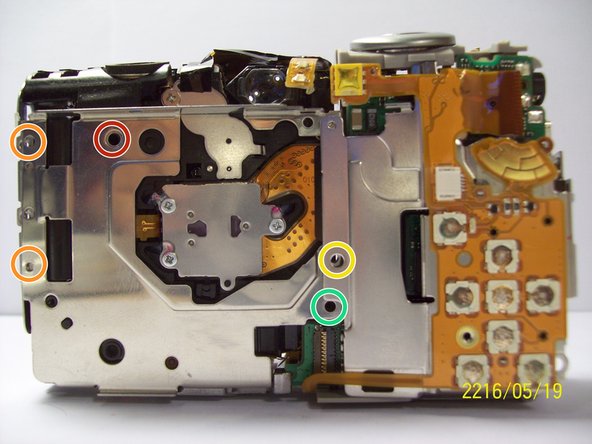
Verwijder de grotere schroef.
-
Verwijder de twee kleinere schroeven.
-
Verwijder de kleine schroef.
-
Verwijder de kleine schroef.
-
-
-
Verwijder de twee schroeven bij de statiefaansluiting met een Phillips #00 kruiskopschroevendraaier.
-
-
-
Verwijder de schroef naast de sluiter boven op de camera met een kruiskopschroevendraaier.
-
-
-
Verwijder de oranje lintkabel door de ZIF-aansluiting die aan de lintkabel vastzit omhoog te wippen met een spudger.
-
-
-
Til voorzichtig de sluiter op, samen met de lintkabel die eraan vastzit. Hiermee verwijder je de behuizing rondom het moederbord.
-
-
-
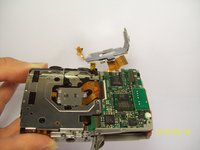
Met de moederbordbehuizing losgekoppeld, verwijdert u de korte oranje lintkabel door de ZIF-aansluiting met een spudger of ander kunststof openingsgereedschap omhoog te wippen en de lintkabel eruit te schuiven. Door deze lintkabel los te koppelen, wordt de kant van de camera die het moederbord bevat losgemaakt van de rest van de camera.
-
-
-
Koppel de bedrading los die is verbonden met het moederbord.
-
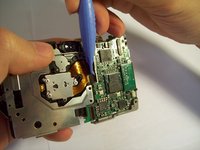
Verwijder de folie door deze voorzichtig van het moederbord op te tillen.
-
-
-
Verwijder de laatste bedrading die op het moederbord is aangesloten door deze voorzichtig omhoog te tillen.
-
-
-
Verwijder de schroef met een Phillips #00-kruiskopschroevendraaier.
-
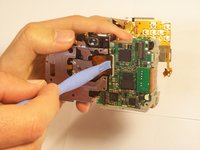
Til het moederbord voorzichtig uit de behuizing.
-
-
-
Verwijder de schroef.
-
Zodra de schroef is verwijderd, kun je de printplaat verwijderen.
-
-
-
-
-
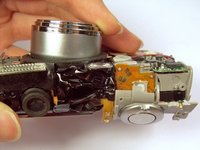
Zodra je de lens van het hoofdchassis hebt verwijderd, veeg je voorzichtig alle vuil, zand of stof weg dat zich in de kieren heeft opgehoopt. Het gebruik van een spuitbus met perslucht of een borstel kan helpen om al het vuil te verwijderen.
-
-








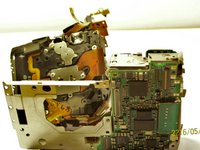


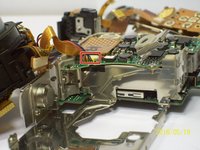
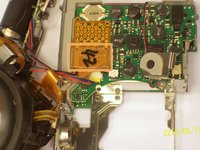


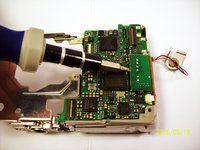
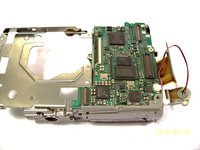


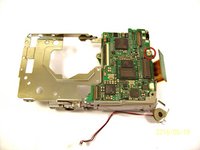
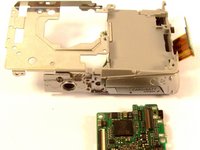


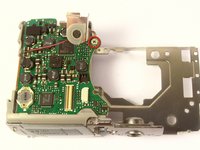
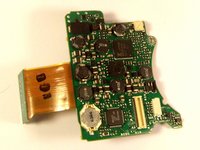

Volg deze instructies in omgekeerde volgorde om je apparaat weer in elkaar te zetten.
Annuleren: ik heb deze handleiding niet afgemaakt.
2 andere personen hebben deze handleiding voltooid.

Team

Cal Poly, Team 9-71, Walters Spring 2011 Lid van Cal Poly, Team 9-71, Walters Spring 2011
CPSU-WALTERS-S11S9G71
4 Leden
96 handleidingen geschreven
