Ga door naar hoofdinhoud
Word lid van de reparatiegemeenschap - Account aanmaken

Dell XPS M1530 RAM Replacement

Wat je nodig hebt

  1. Dell XPS M1530 RAM Replacement, Battery: stap 1, afbeelding 1 van 1
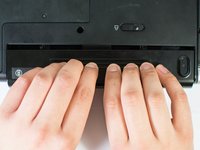
    • Turn the computer upside down with the battery facing you.

    • Turn the computer off and disconnect the charging cable from the computer.

    • Failure to unplug the charging cable may result in electric shock.

    Vraag FixBot

    Voeg opmerking toe

  2. Dell XPS M1530 RAM Replacement: stap 2, afbeelding 1 van 1
    • Push the switch as far to the right as possible to unlock the battery.

    Vraag FixBot

    Voeg opmerking toe

  3. Dell XPS M1530 RAM Replacement: stap 3, afbeelding 1 van 2 Dell XPS M1530 RAM Replacement: stap 3, afbeelding 2 van 2
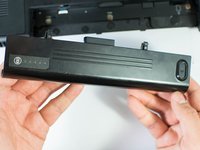
    • Remove the battery using two hands and pull it away from the computer.

    Vraag FixBot

    Voeg opmerking toe

  4. Dell XPS M1530 RAM Replacement, RAM: stap 4, afbeelding 1 van 1
    • Unscrew the four Phillips #1 screws holding down the back panel. Then remove one 5.8mm Phillips #1 screw labeled "M" in the middle of the back panel.

    • Four 3.9mm Phillips #1 screws

    • One 5.8mm Phillips #1 screw

    Vraag FixBot

    Voeg opmerking toe

  5. Dell XPS M1530 RAM Replacement: stap 5, afbeelding 1 van 2 Dell XPS M1530 RAM Replacement: stap 5, afbeelding 2 van 2
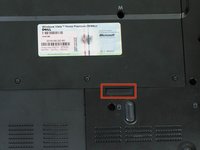
    • Using the highlighted indent, pull up and out to remove the back panel.

    • The indent should provide enough grip to remove the panel with ease.

    Vraag FixBot

    Voeg opmerking toe

  6. Dell XPS M1530 RAM Replacement: stap 6, afbeelding 1 van 2 Dell XPS M1530 RAM Replacement: stap 6, afbeelding 2 van 2
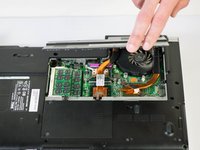
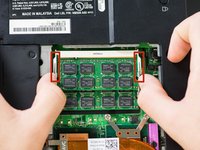
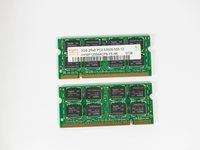
    • Push out on the first set of metal tabs to release and remove the top RAM chip.

    Vraag FixBot

    Voeg opmerking toe

  7. Dell XPS M1530 RAM Replacement: stap 7, afbeelding 1 van 3 Dell XPS M1530 RAM Replacement: stap 7, afbeelding 2 van 3 Dell XPS M1530 RAM Replacement: stap 7, afbeelding 3 van 3
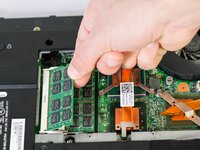
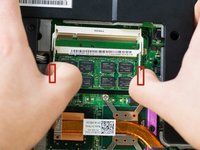
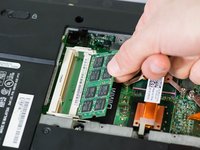
    • Push out on the second set of metal tabs to release and remove the lower RAM chip.

    Vraag FixBot

    Voeg opmerking toe

Conclusie

To reassemble your device, follow these instructions in reverse order.

Annuleren: ik heb deze handleiding niet afgemaakt.

3 andere personen hebben deze handleiding voltooid.

Jase Sasaki

Lid sinds: 01/22/15

721 Reputatie

5 handleidingen geschreven

Team

Cal Poly, Team 18-4, Maness Winter 2015 Lid van Cal Poly, Team 18-4, Maness Winter 2015

CPSU-MANESS-W15S18G4

4 Leden

8 handleidingen geschreven

0Gids Commentaar

Voeg opmerking toe

Weergavestatistieken:

Afgelopen 24 uren: 4

Afgelopen 7 dagen: 7

Afgelopen 30 dagen: 33

Altijd: 1,212