Deze vertaling is door een computer gegenereerd en is nog niet door iemand nagekeken. Spreek je deze taal? Bekijk het hier.
Inleiding
Handleiding voor het installeren van nieuwe RAM-modules voor de Dell Latitude D620.
Wat je nodig hebt
-
-
-
Zoek de inkeping onder de bovenste bedekking aan de bovenkant van het toetsenbord
-
Gebruik de spudger als hefboom om de plastic bedekking op te tillen
-
Verwijder voorzichtig de rest van de bedekking van rechts naar links
-
-
-
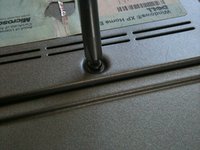
Draai het bovenste gedeelte van het toetsenbord los met een #00 schroevendraaier
-
-
-
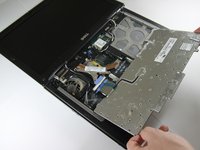
Houd het toetsenbord aan de bovenkant vast en trek voorzichtig richting het lcd-scherm om het toetsenbord uit de behuizing te verwijderen.
-
-
-
-
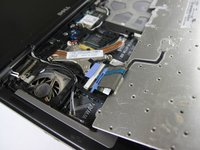
Zodra het toetsenbord uit de behuizing is, leg je het met de toetsen naar beneden op het trackpad
-
-
-
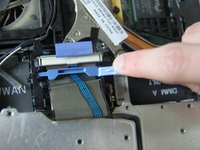
Trek met een kleine spudger aan de zwarte balk om de blauwe hendel los te maken
-
-
-
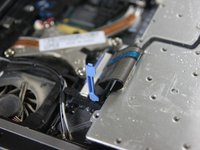
Trek de metalen staaf die met het stopcontact is verbonden omhoog om de lintkabel los te maken
-
-
-
-
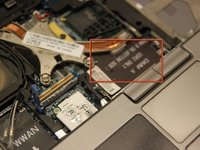
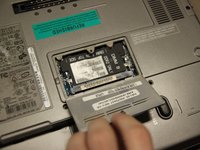
Nu het toetsenbord is verwijderd, zou je RAM-slot A moeten kunnen zien.
-
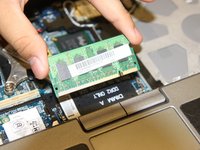
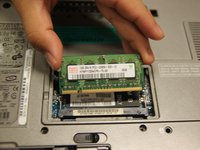
Plaats het nieuwe RAM-geheugen in het slot en zorg dat het goed is uitgelijnd.
-
-
-
Vervang het toetsenbord door de voorgaande stappen in omgekeerde volgorde uit te voeren
-
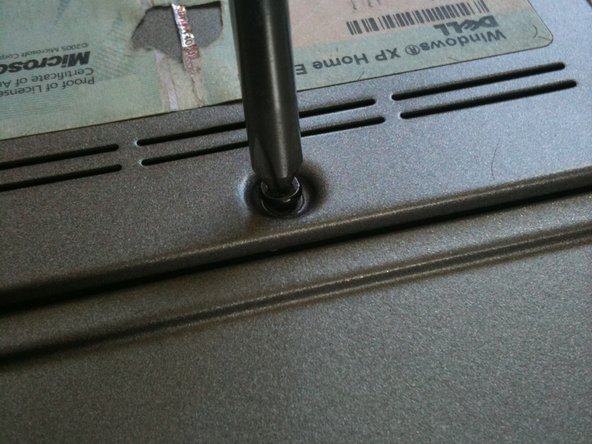
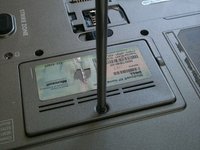
Sluit de laptop en draai deze om op de achterkant
-
-

 Vraag FixBot










Volg deze instructies in omgekeerde volgorde om je apparaat weer in elkaar te zetten.
Annuleren: ik heb deze handleiding niet afgemaakt.
26 andere personen hebben deze handleiding voltooid.

Team

Cal Poly, Team 24-35, Regan Spring 2010 Lid van Cal Poly, Team 24-35, Regan Spring 2010
CPSU-REGAN-S10S24G35
4 Leden
36 handleidingen geschreven
2Gids Commentaar
If you are increasing the amount of RAM installed -> On first power on after installing the RAM, system on boot up will complain about memory size changed, and to reseat the memory. Wait for about 60 - 90 seconds, and you will receive a few additional messages about F1 to continue or F2 for Setup. Go into Setup and verify that the system sees all memory installed. If installing 2 x 2GB DDR2, max possible, 4GB. BIOS setup should report 4GB installed, of which 3.37GB usable.
J’étais inquiet, mais en lisant votre commentaire, me voilà rassuré et j’ai donc suivi vos instructions. Ca fonctionne 2X2 GO …Merci
