Ga door naar hoofdinhoud
Word lid van de reparatiegemeenschap - Account aanmaken

Dell Inspiron 6000 Keyboard Replacement

Wat je nodig hebt

  1. Dell Inspiron 6000 Keyboard Replacement, Battery: stap 1, afbeelding 1 van 1
    • To prevent injury, make sure the laptop is unplugged before removing the battery.

    • Flip the laptop over, bottom-side up.

    Vraag FixBot

    Voeg opmerking toe

  2. Dell Inspiron 6000 Keyboard Replacement: stap 2, afbeelding 1 van 1
    • Push the switch next to the battery.

    • At the same time, lift the battery away from the laptop.

    Vraag FixBot

    Voeg opmerking toe

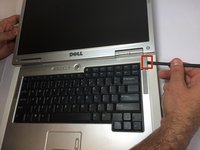
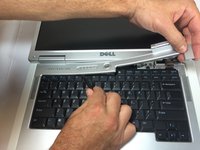
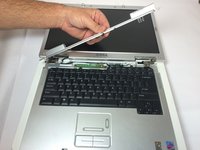
  3. Dell Inspiron 6000 Keyboard Replacement, Keyboard: stap 3, afbeelding 1 van 3 Dell Inspiron 6000 Keyboard Replacement, Keyboard: stap 3, afbeelding 2 van 3 Dell Inspiron 6000 Keyboard Replacement, Keyboard: stap 3, afbeelding 3 van 3
    • Place the laptop on flat surface.

    • Carefully open the laptop at far as it will go so that the back of screen is touching the flat surface.

    • Carefully take a spudger and separate part of the cover at the red circle.

    Vraag FixBot

    Voeg opmerking toe

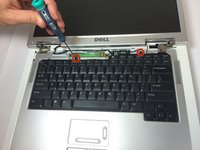
  4. Dell Inspiron 6000 Keyboard Replacement: stap 4, afbeelding 1 van 2 Dell Inspiron 6000 Keyboard Replacement: stap 4, afbeelding 2 van 2
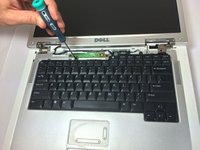
    • Remove two 4 mm Philips #00 screws.

    Vraag FixBot

    Voeg opmerking toe

  5. Dell Inspiron 6000 Keyboard Replacement: stap 5, afbeelding 1 van 1
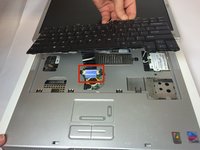
    • Gently lift the keyboard away from the laptop without harming the cord that is located at the bottom of the keyboard.

    Vraag FixBot

    Voeg opmerking toe

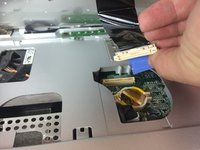
  6. Dell Inspiron 6000 Keyboard Replacement: stap 6, afbeelding 1 van 3 Dell Inspiron 6000 Keyboard Replacement: stap 6, afbeelding 2 van 3 Dell Inspiron 6000 Keyboard Replacement: stap 6, afbeelding 3 van 3
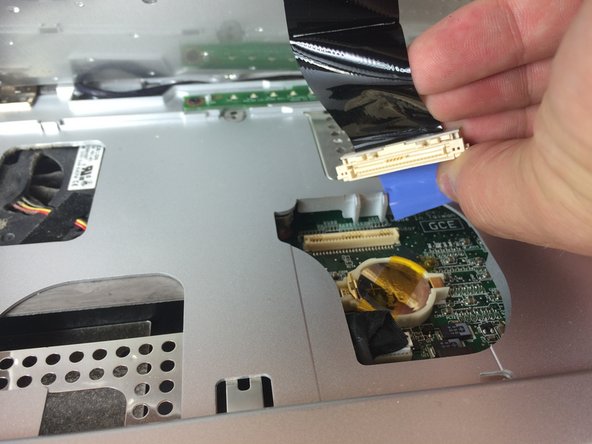
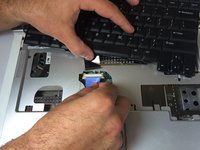
    • Gently pull the blue tab up until it comes away from computer.

    Vraag FixBot

    Voeg opmerking toe

Conclusie

To reassemble your device, follow these instructions in reverse order.

Annuleren: ik heb deze handleiding niet afgemaakt.

5 andere personen hebben deze handleiding voltooid.

Jacob DeWar

Lid sinds: 09/23/14

563 Reputatie

3 handleidingen geschreven

Team

USF Tampa, Team 11-1, Blackwell Fall 2014 Lid van USF Tampa, Team 11-1, Blackwell Fall 2014

USFT-BLACKWELL-F14S11G1

5 Leden

7 handleidingen geschreven

1Gids Commentaar

Hi there, my dell inspiron 6000 does not power up when I switch on. This happened after I remove my keypad to clean.. Any idea why?

John KAPA - Antwoord Deel

Voeg opmerking toe

Weergavestatistieken:

Afgelopen 24 uren: 0

Afgelopen 7 dagen: 6

Afgelopen 30 dagen: 43

Altijd: 2,564