Ga door naar hoofdinhoud
Word lid van de reparatiegemeenschap - Account aanmaken

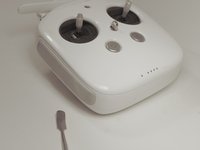
DJI Phantom 4 Advanced Remote Controller Back Panel Replacement

Wat je nodig hebt

    1. DJI Phantom 4 Advanced Remote Controller Back Panel Replacement, Back Panel: stap 1, afbeelding 1 van 1
      • Remove the four screws with a Torx T8 screwdriver to access the back con board.

      Vraag FixBot

      Voeg opmerking toe

    2. DJI Phantom 4 Advanced Remote Controller Back Panel Replacement: stap 2, afbeelding 1 van 2 DJI Phantom 4 Advanced Remote Controller Back Panel Replacement: stap 2, afbeelding 2 van 2
      • Remove three screws using a Phillips #00 screwdriver.

      Vraag FixBot

      Voeg opmerking toe

    3. DJI Phantom 4 Advanced Remote Controller Back Panel Replacement: stap 3, afbeelding 1 van 2 DJI Phantom 4 Advanced Remote Controller Back Panel Replacement: stap 3, afbeelding 2 van 2
      Gereedschap gebruikt in deze stap:
      Tweezers
      $4.99
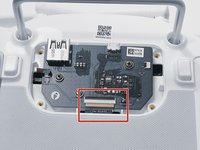
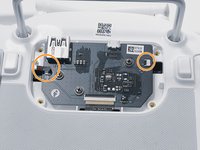
      • With tweezers, gently remove the large con board tab.

      • Use your hands to remove the two small clips. Pull out from the socket, in a horizontal direction.

      Vraag FixBot

      Voeg opmerking toe

    4. DJI Phantom 4 Advanced Remote Controller Back Panel Replacement: stap 4, afbeelding 1 van 2 DJI Phantom 4 Advanced Remote Controller Back Panel Replacement: stap 4, afbeelding 2 van 2
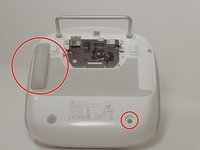
      • Peel off the rubber grips to access the screw holes.

      • Make sure to save your grips and do not to get them stuck to anything, you are going to want to save the adhesive.

      • Remove the back board and set it aside.

      Vraag FixBot

      Voeg opmerking toe

    5. DJI Phantom 4 Advanced Remote Controller Back Panel Replacement: stap 5, afbeelding 1 van 2 DJI Phantom 4 Advanced Remote Controller Back Panel Replacement: stap 5, afbeelding 2 van 2
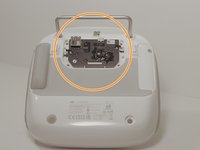
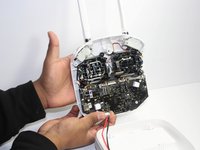
      • Pull apart the back plastic panel.

      • Recommended tool for this would be the metal spudger, but not required.

      • Once the back panel is off, you will have access to the motherboard.

      Vraag FixBot

      Voeg opmerking toe

Conclusie

To reassemble your device, follow these instructions in reverse order.

Annuleren: ik heb deze handleiding niet afgemaakt.

0Gids Commentaar

Voeg opmerking toe

Weergavestatistieken:

Afgelopen 24 uren: 0

Afgelopen 7 dagen: 1

Afgelopen 30 dagen: 26

Altijd: 1,113